App Store Optimization: The 2026 Guide to Rankings, Retention, and the New Rules
App Store Optimization (ASO) is the practice of improving an app’s visibility and conversion rate inside the Apple App Store, Google Play, and emerging alternative marketplaces. It combines keyword research, metadata writing, visual asset design, ratings management, and retention engineering to drive qualified installs from organic search and browse traffic.
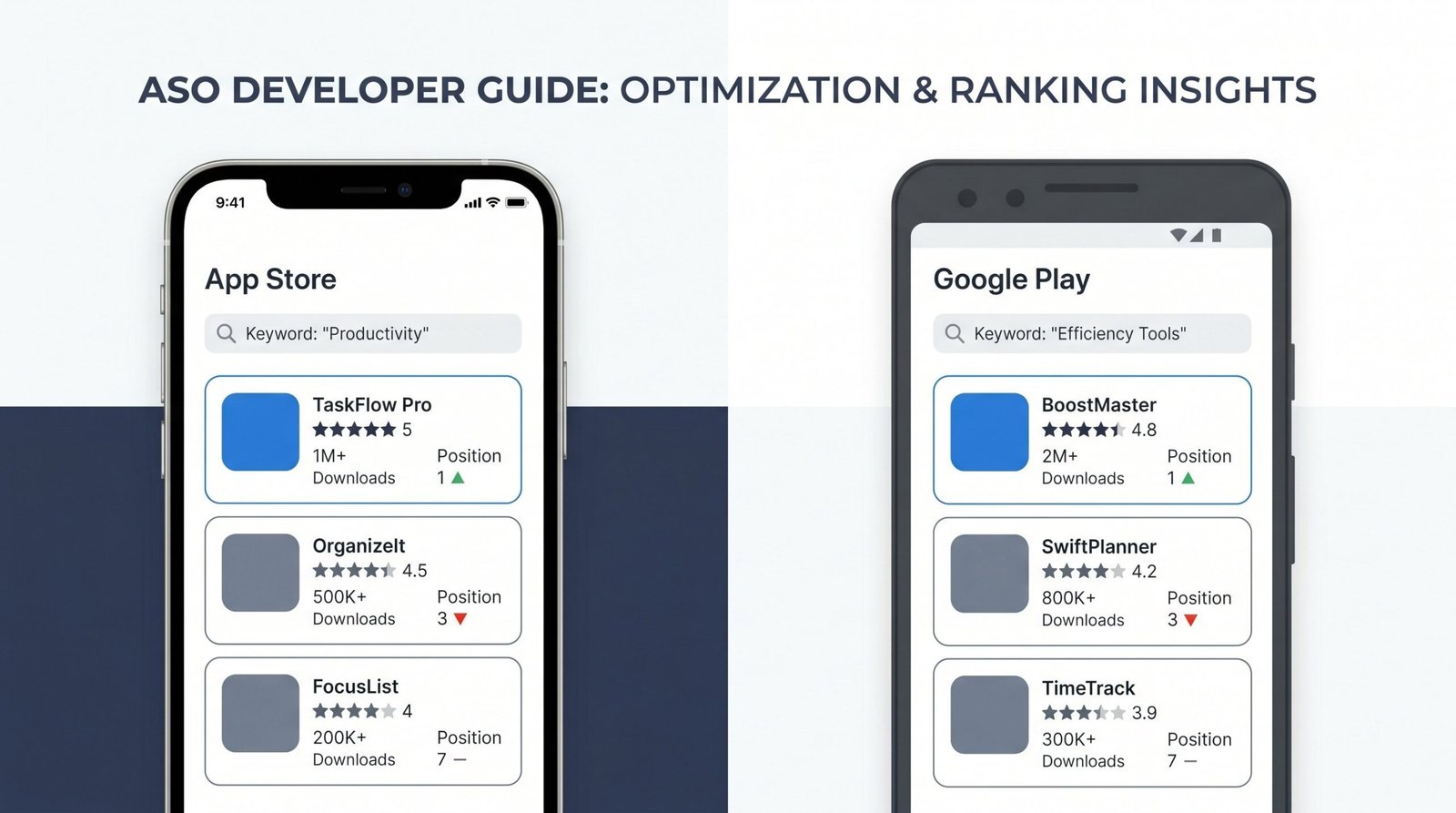
If you last touched ASO in 2023, almost every assumption in your playbook is wrong. Apple rewrote search with natural language processing in iOS 18.1. Screenshot captions became an indexable metadata field in June 2025. Custom Product Pages started showing up in organic results in July of the same year, and the ceiling on how many you can run jumped from 35 to 70. Retention signals now sit alongside download velocity in the ranking equation. And the EU’s Digital Markets Act split the iOS distribution surface into a multi-marketplace problem.
This guide covers the fundamentals you need (text metadata, visuals, reviews, keyword research) and the 2026 shifts you almost certainly haven’t accounted for yet. It is written for product owners and solo founders who want a usable playbook, not a vocabulary list. We borrow methods from broader app SEO strategy work where it helps, and link out to Apple’s and Google’s own documentation when precision matters.
What Is App Store Optimization?
App Store Optimization is the discipline of making your app easier to find inside an app marketplace, and more likely to be installed once found. It is the mobile and SaaS equivalent of web SEO, with two key differences: the index is closed (only Apple and Google know exactly how they rank), and the conversion event happens inside the platform, not on your site.
ASO covers everything that affects a store listing’s organic performance. That includes the obvious text fields (title, subtitle, description, keyword field), the obvious visual assets (icon, screenshots, preview video), and a longer list of less obvious signals: review sentiment, crash rate, retention curves, in-app purchase activity, regional install velocity, and how often users open the app after install. Apple has confirmed many of these in Apple’s official App Store search guidelines, and developer interviews with Google have surfaced similar mechanics on the Play side.
If your app lives only on the web, you are running web SEO. If it lives inside a marketplace, you are running ASO. Plenty of products run both, which is why our broader mobile app SEO framework treats the two as complementary channels rather than separate disciplines.
ASO vs SEO: Key Differences
The mental model is similar. The mechanics are not.
Web SEO is open-ended. Search engines crawl an enormous corpus, and most ranking factors live on your site (content, structure, internal links) or in third-party signals (backlinks, citations). The conversion event happens after the click.
ASO is constrained. Your input surface is the store listing, which is a fixed set of fields with character limits. You cannot earn backlinks that move you up in the App Store. You cannot redirect, canonicalize, or rewrite URLs. The conversion event happens inside the marketplace, often within a few seconds of impression. Velocity, retention, and revenue per install all feed back into ranking, so it is closer to a closed-loop optimization problem than a content optimization problem.
The second important difference is the click-through model. On Google, a user lands on your page and reads. On the App Store, a user sees an icon, title, and 1-3 screenshots in a fraction of a second, and decides whether to tap. Conversion rate optimization is structurally welded to ranking.
Why ASO Has Changed in 2026
The ASO playbook that worked in 2023 was largely keyword arbitrage: find low-competition terms, jam them into the keyword field, rinse and repeat. That playbook is bleeding effectiveness every quarter. Three platform shifts explain why.
The iOS 18.1 Natural Language Search Shift
In late 2024, Apple rolled out a natural language processing layer on top of App Store search. The change went mostly unannounced at WWDC, but ASO practitioners noticed an unusual pattern within weeks: apps that had never targeted certain keywords started ranking for them, while apps that had stuffed those exact phrases lost ground.
What changed is that Apple’s matching engine now reads queries semantically. A search for “track my running pace by route” no longer requires those exact words in your metadata. The engine understands the intent (running, GPS tracking, pace analysis) and matches apps whose descriptions and reviews discuss those concepts in natural language. Search results now reflect what an app actually is, not just what it claims to be in its keyword field.
The practical implication: keyword stuffing penalizes you twice. First, it dilutes the semantic signal of your description. Second, Apple appears to discount metadata that reads like a list of tags rather than a description. We’ve seen apps lose 20-40% of their visibility after switching from natural prose to keyword-dense copy, and recover when they reverted.
The new rule of thumb: write your description for a smart human reader. Use your primary keywords in context, not in lists. Apple’s NLP will surface you for the long tail it identifies, which is often broader than what you would have targeted manually.
Screenshot Caption Indexing: The New Metadata Field
In June 2025, App Store Connect quietly added a feature that ASO veterans had been requesting for years: indexable screenshot captions. Previously, the text overlay you designed into your screenshot graphics was image content, invisible to search. Now, App Store Connect provides a dedicated caption field per screenshot that Apple indexes alongside your title and subtitle.
Most teams have ignored this. As of early 2026, our audits suggest fewer than one in four mid-sized apps are using the caption field. That is an enormous gap. The field accepts up to 110 characters per screenshot, you get up to 10 screenshots, and Apple counts the text as part of your indexed metadata. That is up to 1,100 additional characters of ranking signal that most apps are leaving blank.
The caption field has another property worth noting: it appears to weight roughly between the subtitle and the description. Less powerful than the title or keyword field, but stronger than long-tail mentions in the description body. Apps that filled out captions in mid-2025 reported visibility gains for secondary keywords within two to four weeks.
Custom Product Pages Just Entered Organic Search
Custom Product Pages were introduced in 2021 as a paid acquisition tool. The idea: create variant listings, each with different screenshots, preview videos, and promotional text, and serve them via tracked URLs to different ad audiences. Up to 35 variants per app, served only to people who tapped your specific link.
In July 2025, Apple made two changes. First, the CPP ceiling doubled to 70 variants per app. Second, and far more significant, CPPs started appearing in organic App Store search results. Apple’s search engine now reads CPP metadata as additional signal and surfaces specific CPPs in response to specific queries when the match is strong enough.
This is the most important ASO change of 2025, and the least understood. It means a single app can now compete for dozens of keyword clusters with tailored landing experiences, each ranking on its own merits. A meditation app can have one CPP that ranks for “sleep meditation,” another for “anxiety relief,” and a third for “morning mindfulness,” with screenshots, captions, and promotional text aligned to each query intent.
Teams that adopted this approach in late 2025 are reporting 30-60% lifts in non-branded impressions. We cover the tactical playbook later in this guide, but the headline is simple: if your app serves more than one use case, CPPs are now an organic channel, not just a paid one.
Apple App Store Ranking Factors
Apple’s algorithm has never been fully documented. What we know comes from a combination of platform announcements, developer interviews, and large-scale correlation studies run by ASO platforms. The list below reflects the state of consensus as of Q2 2026.
Text Metadata (Title, Subtitle, Keyword Field)
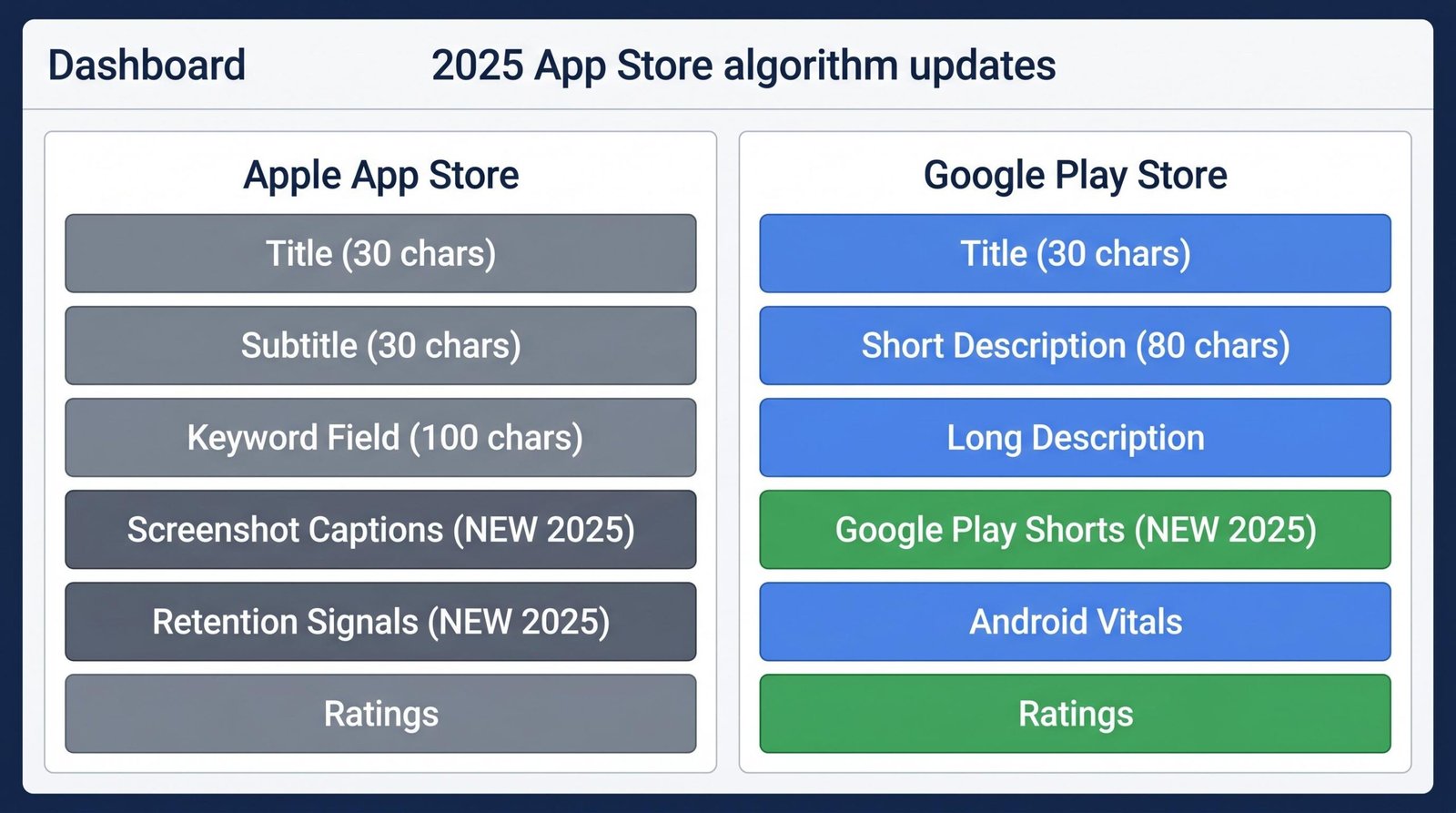
The three text fields Apple indexes most heavily are the app title (30 characters), the subtitle (30 characters), and the keyword field (100 characters, hidden from users). These three fields together carry the majority of your text ranking signal.
The title is the heaviest weighted. A keyword in the title is worth roughly twice the same keyword in the subtitle, and roughly three times the keyword field. This is why title optimization is so often a leverage point, and why we wrote a dedicated guide to ASO title strategy.
The subtitle carries the second heaviest weight. Treat it as your tagline plus your secondary keyword. “Run tracker. GPS pace and routes.” is more useful than “The world’s best running companion.”
The keyword field is your tag dump, but with constraints. Use commas, no spaces (Apple ignores spaces and tokenizes on commas). Do not repeat words across title and keyword field, since Apple combines them. Do not include your brand name, since it indexes automatically. Do not include words like “app” or “free,” since they are pre-indexed. And do not include competitor names; it violates Apple’s review guidelines and risks rejection.
The app description (4,000 characters) used to be considered metadata neutral, that is, useful for conversion but not ranking. That has shifted. With iOS 18.1’s NLP layer, the description now provides meaningful semantic signal. Words and phrases throughout the description help Apple understand the app’s domain even if those exact words don’t appear in the keyword field.
Visual Optimization (Icon, Screenshots, Preview Videos)
Visuals do not affect ranking directly, but they affect conversion, which affects ranking. Apple weights tap-through rate from search results heavily. An app that ranks position 8 but gets tapped twice as often as the app in position 7 will, over time, swap places.
Your icon is the single most important visual asset. It needs to be recognizable at 60 pixels and distinct from competitors. Avoid generic gradients, avoid text inside the icon (it disappears at small sizes), and lean into a single strong shape.
Screenshots are your second visual lever. Apple shows the first three landscape or first three portrait screenshots in search results. Those three are doing the work of your homepage hero section. They need to communicate the app’s primary value in under two seconds.
Preview videos auto-play in search results on iOS. They are powerful when they work, but they introduce a long tail of failure modes (loading time, sound surprises, content that doesn’t match the static screenshots). We suggest A/B testing a video against three strong screenshots before assuming the video wins.
Ratings, Reviews, and Engagement Signals
Rating is a ranking factor and a conversion factor. Below 4.0, you fight uphill. Below 3.5, you bleed installs at the conversion step. The difference between a 4.4 and a 4.7 may seem small, but it correlates with 10-15% higher conversion rates in our datasets.
Review volume matters as well. Apple appears to weight rating by volume, so an app with 4.6 stars across 50,000 reviews ranks above an app with 4.8 stars across 200 reviews for the same keyword. Recency also matters; reviews from the last 30 days appear to be weighted more heavily than older reviews.
Engagement signals (how often users open the app, how long they stay, whether they trigger key events) feed into rankings via the App Store’s behavioral models. This is where ASO crosses into product. An app that ranks well needs users who use it.
Retention Signals: The 2025 Ranking Factor Most Apps Ignore
The biggest unannounced shift of 2025 was the inclusion of retention curves in App Store ranking. Apple has not formally documented this, but the correlation work from AppTweak, Sensor Tower, and other platforms is unanimous: Day-1 and Day-7 retention rates predict ranking in ways that pure download velocity does not.
The mechanism is intuitive. Apple wants to show users apps they will keep using. An app that gets 10,000 downloads on launch day but loses 95% by day 7 is a worse search result than an app that gets 2,000 downloads with 60% retention at day 7. The algorithm has started treating retention as a signal of quality.
The practical implication is that ASO and onboarding are now welded together. If your Day-1 retention is below 30% or your Day-7 retention is below 15%, you are leaving ranking on the table no matter how good your metadata is. Fixing your onboarding flow can sometimes deliver larger ASO gains than fixing your title.
What does this look like in practice? It means measuring retention as an ASO KPI, not just a product KPI. It means treating the first session as part of the acquisition funnel. And it means accepting that the apps that rank in 2026 are the ones that earn the right to rank by being used, not just downloaded.
Google Play Store Ranking Factors
Google Play’s algorithm overlaps with Apple’s in many ways and diverges in others. Both reward conversion rate and retention. Both factor in reviews and ratings. The differences come from how Google indexes text and how it weights technical performance.
Title and Short Description
Google Play gives you a 30-character title and an 80-character short description. The title is the most heavily indexed field, similar to Apple. The short description, however, is significantly more powerful on Google Play than the subtitle is on Apple. Google indexes the short description heavily and treats keywords there as second-tier title signal.
Both fields are subject to Google’s spam and misleading content rules. Stuffing keywords or using emojis to game the system risks suspension. Write tight, clear language with your primary keyword positioned within the first 25 characters of the short description.
Long Description
The long description on Google Play is genuinely powerful. Up to 4,000 characters, fully indexed, and weighted in ranking calculations. Where Apple’s description was historically conversion-only, Google has always treated the long description as a primary indexing field.
The structure that works: lead with a concise hook in the first paragraph. Use natural language, but mention your primary keyword two to four times in the first 250 characters. Then expand into use cases, features, and proof. We suggest using your primary keyword at a density of roughly 1.5-2% across the full description, which is enough to signal relevance without triggering spam classifiers. Google’s store listing best practices documentation has additional guidance on structure.
Android Vitals
Google has been more open than Apple about technical signals affecting ranking. Android Vitals is the umbrella term for crash rate, ANR (Application Not Responding) rate, slow rendering, frozen frames, and battery usage. Apps that score poorly on Vitals are demoted in Play Store rankings, and Google will warn users before download if your crash rate is above thresholds.
This is one of the few ASO factors that lives in your engineering stack, not your marketing one. If your crash rate is over 1.5% on Android, you are losing ranking to better-engineered apps. Below 0.5% is the bar you want to hit.
Google Play Shorts: The New Visual Metadata Field
Google Play launched Play Shorts in mid-2025: 15-second auto-playing preview videos that appear in search results, the Apps tab, and the Games tab. Unlike Apple’s preview videos, Play Shorts are a separate vertical format optimized for the mobile-first browse experience, and Google has indicated that providing one is a positive ranking signal.
Early data suggests apps with Play Shorts are seeing 12-25% higher install rates from browse, with the largest gains in games and lifestyle categories. The format is short enough to require ruthless editing: you have roughly two seconds to hook, eight seconds to demonstrate, and five seconds to close. Many teams underestimate how different Shorts production is from longer preview video work.
If you operate on both platforms, do not assume you can reuse your Apple preview video as a Play Short. The aspect ratio is different, the timing is different, and the discovery context is different. Treat it as a distinct asset.
Apple App Store vs Google Play: Ranking Factor Comparison
The two platforms are converging in some ways and diverging in others. The table below summarizes the current state.
| Ranking Factor | Apple App Store | Google Play Store |
|---|---|---|
| Title | 30 chars, heavily weighted, indexed | 30 chars, heavily weighted, indexed |
| Secondary text field | Subtitle (30 chars), heavily weighted | Short description (80 chars), heavily weighted |
| Keyword field | 100 chars, hidden, comma-separated | No equivalent field |
| Long description | 4,000 chars, semantic signal via NLP since iOS 18.1 | 4,000 chars, directly indexed, primary text signal |
| Screenshot captions | Indexed since June 2025 (110 chars each) | Not separately indexed |
| Preview video | Up to 3 videos, auto-play in search | Play Shorts (15s) and feature graphic video |
| Ratings | Weighted by volume and recency | Weighted by volume, recency, and version |
| Reviews | Text indexed semantically (NLP) | Text indexed for relevance signals |
| Retention | Day-1 and Day-7 weighted | Day-1, Day-7, Day-30 all weighted |
| Technical performance | Crash rate factored in implicitly | Android Vitals (crash, ANR, render, battery) |
| Variant listings | CPPs (70 max, organic since July 2025) | Custom store listings (50 max, regional/install state) |
| Localization | Per-region storefronts, 40 languages | Per-region listings, 80+ languages |
ASO Keyword Research: How to Find Terms That Actually Rank
Keyword research in 2026 looks different from 2023, but the underlying logic has not changed: you want to find queries with meaningful volume, manageable competition, and high purchase intent. The change is how you find them and how you interpret them.
The starting point is your seed list: the 10-30 phrases that obviously describe your app. If you make a sleep tracking app, that list includes “sleep tracker,” “sleep monitor,” “sleep cycle,” “sleep app,” and probably “snoring tracker.” This is the easy part.
The hard part is expanding from seeds to actionable terms. Three methods we use:
Method 1: Autosuggest scraping. Open the App Store search bar and type “sleep.” Apple’s autosuggest will surface what real users are typing. Repeat for “track sleep,” “best sleep,” and other partial phrases. Each autosuggest is volume-weighted, meaning Apple shows you what is being searched, not what is hypothetically relevant. ASO tools automate this at scale, but the manual version works for small lists.
Method 2: Competitor metadata reverse engineering. Look at the top 5 apps for your seed terms. Read their titles, subtitles, and descriptions. Use an ASO tool to extract their inferred keyword fields. Build a list of terms they rank for that you do not, and vice versa. The gaps are where you might find opportunity.
Method 3: Review and search query analysis. Pull the search queries users used to find your app (App Store Connect provides this). Pull the language users use in their reviews. Both surface intent vocabulary you would never have guessed. Users say “app that helps me sleep” more often than they say “sleep tracker,” and if your description uses the second phrase exclusively, you are missing the first.
Once you have a long list, score each term on three axes: estimated volume, competition difficulty, and intent fit. Most ASO tools provide volume and difficulty scores. Intent fit is judgment: a term like “sleep” has huge volume but bad fit because most searchers want music or meditation, not tracking.
Apple App Store vs Google Play: Different Keyword Strategies
The same keyword research process produces different output for the two platforms. On Apple, your keyword field forces you to think about every term explicitly, and you have to allocate 100 characters precisely. On Google Play, the keyword field doesn’t exist, so you are working with title, short description, and long description as your placement surface.
The Apple strategy is allocation. You have a fixed budget of characters, and every word competes for inclusion. Drop articles, prepositions, and conjunctions. Use commas. Don’t repeat words across the title and keyword field. Apple recombines tokens automatically, so “sleep” + “tracker” + “monitor” in the keyword field, plus “Track” in the title, gives you ranking signal for “sleep tracker,” “sleep monitor,” and “track sleep.”
The Google Play strategy is integration. Your keywords have to appear in readable prose. The short description is critical: lead with your primary phrase. The long description should use your secondary phrases in natural sentences, with the primary phrase repeated four to six times across the full description.
Long-Tail and Semantic Keywords in 2026
The iOS 18.1 NLP layer changed which keywords are worth chasing. Long-tail terms are now significantly more accessible than they were, because Apple’s semantic matching surfaces apps for queries they did not target explicitly. An app that targets “sleep tracker” can now rank for “app that helps me fall asleep” without that phrase appearing anywhere in its metadata, if the description discusses falling asleep, the reviews mention it, and the app’s behavioral signals (retention, in-app behavior) align.
This changes the calculus. In 2023, long-tail ASO meant stuffing variations into the keyword field. In 2026, long-tail ASO means writing rich, accurate descriptions that an NLP model can map to many queries.
The practical playbook: identify 5-10 long-tail clusters that represent real user intents (not just keyword variants), and weave each into the description in natural language. Don’t think “which words do I need,” think “which use cases do I describe.”
Optimizing Your App Listing, Field by Field
Below is the working playbook we use when auditing a new app. It is field-by-field, ordered by ranking weight.
Writing an App Store Title That Ranks
The title is your single highest-leverage field. You have 30 characters on both platforms. Use them for: (1) your brand name, (2) one to two primary keywords, separated by a colon or vertical bar.
“Sleep Tracker: Sleep Cycle” is a stronger title than “Sleep Cycle.” It captures the brand and the category in one field. “Headspace: Meditation & Sleep” works similarly, and is in fact the live Headspace title.
Common mistakes: stuffing every keyword in (Apple penalizes); using emojis that don’t render reliably in search results; using your brand alone if you’re not yet a household name; using ambiguous category words like “social” or “productivity” that don’t differentiate.
If you take only one thing from this section: the brand-keyword-keyword pattern almost always wins. Test variants in App Store Connect’s product page experiments, but start there.
For a deeper treatment of title patterns by category, see our breakdown of App Store title optimization.
App Description Best Practices
App descriptions have a job hierarchy: rank, convert, retain. Rank applies to Google Play (and now Apple, post-NLP). Convert applies to anyone who lands on the page. Retain applies to anyone who scrolls and reads enough to set expectations.
The first three lines are the most-read part of any description, because they appear above the “more” fold. Most users never expand. Treat those three lines as a homepage hero section: state what the app does, who it’s for, and what makes it different.
Below the fold, expand with use cases, features, and proof. Use short paragraphs, not walls of text. Use bullet points for features. Avoid the corporate-marketing template (“In a world where…”) because it triggers user skepticism and tells Apple’s NLP nothing useful.
Mention your primary keyword two to four times in the first 250 characters, and your secondary keywords once each in the body. The density target is roughly 1.5-2% for the primary keyword across the full description.
Include social proof where possible: press mentions, awards, user counts, notable customers. “Featured by Apple in ‘Best of 2024′” is a conversion lift you should not bury.
Close with a call to action that is consistent with how the app actually opens. If your app requires sign-up to do anything, say so. Mismatched expectations between description and onboarding kill retention, which now kills ranking.
Screenshot Optimization (Including the Caption Update)
Screenshots are the single biggest conversion lever after the icon. The top three (Apple) or top two (Google Play) appear in search results, so they have to do the heavy lifting before anyone visits your full product page.
The pattern that works: screenshots 1-3 communicate your value proposition with bold overlay text and a single dominant UI element. Screenshots 4-7 demonstrate specific features. Screenshots 8-10 close with social proof or premium feature highlights.
Avoid showing your raw UI without overlays. Almost no one understands what an app does from a UI screenshot alone. The overlay text is what carries the message.
Since June 2025, Apple’s screenshot caption field is indexable metadata. This is a free 110 characters per screenshot, up to 10 screenshots, that almost no one is using. Fill it. Use your secondary and long-tail keywords naturally. Describe what the screenshot shows. “Track sleep stages, REM cycles, and snoring patterns through the night” is a caption that helps both users and the indexer.
Do not treat the caption as the same as the overlay text on the screenshot graphic. They serve different audiences (overlay for humans, caption for the indexer plus humans who read it). They can overlap, but the caption is where you can be more direct about keywords without sacrificing visual design.
Icon Best Practices
Your icon is the most viewed asset you’ll ever create. It appears in search results, browse, the home screen of every user who installs, the App Switcher, notifications, and suggested-app surfaces. It needs to work at 60 pixels and 1024 pixels equally.
Principles that consistently work: (1) one dominant shape or letter; (2) two to three colors maximum; (3) high contrast between foreground and background; (4) no text inside the icon (it disappears at small sizes); (5) avoid photographic or detailed illustrations (they don’t compress well at small sizes).
Test your icon against your top 5 competitors by placing them side by side at search-result size. If your icon doesn’t stand out in that grid, redesign before you ship.
Custom Product Pages: The Organic Opportunity Most Teams Miss
Custom Product Pages are now the most underutilized organic ASO surface on iOS. We’ve already covered the platform shift: as of July 2025, CPPs appear in organic search results, and the per-app limit jumped from 35 to 70. Here is the tactical playbook.
Start by listing every distinct use case your app supports. A meditation app might support: sleep meditation, anxiety relief, focus and productivity, morning mindfulness, evening wind-down, and meditation for kids. Each of those is a search cluster with its own queries, intent, and ideal screenshots.
Build one CPP per cluster. For each, customize: (1) the promotional text (170 characters, indexed); (2) the first three screenshots (these appear in search); (3) screenshot captions (use the cluster’s secondary keywords); (4) preview video where relevant. Title and subtitle stay the same across CPPs (Apple does not let you vary those), so the title needs to remain broad enough to cover every cluster.
Once published, your CPPs do not automatically rank. Apple needs traffic and behavioral signals to decide which CPP to serve for which query. The fastest way to seed those signals is to drive some paid traffic to each CPP for the first few weeks. This isn’t a permanent requirement, but it accelerates Apple’s understanding of which page belongs with which query.
Once Apple has data, the CPP that performs best for a given query cluster will start appearing in organic search. Conversion rates for cluster-matched CPPs typically run 25-50% higher than for the default product page, because the visual and copy alignment is tighter.
The risk is fragmentation. If you create 70 CPPs with subtle variations, you will dilute your data and your team’s ability to maintain them. Start with 3-5 well-differentiated CPPs aligned to your top use cases, and expand only as you can support them.
Localization: The Multiplier Most Apps Skip
Localization is the highest-ROI ASO investment most apps never make. Apple supports 40 languages. Google Play supports more than 80. Each language has its own keyword field, its own description, and its own search index. An app that ranks well in English but is invisible in Spanish, Portuguese, Japanese, and German is leaving 60-70% of global app store traffic on the table.
The first-pass localization mistake is machine translation. Google Translate or DeepL will get you a description that reads as a description, but the keyword field is where machine translation fails. Local users search using local slang, local product references, and local cultural framing. “Sleep tracker” translates literally, but “Schlaftracker” is not what German users search for. They might search “Schlafanalyse” or “Schlaf App.”
The right approach is to localize the keyword field using native research, not translation. Use ASO tools that surface real search volume in the target language. Hire or contract native speakers to review your subtitle and description for naturalness. The cost is real, but the return scales with the size of the local market.
A working priority order: tier-1 European markets (DE, FR, ES, IT) typically deliver the highest return. Latin American Spanish is a separate localization from Spain Spanish, and worth treating distinctly. Brazilian Portuguese is a distinct localization from European Portuguese. Japanese, Korean, and Chinese (Simplified and Traditional) are large and underserved. If you have ambitions in those markets, treat localization as the primary ASO investment, not a secondary one.
One platform-specific note: Apple’s storefront localization is constrained by the storefront, not the language. A user in France will see the French storefront, regardless of their device language. That means you optimize per region, not per language. Google Play is closer to a language-based system, with regional overrides available.
EU DMA Marketplace Fragmentation: A New ASO Consideration
If your app has meaningful EU traffic, the Digital Markets Act has created a problem you cannot ignore. As of 2025, alternative iOS app marketplaces are live in the EU. AltStore PAL, Setapp Mobile, and others have launched, and Epic relaunched the Epic Games Store on iOS in Europe. These marketplaces have their own search, their own ranking algorithms, and their own audiences.
For most apps, this is a long tail concern: alternative marketplaces have small but growing user bases, mostly enthusiasts and power users. For some categories (especially games, productivity, and tools that Apple’s review process has historically been hostile to), the alternative marketplaces are a real channel.
The ASO implication: you may need a separate listing strategy for alternative marketplaces. Some have their own ranking factors (Setapp emphasizes editorial curation, AltStore weights social and community signals). Others are closer to the App Store model.
Our current advice for most teams: monitor EU alternative marketplaces, but do not invest heavily until your category shows meaningful traction in them. The exceptions are apps in adversarial categories with Apple, or apps with strong communities that can drive direct downloads to alternative marketplaces. For those teams, multi-marketplace ASO is already a real practice.
ASO Tools Compared
The ASO tool landscape has consolidated significantly since 2023. The five tools below cover the working set for most teams. Each has trade-offs.
| Tool | Keyword Research | Competitor Tracking | Localization Support | Custom Reporting | Pricing (Monthly Starting) | Best For |
|---|---|---|---|---|---|---|
| AppTweak | Strong, with NLP-aware suggestions | Detailed, with metadata change alerts | 40+ languages, native search volume | Configurable dashboards | $99 | Mid-to-large teams running multi-market campaigns |
| Sensor Tower | Strong, broad market data | Strong, with revenue and download estimates | Broad coverage | Enterprise-grade | Custom (typically $1,000+) | Enterprise teams needing market intelligence beyond ASO |
| AppRadar | Solid, with AI-assisted suggestions | Lighter than AppTweak | 30+ languages | Built-in localization workflow | $69 | Solo founders and small teams wanting an integrated workflow |
| AppFollow | Adequate | Strong, with review monitoring | Broad, with review translation | Configurable | $79 | Teams that need review and reputation management plus ASO |
| MobileAction | Strong, includes ad intelligence | Strong, with Apple Search Ads data | 30+ languages | Configurable | $89 | Teams running ASO and Apple Search Ads together |
If you are just starting and your budget is constrained, AppRadar or AppFollow are reasonable entry points. If you operate across multiple markets and need detailed competitive tracking, AppTweak is the working standard. If you need market intelligence beyond ASO (revenue, download estimates, market share), Sensor Tower remains the deepest dataset, with pricing to match.
The free options (App Store Connect’s own search analytics, Google Play Console’s pre-registration and store performance reports) are useful but limited. We suggest using them as ground truth for your own app, and a paid tool for everything else.
Measuring ASO Performance
Measurement is where most ASO efforts collapse. Teams optimize keywords, change screenshots, ship localization, and then have no way to attribute results. The metrics below are the working set. Track them consistently or your optimization work has no feedback loop.
Impressions are the count of times your app appeared in a search result or browse surface. This is the closest analog to “search volume” in web SEO. Rising impressions mean rising visibility, regardless of whether anyone tapped.
Tap-through rate (TTR) is the percentage of impressions that resulted in a tap to your product page. This is your top-of-funnel conversion metric. A weak icon, a weak title, or weak first-three screenshots will drag this down. Average TTRs vary by category, but 3-6% is a reasonable starting benchmark.
Conversion rate (CVR) is the percentage of product page visits that resulted in a download. This measures the strength of your screenshots, description, ratings, and overall product page. Average CVRs of 20-30% are typical for searched intent, lower for browse traffic.
Downloads are the obvious outcome, but downloads alone are insufficient. Track them per keyword (App Store Connect’s search analytics), per source (search vs. browse vs. referrer), and per market.
Keyword rankings are your input variable. Track your target keywords’ rank weekly. Movement here predicts movement in impressions, which predicts movement in downloads.
Retention (Day-1, Day-7, Day-30) is now an ASO metric, not just a product metric. Track it as part of your ASO dashboard. A retention regression after a description update may signal that you’ve over-promised in copy and under-delivered in product. Apple will notice, and your ranking will follow.
Revenue per install (RPI) is an advanced metric that captures whether your installs are commercially useful. Apple appears to weight this for paid apps and apps with strong in-app purchase activity. If your RPI is rising, your install quality is rising, which protects your ranking.
The reporting cadence we use: weekly review of keyword rankings, monthly review of conversion and retention, quarterly review of localization and CPP performance. Anything more frequent introduces noise. Anything less frequent and you miss the platform shifts that increasingly drive results.
AI Assistant Discovery: The Emerging Channel
One of the quieter ASO shifts of 2025 was the rise of AI assistants as an app discovery channel. ChatGPT, Gemini, Perplexity, and Claude all now surface app suggestions in response to user queries. “What’s a good sleep tracking app?” or “Help me find a budgeting app for couples” return real app suggestions, often with links straight to the App Store or Play Store.
This channel is small but growing. We’ve seen apps report 1-5% of new installs attributable to AI assistant referrals, with the share rising quarter over quarter. For categories where users research extensively before downloading (productivity, finance, health), the share is higher.
Optimizing for AI assistant discovery is a different discipline from classical ASO. The signals AI assistants use are public web signals (reviews on third-party sites, blog mentions, press coverage, Reddit threads) and the apps’ own public descriptions. Your App Store metadata matters, but so does what people are saying about your app outside the store.
The tactical playbook: (1) maintain a clear, well-written description on your App Store listing and on your website (AI crawlers can read both); (2) earn third-party mentions in trusted publications and community forums; (3) maintain a Wikipedia entry if you’re notable enough; (4) ensure your app’s category, target audience, and differentiators are stated clearly in multiple public-facing places.
This is closer to traditional digital PR than to keyword optimization. It is also more durable: a strong third-party reputation works for AI assistant discovery, traditional search, App Store reviews, and word-of-mouth simultaneously. We cover the broader playbook in our work on mobile app ranking across channels.
The Reviews and Ratings Playbook
Reviews and ratings deserve a section of their own because they sit at the intersection of ranking, conversion, and retention. The mechanics:
Apple’s prompt-for-review API allows you to request a review up to three times per year per user. Use it. Apps that never prompt see review volume in the low hundreds. Apps that prompt at the right moments can see review volume in the tens of thousands.
The right moment is after a clearly positive product experience. After a user completes their first goal. After they finish a session that felt good. Not during onboarding, not in the middle of a task, not after a frustration point.
Negative reviews are inevitable. Respond to them publicly, professionally, and quickly. Apple and Google Play both let developers respond, and the response appears under the review. A negative review with a thoughtful response can read more positively than a mediocre review with no response.
If you see a cluster of negative reviews about the same issue, fix the issue in the next release and respond to each reviewer noting that the fix is shipping. This often turns 1-star reviews into 4-star or 5-star revisions, which lifts your overall rating.
Never buy reviews. Both stores can detect coordinated review patterns, and the penalties range from review removal to app suspension. The risk-reward is dismal.
Common ASO Mistakes That Still Show Up in 2026
We audit a lot of apps, and the same mistakes recur regardless of category or maturity. Below are the ones that have survived into 2026 despite being well-documented.
Stuffing keywords in the title. A title like “Sleep Tracker – Sleep Cycle Monitor for Sleep Analysis” reads as spam to both users and Apple. It tanks conversion and, since iOS 18.1, increasingly tanks ranking. Keep the title to brand plus one or two keywords, separated cleanly.
Treating the keyword field as a tag dump. Repeating words across title and keyword field, including pre-indexed words like “app” or “free,” and leaving spaces between commas are all common mistakes. Spaces don’t help and they cost you characters. Pre-indexed words don’t add ranking. Repetition wastes precious slots.
Ignoring the screenshot caption field. We covered this earlier. As of early 2026, most mid-sized apps still haven’t filled out captions, despite Apple indexing them since June 2025. This is the single fastest ASO improvement available to most teams.
Never updating the description. The description is a living asset. Update it when you ship a major feature. Update it when you spot a new keyword opportunity. Update it when a competitor moves and you need to differentiate. We’ve seen apps run the same description for three years and wonder why their ranking has decayed.
Skipping localization beyond English. Already covered, but worth restating. The biggest ASO opportunity for most English-language apps is competent localization into the top 4-6 other languages.
Ignoring retention as an ASO factor. Treating ASO as a marketing problem when the actual ranking lever is in the product. Apps with weak onboarding have a hard ceiling on how high they can rank, regardless of metadata.
Not running A/B tests on screenshots and icons. Both stores now support product page experiments natively. Use them. The first three screenshots and the icon are the highest-leverage conversion assets, and gut intuition is wrong more often than data.
Buying reviews or installs. Both platforms detect this. The short-term lift is real, the long-term cost (suspension, ranking penalty) is much higher. Avoid.
Building an ASO Roadmap: The First 90 Days
If you are starting from scratch, the sequence below is what we suggest. It is calibrated for a team of one to three people with limited time and budget.
Days 1-7: Audit. Document your current state. Title, subtitle, keyword field, description, screenshots, icon, ratings, top keywords ranked, conversion rates, retention curves. Pull data from App Store Connect, Google Play Console, and one paid ASO tool. Write it down. You’ll need this baseline to measure later.
Days 8-21: Keyword research. Build your seed list, expand using autosuggest and competitor analysis, score for volume, difficulty, and intent. End the period with a ranked list of 30-50 keywords across primary, secondary, and long-tail tiers.
Days 22-35: Metadata rewrite. Rewrite title, subtitle, keyword field, short description (Google Play), and long description on both platforms. Submit for review. Wait for ranking changes to stabilize, which typically takes 1-2 weeks.
Days 36-50: Visual assets. Redesign screenshots if they are weak. Test the new icon if it’s been the same for over two years. Fill out screenshot captions on Apple. Build a Play Short on Google Play. Submit for review.
Days 51-65: Localization. Pick your top 3-4 non-English markets and localize the full listing: title, subtitle, keyword field, description, screenshots if culturally specific. Use native speakers, not machine translation, for the keyword field and any culturally specific copy.
Days 66-80: CPPs and experiments. Launch 2-3 Custom Product Pages aligned to your top use cases. Set up product page experiments for icon and first-screenshot variants. Drive light paid traffic to seed CPP data.
Days 81-90: Review the data. Compare keyword rankings, impressions, CVR, downloads, and retention against your day 1 baseline. Decide what worked, what didn’t, and where to focus the next 90 days.
This is not a one-time project. ASO is a continuous practice. The 90-day cycle resets, with each subsequent cycle going deeper into the levers that produced results.
Special Cases: SaaS, Web Apps, and Cross-Platform Products
Not every app is a consumer mobile app. The ASO playbook adapts in interesting ways for adjacent product categories.
For SaaS products that have a mobile companion, the App Store is rarely the primary acquisition channel. But it can be a meaningful secondary one, particularly for B2B SaaS where users discover the mobile app through the web app and rate it. The ASO investment for these products is lighter: ensure the listing is well-written, screenshots match the actual product, and ratings reflect the desktop experience that users already know.
For pure web apps with no mobile presence, ASO is not your channel. Web SEO is. The lift from cross-promoting a web app via a thin mobile wrapper rarely justifies the App Store maintenance cost.
For cross-platform products with parity across web, iOS, and Android, ASO becomes one of three or four roughly equal channels. The metrics across channels should reconcile: a user who installs the iOS app, the Android app, and signs up for the web app should produce the same downstream value, give or take onboarding differences.
For Shopify apps, Atlassian apps, Slack apps, and other marketplace-specific products, the ASO mechanics are similar but specific to each marketplace. Each has its own ranking algorithm, its own metadata fields, and its own conversion levers. The principles transfer, the specifics do not. We cover Shopify-specific patterns in our guide to the Shopify app store.
FAQ
How long does ASO take to show results?
Metadata changes on Apple typically reflect in search results within 24-72 hours of approval, though full ranking stabilization can take 2-4 weeks as Apple gathers behavioral data on the new listing. Google Play tends to be faster on visibility but slower on full ranking shifts, with most changes settling within 1-3 weeks. Visual asset changes (icon, screenshots) reflect immediately but may take 4-8 weeks of conversion data to show meaningful results. Localization typically takes 6-12 weeks to fully ramp.
Is ASO still worth it in 2026?
Yes, and arguably more than in 2023. App stores remain the dominant discovery surface for mobile apps, with paid acquisition costs rising every year. Organic ASO traffic is among the cheapest, highest-intent install sources available. The 2025-2026 platform changes (NLP search, screenshot caption indexing, organic CPPs) have actually expanded what’s possible. The barrier is that ASO requires more discipline than it used to, not less.
How often should I update my ASO metadata?
For text metadata, we suggest a substantive review every quarter, with smaller adjustments as needed. Visual assets typically benefit from a refresh every 6-12 months, and ideally between major product releases. Avoid changing your title and subtitle more often than every 4-6 weeks, since each change resets some of Apple’s behavioral data on your listing. Keyword field changes can be more frequent. Screenshot updates should be tested via product page experiments before committing.
Does paid advertising help organic ASO?
Yes, but indirectly. Apple Search Ads and Google Play campaigns drive paid downloads, which boost overall install velocity, which is a positive ranking signal. They also seed behavioral data on Custom Product Pages and variant listings, which accelerates organic CPP ranking. The relationship is correlational, not causal, so spending more on ads does not directly buy organic ranking, but well-targeted paid campaigns can compress your organic ramp-up.
How important are ratings for ranking?
Very. Ratings affect both ranking and conversion. The practical threshold is 4.0 stars: below it, you fight steep uphill battles in both ranking and conversion. Above 4.5, you stop seeing ratings as a competitive drag and start seeing them as an asset. Volume matters as well: 10,000 reviews at 4.5 stars typically outranks 200 reviews at 4.8 stars for the same keyword. Recent reviews carry more weight than older ones.
Should I localize my app store listing?
For most apps with international ambitions, yes. Localization is one of the highest-ROI investments in ASO, particularly for tier-1 European markets, Latin America, and Japan, Korea, and Greater China. The mistake to avoid is using machine translation for the keyword field. Native research into local search behavior matters more than literal translation. Start with 3-4 markets, evaluate ROI, then expand.
What’s the difference between ASO and Apple Search Ads?
ASO is organic optimization of your listing for unpaid visibility. Apple Search Ads is paid placement above organic results for specific keywords. They are complementary: ASO determines how well your listing ranks and converts, Apple Search Ads accelerates visibility for high-priority keywords. Most teams that take ASO seriously also run Apple Search Ads, since the combination outperforms either alone. The two share data via App Store Connect.
Can I do ASO without paid tools?
Partially. App Store Connect and Google Play Console provide free baseline data: rankings for keywords your app already targets, conversion rates, source breakdowns. What free tools cannot give you is competitive intelligence (what keywords competitors rank for, what their inferred keyword fields contain) or scaled keyword research. For early-stage apps with limited budget, the free tools are enough. For apps competing in saturated categories, a paid tool typically pays for itself within the first month.
Closing Thoughts on ASO in 2026
The reason ASO still works in 2026, despite a decade of practitioners predicting its death, is that the app store is still where users go to find apps. Until that changes (and there are some early signs of change, with AI assistants and alternative marketplaces nibbling at the edges), ASO is the channel that converts user search intent into installs at the lowest marginal cost.
What has changed is the depth of the practice. The teams that win in 2026 are not the ones with the longest keyword fields. They are the ones who treat ASO as a system that spans marketing, product, and engineering. Title and screenshots matter, but so does Day-1 retention, crash rate, review response time, and how quickly the team can ship a fix to a critical bug.
If you are starting from scratch, the 90-day roadmap earlier in this guide is a workable place to begin. If you have been running ASO for years, the highest-value question is which 2025 platform shifts you have under-invested in: natural language search, screenshot captions, organic CPPs, retention as a ranking factor, or localization. Pick the one with the largest gap and the highest ceiling, and start there.
The work is never done. New ranking factors will appear. Platform shifts will continue. The next iOS release will move things. The teams that stay ahead are the ones that treat ASO as a continuous practice, not a quarterly project. That is the discipline. Everything else is tactics.