

App SEO: The Complete Guide to Getting Your App Found (2026 Edition)
December 22, 2023 | by appseo.com
App SEO: The Complete Guide to Getting Your App Found (2026 Edition)
App SEO is the practice of optimizing both an app’s store listing and its supporting web presence so the app ranks higher in app stores and search engines. It combines App Store Optimization (ASO) for iOS and Google Play with traditional web SEO, structured data, and AI search signals to drive organic installs and visibility.
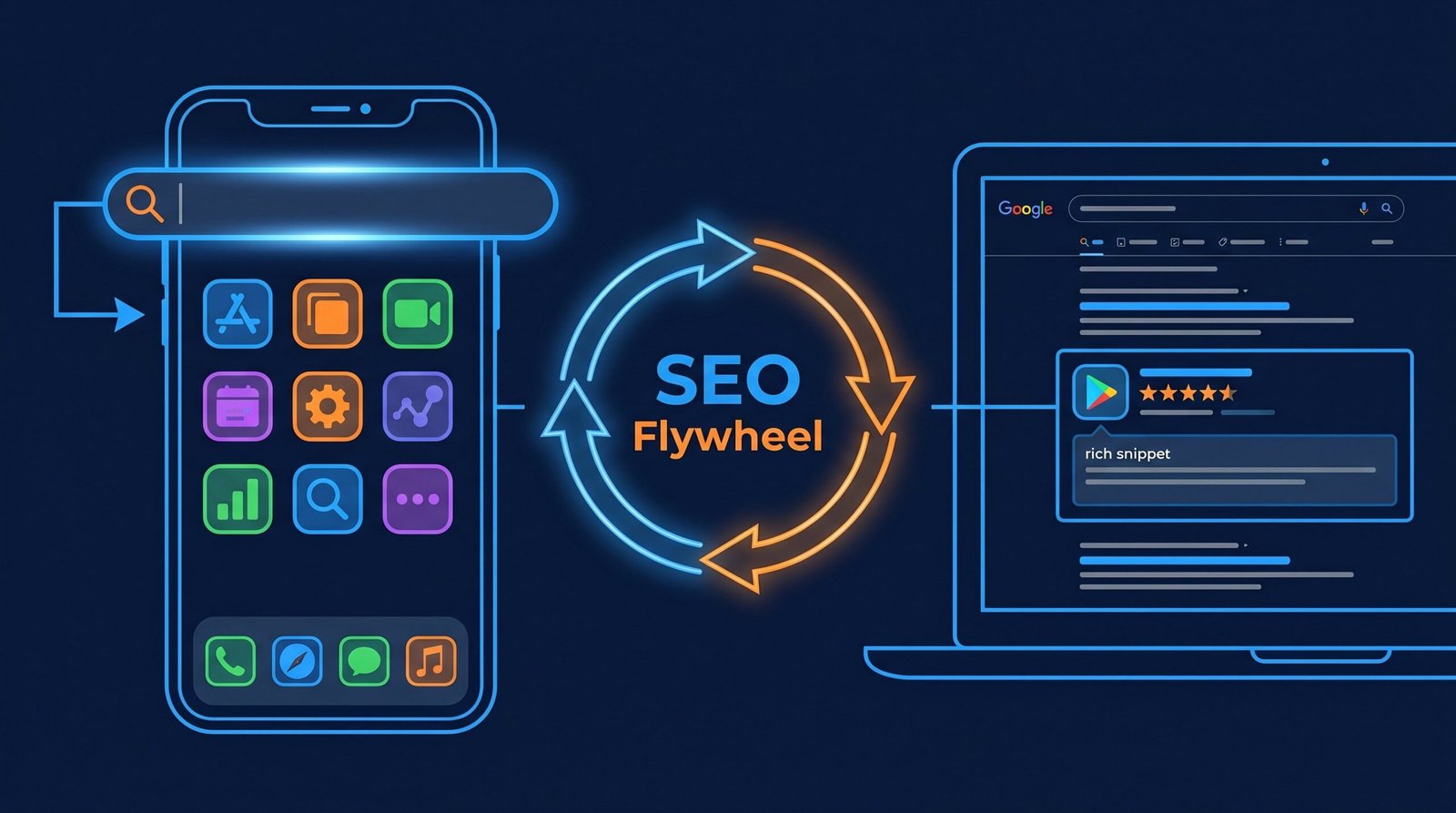
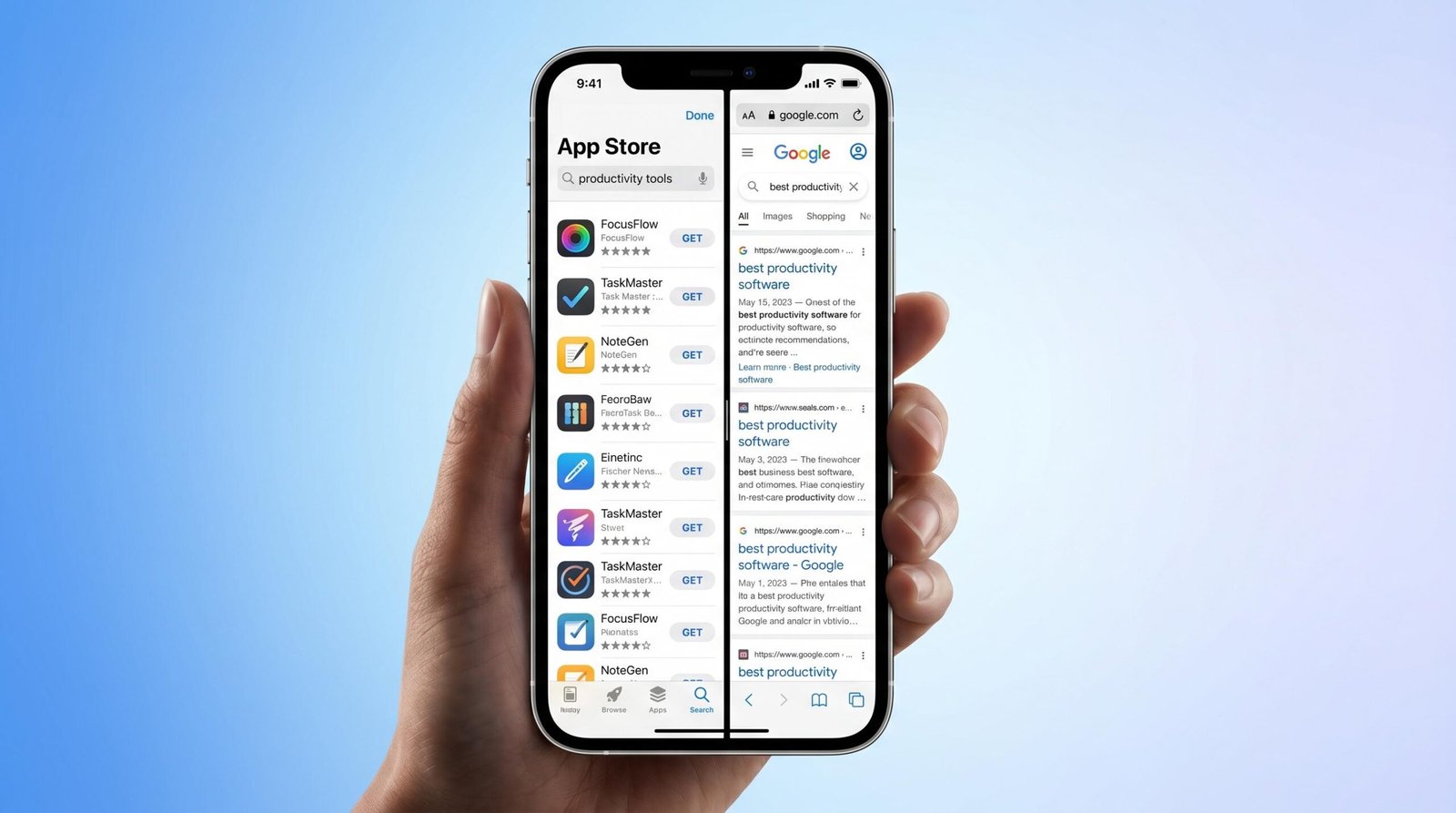
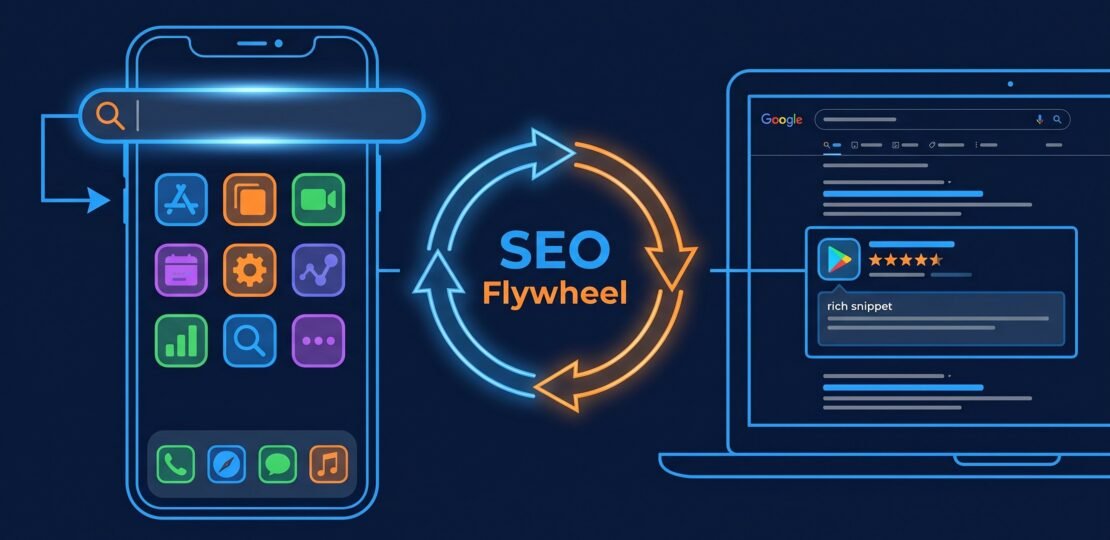
Most app marketing teams treat App Store Optimization as a self-contained discipline. They obsess over keyword fields, screenshots, and ratings while ignoring the broader search ecosystem that actually drives 50-65% of discovery for mature apps. That fragmentation costs downloads. This guide treats App SEO as what it actually is in 2026: a cross-channel discipline where your App Store listing, your web landing page, and the content around your app’s core use cases work as a single growth system.
If you’re serious about organic install growth, the question isn’t “How do I rank in the App Store?” It’s “How do I architect discoverability across every surface where someone could find my app?” That’s what App SEO answers.
What Is App SEO? (It’s More Than ASO)
App SEO is the practice of optimizing every search surface that can lead to an app install. That includes the App Store and Google Play algorithms, Google web search results, in-app search indexing through deep links, voice search results, and increasingly, AI-generated answers that recommend apps for specific tasks. The discipline encompasses both technical implementation and content strategy across mobile and web.
Where ASO is tactical and store-specific, App SEO is strategic and channel-agnostic. The difference matters because the algorithms behind each surface weight different signals, and a single piece of content (a feature page, a review, a deep link) can influence multiple ranking systems simultaneously when structured correctly.
App Store Optimization vs. App SEO: The Critical Distinction
App Store Optimization (ASO) is a subset of App SEO. ASO focuses exclusively on in-store ranking inside the Apple App Store and Google Play: keyword fields, titles, subtitles, descriptions, screenshots, and conversion-rate metrics that influence the store’s internal algorithm. ASO is the on-page SEO of the app world.
App SEO is the umbrella term. It includes ASO, but adds web search optimization for app landing pages, content marketing targeting upstream intent keywords, technical implementation of app indexing and deep linking, structured data for SoftwareApplication schema, and measurement of cross-channel attribution. Most guides published before 2024 conflate the two, which leaves install volume on the table.
The practical implication: an app team running only ASO competes against every other app for the same in-store keyword inventory. A team running full App SEO competes for that inventory plus all the upstream web queries where users describe a problem the app solves. The addressable search market is roughly 4-7x larger.
How Google Surfaces Apps in Web Search Results
Google displays apps in mobile search results through several distinct surfaces. The “app pack” appears for queries with high app intent, showing 3-6 app cards directly in SERPs. Individual app cards appear in knowledge panels when users search for branded app terms. Web pages that link to App Store or Play Store URLs with proper structured data can trigger app install prompts. Deep-linked content from inside an app can appear as standard blue-link results when that content has been indexed.
The conditions for surfacing in these placements are specific. Your app needs verified ownership of its associated website through Google Search Console and Apple App Site Association files. Universal Links (iOS) and App Links (Android) must be configured correctly. The app’s landing page needs SoftwareApplication schema with aggregateRating, offers, and operatingSystem properties. For app indexing, individual screens or content pieces inside the app need canonical URLs that match indexable web pages.
Get these conditions right and Google treats your app as a first-class search result, not a third-party listing it happens to be aware of.
App Store SEO: The Fundamentals
iOS 18 brought meaningful changes to App Store search: natural language processing now handles semantic variations of queries, not just exact keyword matches. If your keyword field includes “budget tracker,” the App Store can surface your app for “money planning app” or “expense management.”
Before extending into web search, the in-store fundamentals have to be solid. Weak ASO performance caps the ceiling for cross-channel results because traffic you send from the web converts at lower rates against poorly optimized listings. Strong ASO converts that traffic into the behavioral signals that improve store ranking.
Keyword Research for App Stores (Different from Web SEO)
App store search behavior diverges from web search in three key ways. Queries are shorter (median 1.7 words versus 3.4 for web). They skew feature-focused (“budget tracker,” “habit timer”) rather than question-based. And they include heavy comparison intent (“notion alternative,” “spotify like apps”). Your keyword research needs to reflect those patterns.
For tooling, Sensor Tower, data.ai (formerly App Annie), and AppFollow are the industry standards for app keyword research, with Sensor Tower generally offering the most accurate iOS keyword difficulty scores. ASO Mobile and AppTweak fill in mid-market price points. For Google Play specifically, the platform’s own console reports give you direct visibility into which queries actually drive impressions.
The iOS keyword field is a 100-character hidden input that’s invisible to users but heavily weighted by the App Store algorithm. Use it for keywords that don’t fit naturally in your title or subtitle. Do not repeat words across the title, subtitle, and keyword field; Apple treats each instance as one token. Avoid plurals when the singular is already indexed, drop conjunctions and articles, separate words with commas (not spaces), and never include competitor brand names (this can trigger rejection). Apple’s official App Store search documentation covers the field’s mechanics.
Google Play takes the opposite approach. There is no hidden keyword field. Instead, the 4,000-character long description is indexed by Google Play’s algorithm and by Google web search. That description should read like natural marketing copy with target keywords appearing 2-4 times across the document. Keyword stuffing in the Play long description is one of the fastest ways to get demoted in 2026; the algorithm’s spam detection has been substantially tightened since 2023. Refer to the Google Play Console help center for current policy specifics.
Optimizing Your App Title and Subtitle
The app title is the single most weighted ranking factor in both stores. A keyword placed in the title carries roughly 3x the algorithmic weight of the same keyword in the description. iOS caps titles at 30 characters; Google Play allows 50. Use those characters strategically.
Lead with your brand, then add your primary keyword phrase using a colon or pipe separator. “Forest: Focus Timer & Habit” works because “Forest” is the brand, “Focus Timer” is the primary keyword, and “Habit” extends reach to a secondary cluster. Avoid filler words like “the best” or “free.” Both stores penalize promotional language in titles, and neither word carries search value.
The iOS subtitle (30 characters) is a second-tier ranking field that should hold your strongest secondary keyword phrase. It also appears in search results, so it doubles as conversion copy. Google Play’s equivalent is the short description (80 characters), which appears above the fold on the listing page. The short description should sell the app’s core value in one sentence while including one or two indexed keywords. Both fields are user-visible, so optimize for human comprehension first, algorithmic weight second.
Screenshots and Preview Videos: Conversion Rate Is a Ranking Signal
Both stores explicitly factor conversion rate from impression to install into ranking. A listing that converts at 35% will outrank a listing at 22% even if the lower-converting listing has stronger keyword relevance. Screenshots are the highest-leverage variable affecting that conversion rate.
A/B testing screenshots typically lifts install conversion 25-40%. Apple’s Product Page Optimization tool (PPO) supports up to 3 variants tested against control. Google Play’s Store Listing Experiments allow up to 4 variants and finer-grained traffic allocation. Both tools take 7-14 days to reach statistical significance for apps with moderate install volume.
The patterns that consistently win in 2026 testing: lifestyle context in the first screenshot (showing the app in use rather than a sterile UI render), text overlays explaining benefits (not features), social proof on screenshot 2 or 3 (download count, press mentions, ratings), and a short preview video (15-30 seconds) showing actual app usage. Video previews lift conversion 15-25% on iOS where they autoplay; Play Store autoplay has stricter conditions but the lift is similar when triggered.
Ratings and Reviews: Volume, Velocity, and Sentiment
Average star rating is a baseline ranking factor in both stores. Apps below 4.0 see severe ranking suppression; apps at 4.5+ rank meaningfully higher for the same keyword set. But the more dynamic signal is rating velocity: new reviews per week relative to install volume. A surge of recent reviews tells the algorithm the app is actively used and converting, which carries more weight in fresh ranking calculations than the total review count.
To prompt reviews legitimately, use the native in-app review APIs (iOS StoreKit’s SKStoreReviewController, Google Play’s In-App Review API). These present the rating prompt without leaving the app, increasing completion rate 3-5x versus deep-linking out to the store page. Trigger the prompt after a positive moment in the user journey: a task completed, a milestone reached, a value-delivering action. Never prompt during onboarding or after errors.
Responding to negative reviews affects conversion rate measurably. Listings where developers respond to at least 80% of recent negative reviews convert 12-18% better than listings where developers ignore them. The response is visible to future browsers and signals active product stewardship. Keep responses specific, acknowledge the issue, and reference the version where it was fixed when applicable.
Web SEO for Mobile Apps: The Overlooked Channel
Web SEO for apps is where most teams underinvest. App marketers grew up inside the store and treat the open web as someone else’s problem. That mindset cedes the entire upstream funnel to competitors and content publishers who happen to mention your category. The teams winning organic install growth in 2026 own both layers.
Building an App Landing Page That Ranks
A dedicated landing page is the cornerstone of web App SEO. The page should target the app’s core use-case keywords, not just branded queries. A meditation app’s landing page should target “meditation app,” “guided meditation,” and “sleep meditation app,” with internal sections for each use case.
Technical requirements: SoftwareApplication schema markup with applicationCategory, operatingSystem, offers, and aggregateRating properties. Apple App Store and Google Play badges using the official badge guidelines, linked through smart URLs that detect the user’s device and route accordingly. A canonical URL set, mobile-responsive layout, and Core Web Vitals scores in the green (LCP under 2.5 seconds, INP under 200ms, CLS under 0.1).
Content structure: the question “What does this app do?” should be answered above the fold in one sentence, followed by a visual demonstration (screenshot or short video) and primary CTA buttons. Below the fold, structured sections covering top features, social proof, a comparison or alternatives section, and an FAQ block targeting long-tail queries. Each section should be its own headed subsection because Google’s passage indexing can surface deep page sections in SERPs.
For deeper guidance on optimizing landing pages alongside store listings, our app store optimization guide covers the conversion side, while our mobile app marketing playbook covers acquisition flow design.
Content Marketing Around Your App’s Core Problems
Content marketing for apps works best when it targets the problems your app solves, not the app itself. A budgeting app that publishes “how to track expenses without spreadsheets” reaches users in the problem-aware stage, weeks or months before those users would search “budget app.” That content drives qualified web traffic that converts to downloads at rates 2-3x higher than display advertising against cold audiences.
The funnel maps cleanly. Problem-aware queries (“why am I always tired,” “how to stop procrastinating”) sit at the top. Solution-aware queries (“best sleep tracking method,” “habit tracking techniques”) sit in the middle. Product-aware queries (“best sleep tracker app,” “habit app reviews”) sit near the bottom. Brand queries (“[your app] download”) close the loop. A complete content portfolio covers all four layers, with internal linking that moves readers down the funnel toward the download page.
Pillar-cluster architecture works particularly well for app content. A pillar page on the broad topic (“guide to expense tracking”) links to 8-15 cluster posts on specific subtopics (“expense tracking for freelancers,” “expense tracking for couples,” “expense tracking with receipts”). The pillar consolidates topical authority while the clusters capture long-tail traffic.
Deep Linking and the Web-to-App Connection
Deep linking connects your web content to specific destinations inside your app. When configured correctly, a user who taps a web link arrives directly at the relevant in-app screen rather than the app’s home screen (or worse, a download prompt if they don’t have the app). For installed users, deep links eliminate friction. For new users, they preserve context across the install boundary.
The two standards are Universal Links on iOS and App Links on Android. Both require server-side configuration: an apple-app-site-association file at your domain root for iOS, and an assetlinks.json file at .well-known/assetlinks.json for Android. Both files declare which URLs your app handles. Without these files, your app cannot register as a handler for your domain, and the deep linking experience falls back to a degraded universal/intent URL flow.
The SEO benefit of deep linking is that indexable content inside your app can appear in Google web search results. A recipe app with deep links to individual recipes can surface those recipes in Google search even when the user doesn’t have the app installed; tapping the result installs the app and opens directly to that recipe. This effectively multiplies your indexable surface area, turning thousands of in-app content pieces into web-searchable pages.
The Cross-Channel SEO Flywheel
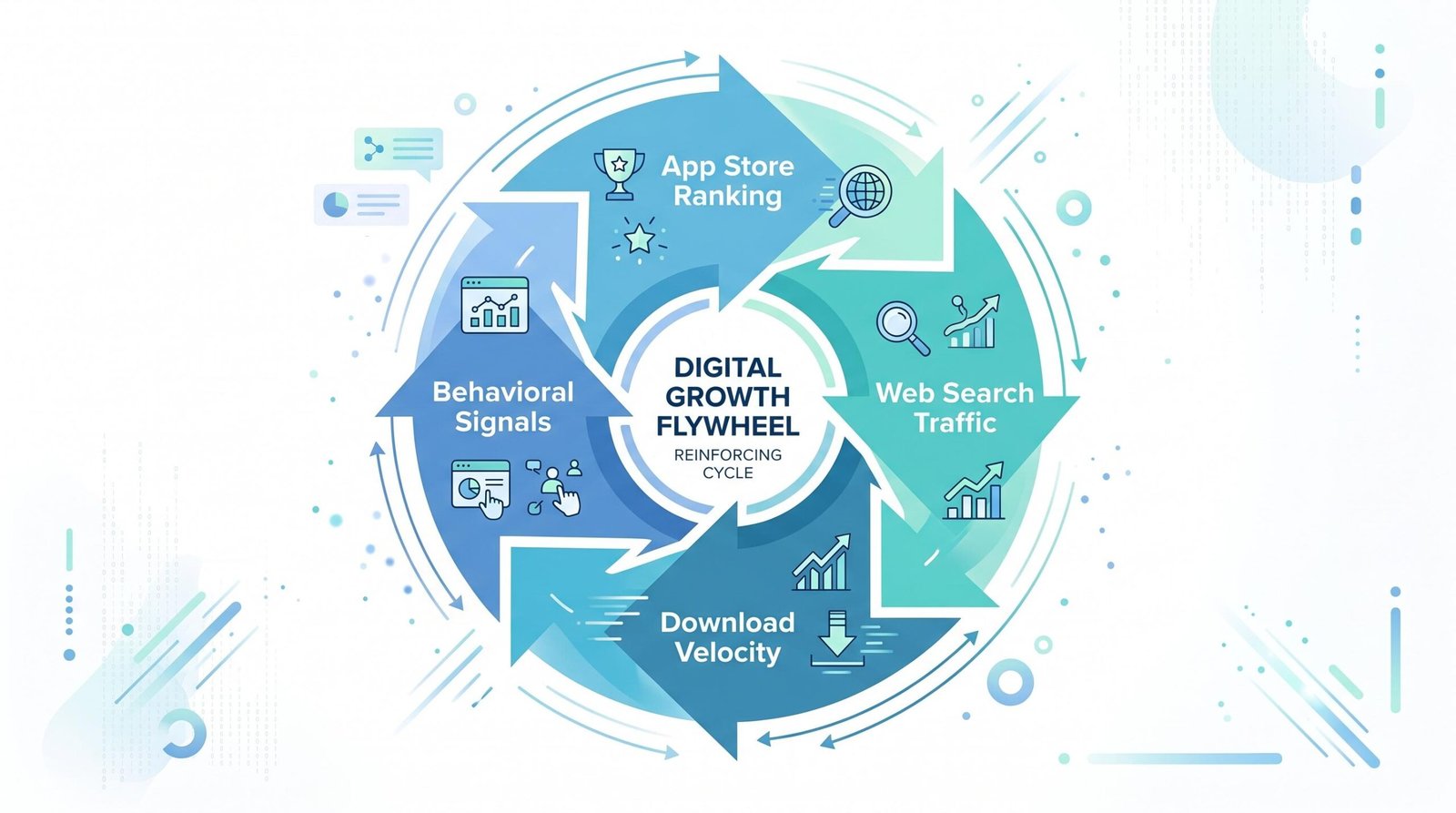
This is the insight every other App SEO guide misses. Web SEO and App Store SEO are not parallel channels. They are a single reinforcing loop where signals from one channel improve performance in the other. Once you grasp the mechanics, you stop running two disconnected programs and start architecting one growth system.
Here’s how the loop works, step by step:
Step 1: Web ranking drives organic web traffic. Your landing page and content marketing rank for problem-aware and solution-aware queries. Users land on your web properties from Google.
Step 2: Web traffic converts to downloads. Properly designed landing pages with strong store badges and smart deep links route mobile visitors directly to the App Store or Play Store with one tap. Typical conversion rates from a well-optimized landing page are 3-8% of mobile visitors clicking through to the store.
Step 3: Download volume creates velocity signals. Both stores weight the rate of recent downloads heavily in ranking. A surge of downloads over a 1-2 week window pushes your app up for its target keywords. The downloads themselves came from web traffic, but the algorithm registers them as proof of in-store relevance.
Step 4: Higher store ranking generates organic in-store installs. Now that your app ranks higher for its target keywords inside the store, you receive a fresh wave of installs from users browsing the store directly. These installs would not have happened without the velocity push from web-sourced downloads.
Step 5: New users generate reviews and behavioral signals. The expanded install base produces new ratings (boosting average rating velocity), session data (boosting engagement signals), and word-of-mouth mentions (citations of your app on the open web).
Step 6: Web mentions build domain authority and citation signals. Every mention of your app on Reddit, in YouTube reviews, on tech blogs, and in social posts creates a citation. Many of these convert to backlinks. Domain authority for your website rises, which lifts your web rankings further.
Step 7: Stronger web rankings drive more web traffic. Higher rankings mean more impressions, more clicks, more landing page visits, and back to Step 2 at a higher baseline. The loop completes and accelerates.
The compounding effect is what makes the flywheel powerful. A team running only ASO sees linear results: more keyword optimization yields more in-store visibility, but the ceiling is bounded by the in-store search volume for their category. A team running the flywheel sees exponential results in the first 12-18 months because each turn of the loop expands the input to the next turn. The mathematical signature is a hockey-stick growth curve where organic installs plateau for 4-6 months and then accelerate dramatically as the loop’s effects compound.
The practical implication: do not measure App SEO channels in isolation. A web-sourced download that triggers velocity that lifts in-store rank that drives 50 more organic installs should be attributed across both channels, not double-counted or arbitrarily assigned. We’ll cover attribution methodology in the measurement section below.
iOS App Store vs. Google Play: SEO Comparison
The two major stores share goals but diverge on implementation. Treating them identically is one of the most common mistakes in App SEO. For deep dives into each platform, our App Store Optimization guide and Google Play ASO guide cover every ranking factor in full. Here’s where the differences matter:
| Factor | iOS App Store | Google Play |
|---|---|---|
| Keyword Research Method | Hidden keyword field (100 chars) plus title/subtitle. Plurals and stems handled by algorithm. | Long description (4,000 chars) is the primary keyword surface. Indexed by Google web search as well. |
| Keyword Field | Dedicated 100-character hidden field, invisible to users, heavily weighted. | No hidden field. Keywords are placed in the visible long description. |
| Description Optimization | Description does not affect ranking. Focus on conversion copy only. | Description directly affects ranking. Keywords must appear naturally 2-4 times. |
| Rating Signals | Average rating plus velocity. Editorial features influence ranking for selected apps. | Average rating, velocity, and country-specific ratings. Vitals (crashes, ANRs) also factor. |
| Deep Linking Standard | Universal Links via apple-app-site-association file. | App Links via assetlinks.json file with SHA-256 fingerprint verification. |
| Algorithm Transparency | Lower. Apple publishes minimal ranking guidance. | Higher. Play Console exposes search query data and conversion funnels. |
| Paid vs. Organic Balance | Apple Search Ads tightly integrated with organic results. Paid placement above organic on keyword queries. | Google Ads campaigns can promote app installs but appear distinctly from organic store results. |
The strategic takeaway: an app launched on both platforms needs two separate keyword strategies, not one strategy duplicated. The iOS strategy concentrates keywords in title, subtitle, and the hidden field. The Android strategy concentrates them in the title, short description, and long description with natural prose. Trying to use the same description on both platforms leaves Android ranking weight on the table and risks awkward phrasing on iOS.
Measuring App SEO Success
You cannot optimize what you don’t measure, and App SEO measurement is fragmented by design. Each store, each web channel, and each attribution model gives you a partial view. The teams that scale fastest build a unified measurement layer that reconciles these views.
App Store Analytics: What to Track
The core in-store metrics are impressions (how often your listing appeared in search and browse), product page views (how often someone tapped through), conversion rate from impression to install, conversion rate from product page view to install, and source attribution (search, browse, referrer, app referrer). App Store Connect and Google Play Console both expose these metrics, broken down by acquisition source.
Beyond the standard funnel, track keyword rank position weekly for your top 20-30 target keywords. Rank volatility is informative: a keyword that moved from position 8 to position 4 in a week probably reflects a successful optimization (or a competitor’s failure). Use a tool like Sensor Tower or AppTweak to monitor ranks at scale; checking manually does not scale beyond a handful of keywords.
Cohort retention matters even though it’s a product metric rather than an SEO metric. Stores increasingly weight long-term engagement signals. An app with 50% Day-30 retention will rank higher than an app with 18% retention even at identical keyword optimization. The store algorithm reads retention as a quality signal.
Web Analytics for App Landing Pages
Web analytics for app landing pages need to measure two distinct outcomes: page engagement (did the user understand the value proposition?) and store referral (did the user tap through to install?). Google Analytics 4 with proper event tracking handles both. Tag your App Store and Play Store badge clicks as conversion events with the destination platform as a parameter.
For SEO-specific monitoring, Google Search Console gives you query data, impressions, click-through rates, and page-level performance. Filter for mobile traffic specifically when analyzing app-related pages because desktop searchers for app queries behave differently and skew aggregate metrics. Track your Core Web Vitals scores monthly; mobile performance directly affects ranking for mobile queries.
Heatmaps and session recordings on landing pages reveal where users drop off before clicking the store badge. Hotjar, Microsoft Clarity, or similar tools surface the conversion gaps that A/B testing then addresses. Most landing page conversion failures happen above the fold (unclear value proposition) or in the first scroll (missing social proof or weak feature demonstration).
Attributing Downloads to SEO vs. Paid Channels
Attribution is where most App SEO programs lose visibility. The iOS post-ATT (App Tracking Transparency) environment broke deterministic attribution for most paid channels. The remaining attribution paths for organic installs are: store-reported source (Search, Browse, App Referrer, Web Referrer), SKAdNetwork postbacks for paid channels, and custom server-side analytics on first-session events.
To attribute organic web-sourced installs, use the Web Referrer source in App Store Connect and Play Console. Combine it with UTM-tagged smart links on your landing page so you can see which referring web pages drove which downloads. An MMP (mobile measurement partner) like Adjust, AppsFlyer, or Branch can stitch this data together if your scale justifies the cost.
For attributing the flywheel effect specifically (web traffic that drove velocity that drove organic in-store installs), use a media mix model rather than last-click attribution. Last-click will under-attribute web SEO because the “click” on an organic in-store install never touched your web property. The media mix model assigns credit based on incrementality testing: pause web content production and observe the effect on organic in-store install velocity over 30-60 days.
Common App SEO Mistakes
Pattern-matching against the most common failures saves months of wasted work. We’ve audited hundreds of app marketing programs, and the same mistakes recur:
Keyword stuffing in the Google Play long description. Listing every variation of every keyword in the long description used to work in 2017. In 2026 it gets you demoted. Play’s spam detection flags unnatural repetition and rewards copy that reads like marketing prose. Target each keyword 2-4 times across the document, in natural sentences.
Ignoring web SEO entirely. The single most common pattern. Teams pour resources into ASO, leave the landing page as an afterthought, and never invest in content marketing. They then wonder why their growth ceiling is bounded by in-store search volume. The flywheel cannot start without the web side.
Not A/B testing screenshots. Apple’s PPO and Google’s Store Listing Experiments are free, well-documented, and produce 25-40% conversion lifts. Teams that skip testing leave that lift on the table for every keyword they rank for. Run tests continuously, not as one-off launches.
Failing to respond to reviews. Unanswered negative reviews are visible to every future browser. They depress conversion by 12-18%. Set a service-level commitment of 48 hours for responding to any review under 3 stars. The labor cost is trivial relative to the conversion gain.
Not implementing Universal Links and App Links. Without these, your web content cannot deep link into your app, your app cannot register as a handler for your domain, and you lose the bridge between web SEO and in-app behavior. The implementation is a one-time engineering task with permanent return.
Treating App Store and Play Store as identical. Duplicating your iOS metadata into Android leaves the long-description keyword opportunity unused and risks Play’s spam detection on copy not written for that surface. Maintain separate metadata files, separate keyword strategies, and separate screenshot sets when meaningful platform differences exist.
Optimizing for total reviews instead of rating velocity. Total review count plateaus over time and tells the algorithm little about current product quality. New reviews per week tell the algorithm the app is actively used and converting. Architect your review prompting around velocity, not lifetime total.
Treating ASO as a launch task rather than ongoing operations. Keywords drift in competitiveness. Screenshots stale. Reviews accumulate. Categories evolve. Apps that win run quarterly ASO refreshes minimum, monthly for competitive categories. The teams that “launched ASO and moved on” three years ago are now dominated by teams that kept iterating. For ongoing keyword work specifically, see our ASO operations guide.
SoftwareApplication Schema Markup: Tell Google Exactly What Your App Does
Google’s SoftwareApplication schema (delivered as JSON-LD) is one of the most underused tools in app SEO. It tells Google in machine-readable form what your app does, what platform it runs on, what category it falls under, what it costs, and how users rate it. When implemented correctly, your app landing page can appear as a rich result in Google Search, complete with star ratings, price, and category labels.
The schema is platform-agnostic. Both iOS and Android apps should include it on the marketing landing page, regardless of which store hosts the actual binary. Here’s a complete working example for a hypothetical to-do app:
<script type="application/ld+json">
{
  "@context": "https://schema.org",
  "@type": "SoftwareApplication",
  "name": "TaskMaster - To-Do App",
  "operatingSystem": "Android, iOS",
  "applicationCategory": "ProductivityApplication",
  "offers": {
    "@type": "Offer",
    "price": "0",
    "priceCurrency": "USD"
  },
  "aggregateRating": {
    "@type": "AggregateRating",
    "ratingValue": "4.7",
    "ratingCount": "12483"
  }
}
</script>
Drop this in the head of your app’s marketing page and Google will start picking it up within a few crawl cycles. The full property list is documented in Google’s SoftwareApplication structured data documentation, which covers optional fields like screenshot, downloadUrl, fileSize, and softwareVersion.
A few rules to keep this from getting flagged:
- The aggregateRating must reflect real user reviews. Do not fabricate numbers. Google does cross-check against your app store listing where possible.
- If your app is free, set price to “0” and include the priceCurrency field. Omitting price entirely can cause validation warnings.
- Use the correct applicationCategory value from Schema.org’s list (GameApplication, SocialNetworkingApplication, BusinessApplication, etc.). Custom strings are ignored.
- Validate with Google’s Rich Results Test before pushing to production. It catches missing required fields and type mismatches.
Apps with SoftwareApplication schema implemented correctly tend to win the rich-result treatment in Google Search within 4-6 weeks of indexing. That single visual change can lift CTR from search results by 15-30% in our experience.
Progressive Web Apps: A Distinct SEO Opportunity
Progressive Web Apps (PWAs) sit in a different category from native iOS and Android apps. They live on the open web, run in the browser, and can be installed to a user’s home screen without ever touching an app store. That changes the SEO playbook fundamentally.
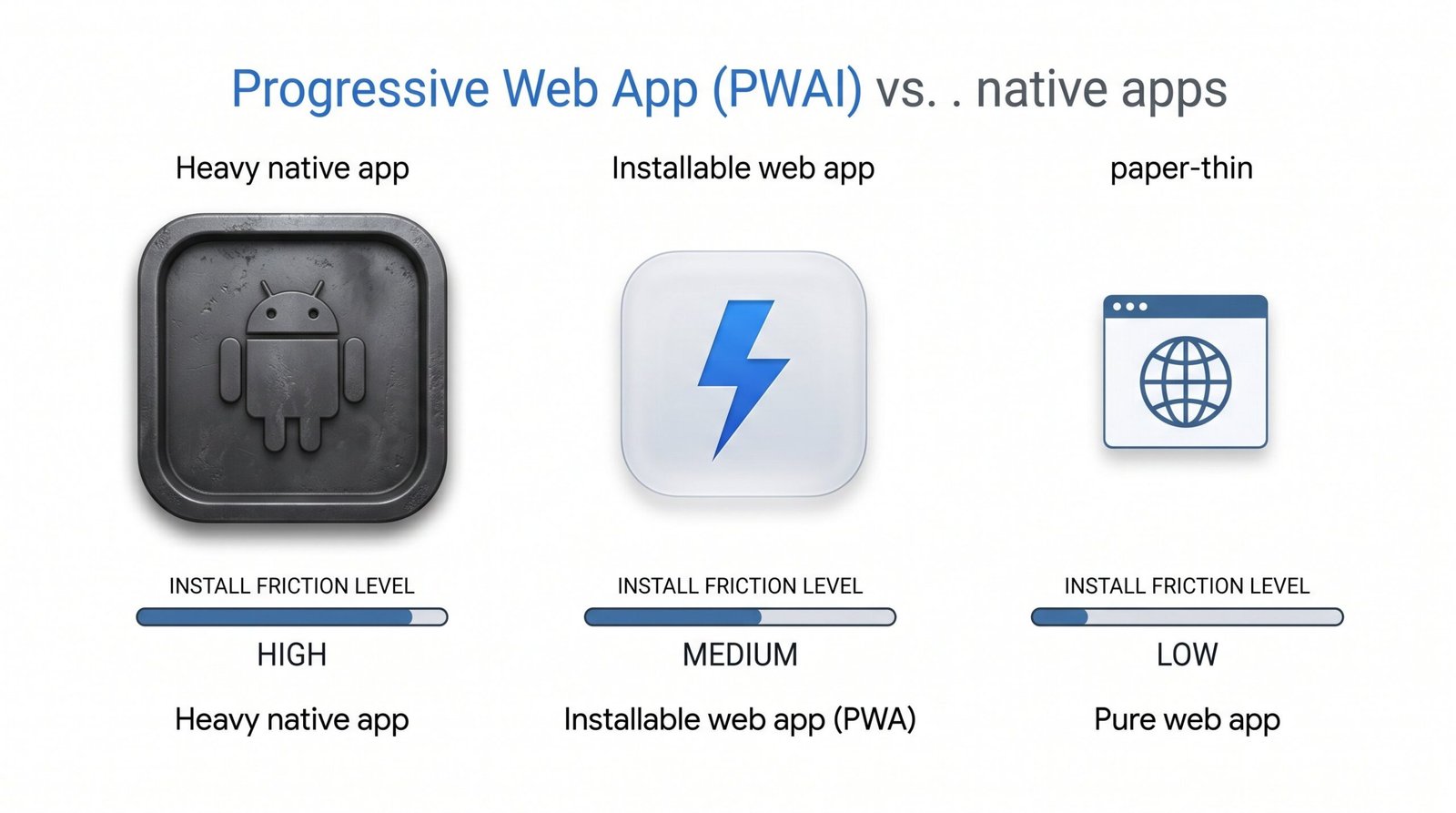
Because PWAs are just websites with extra capabilities (service workers, manifest files, offline support), they benefit from standard web SEO out of the box. Every page in a PWA has a real URL, gets crawled by Google, and can rank in search results without any app store approval process. Updates ship instantly when you deploy, with no review queue.
The SEO advantages stack up:
- Indexable URLs: Every screen in your PWA is a real web page Google can crawl, index, and rank.
- Faster crawling and re-indexing: No native binary involved, so Googlebot processes updates within hours instead of weeks.
- Core Web Vitals advantages: Service workers cache assets and serve them instantly on repeat visits, improving LCP and INP scores.
- Lower friction install: Users add to home screen with one tap, no 200MB download.
| Format | Discoverability | App Store Presence | SEO Approach | Install Friction | Update Latency |
|---|---|---|---|---|---|
| Native App | App Store search + web | Yes (iOS, Android) | ASO + landing page SEO | High (download, install) | Days to weeks (review) |
| PWA | Google Search (primary) | No (or limited Play) | Standard web SEO | Low (add to home screen) | Instant on deploy |
| Web App | Google Search | No | Standard web SEO | None (open in browser) | Instant on deploy |
For more on the format itself, Google’s progressive web app overview on web.dev covers the technical requirements (HTTPS, manifest, service worker). If you’re already running a web app and considering the PWA route, our web app SEO guide walks through the upgrade path and the indexing implications.
App Clips and Instant Apps: Lightweight Discovery Entry Points
App Clips (Apple) and Instant Apps (Android) are small, install-free slices of a full app that launch directly from a web link, NFC tag, QR code, or Maps listing. They exist specifically to remove the install barrier between discovery and engagement.
Apple App Clips are limited to 50MB and surface in iOS via Safari banners, Messages, Maps, and the camera’s QR scanner. When your app’s landing page links to an App Clip, Google can surface that Clip in universal search results alongside the standard web result. A user clicks once, the Clip loads, they get the value, and then they’re prompted to install the full app if they want more.
Google Instant Apps work similarly on Android. The user taps a search result and launches a slice of the Android app directly, no install step. Instant Apps are declared in Play Console as a separate APK feature. They’ve become less prominent in 2026 than at launch, but the format is still available for Android developers who want frictionless entry points from search.
The SEO angle is conversion. Both formats compress the funnel between organic discovery and active engagement. Lower friction means a higher conversion rate from search click to active user, which is itself a ranking signal in both stores. If your app has a single high-value action that doesn’t require a full install (book a table, view a menu, watch a clip, claim a coupon), an App Clip is worth building.
Apple’s Apple’s App Clips documentation covers the size limits, invocation methods, and Smart App Banner integration. The setup is non-trivial (separate target, App Clip Card metadata, associated domains), but the conversion lift is significant for apps where the first-time experience is the main value.
AI Search Readiness: Getting Your App Found by ChatGPT, Perplexity, and Google AI
AI-powered search has shifted how users find apps in 2026. Instead of typing “best budget app” into Google and skimming ten blue links, people now ask ChatGPT, Perplexity, Google AI Overviews, or Claude: “What’s the best app for tracking expenses on iPhone?” The answer is a curated short list, often three to five apps, with reasoning attached. Whoever makes that list wins. Whoever doesn’t is invisible.
Three strategies move the needle on AI discoverability:
- Be the most-cited option in authoritative content. AI models train on and retrieve from high-authority, well-linked sources. If TechCrunch, The Verge, Wirecutter, and respected product-comparison blogs mention your app, AI assistants will too. This is where your off-page SEO strategy pays double dividends: links that lift Google rankings also seed the citations AI models pull from.
- Structured data signals. SoftwareApplication schema with aggregateRating, applicationCategory, and a clear description makes it trivial for AI crawlers to parse what your app does and how it’s rated. Schema is the machine-readable summary AI models prefer.
- Clear, direct product descriptions on your landing page. AI models summarize the pages they retrieve. A crisp one-to-two sentence “what this app does” near your H1 will often get quoted verbatim in AI responses. Avoid marketing jargon. Write the sentence a journalist would use to describe your app in a single paragraph.
One reality check for the “app seo” keyword cluster specifically: as of May 2026, Google AI Overviews do not consistently trigger for queries in this space. The cluster still resolves to standard ten-blue-link results. That makes AI search an emerging channel rather than a dominant one for app marketers in this niche, but the trajectory is clear. Apps optimizing for AI citation today will own the territory when the channel matures, likely within the next 12-18 months.
Treat AI search readiness as a hedge with growing upside. The work overlaps almost completely with strong on-page SEO and editorial PR, so the marginal cost is low.
Frequently Asked Questions
What is the difference between ASO and App SEO?
ASO (App Store Optimization) covers optimization inside the iOS App Store and Google Play, focused on listing metadata, screenshots, ratings, and conversion. App SEO is broader: it includes ASO plus the web SEO of your app’s marketing site, schema markup, off-page links, and AI search citations. ASO is a subset of App SEO.
How long does App Store SEO take to show results?
You should see initial keyword movement within 2-4 weeks after a metadata update. Ranking stabilization for new keywords typically takes 6-8 weeks. Significant install lift from web SEO usually shows in months 3-6 as backlinks compound and Google trusts your landing page authority.
Does website SEO help app store ranking?
Indirectly, yes. Google Play’s algorithm factors in mentions and links to your app across the web. Apple uses external signals less explicitly but still rewards apps with strong web presence through editorial coverage and brand-search volume. A strong landing page also drives direct installs through Google search, increasing your store conversion data, which both stores reward.
What are the most important app store ranking factors?
The top five, in roughly this order: keyword relevance in title and subtitle, download velocity in the first 72 hours after an update, ratings average (4.5+ stars), review volume, and conversion rate from impression to install. Screenshots and preview videos influence the last one heavily.
How do I keyword research for my app?
Start with three layers: category keywords (broad, high-volume), feature keywords (specific to what your app does), and competitor keywords (branded terms for similar apps). Use SensorTower, Data.ai, or AppFollow.io for store-side popularity scores. Cross-reference with Google Keyword Planner for web-side volume. Apple Search Ads keyword popularity scores are a strong free signal even if you’re not running paid campaigns.
Does SoftwareApplication schema markup improve rankings?
Schema markup does not directly improve rankings, but it enables rich result treatment in Google Search, which can lift click-through rate by 15-30%. Higher CTR on your landing page contributes to better web rankings over time, and clearer machine-readable data helps AI search tools cite your app correctly.
Can a Progressive Web App rank in Google search?
Yes, and often more easily than a native app. Every page in a PWA is a real web URL that Google can crawl, index, and rank using standard web SEO signals. PWAs benefit from instant deploys (no app store review), full Core Web Vitals optimization, and indexable deep content that native apps struggle to expose to search.
RELATED POSTS
View all

SEO for Web Apps: A Developer’s Guide to Getting Found
May 12, 2026 | by Ian Adair