

Google Play ASO: The Complete 2026 Guide to Ranking Higher on Android
December 22, 2023 | by appseo.com
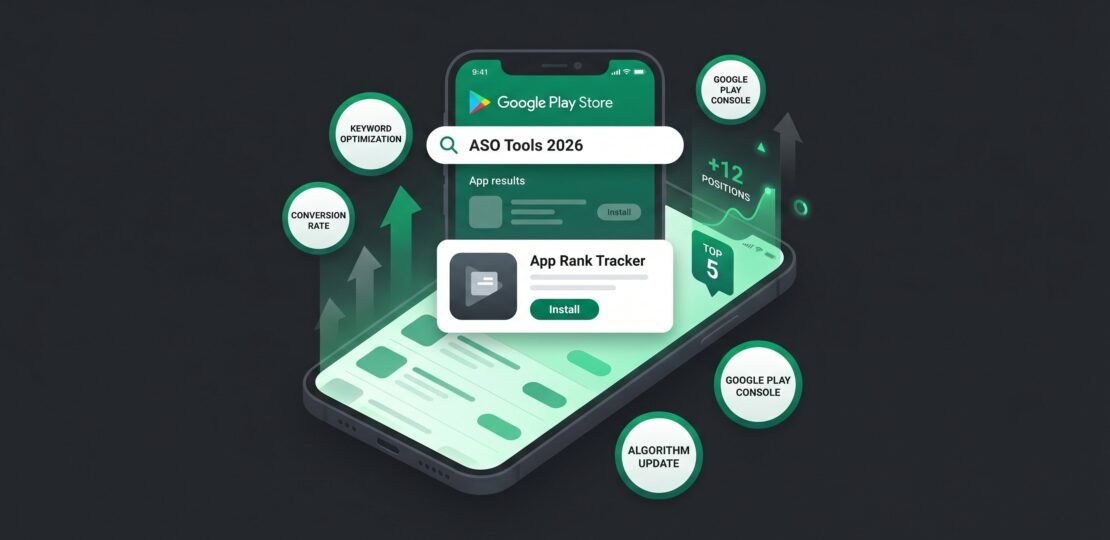
Google Play ASO: The Complete 2026 Guide to Ranking Higher on Android
Google Play ASO (App Store Optimization) is the practice of improving an Android app’s visibility, ranking, and conversion rate inside the Google Play Store. It combines keyword strategy across the title, short description, and long description with technical quality signals like crash and ANR rates, ratings velocity, data safety completeness, and creative assets. Done well, it drives sustained organic installs without paid spend.
If you have been chasing Google Play rankings using tactics built for the Apple App Store, you have been losing installs you should have won. The two platforms share vocabulary but almost nothing else. Google Play has no keyword field. It reads your description with machine learning, weights technical stability into rankings, and now feeds Gemini-generated summaries that surface in search. The playbook in 2026 looks nothing like the keyword-density advice that dominated ASO blogs five years ago.
This guide covers what actually moves Google Play rankings right now: the algorithm’s real inputs, the keyword strategy that respects how the ML reader works, the technical signals competitors ignore (ANR rate, anyone?), and the newer mechanics like Custom Store Listings, Google Play Shorts, and Gemini AI summaries that most public ASO guides have not caught up with yet.
What Makes Google Play ASO Different From Apple App Store SEO
Start with the single fact that changes everything: Google Play has no dedicated keyword field. None. There is no equivalent to App Store Connect’s 100-character keywords box. Every keyword you want to rank for has to live somewhere a human will read: the title, the short description, the long description, the developer name, or your app’s bundle identifier in limited ways.
This single architectural difference reshapes the entire strategy. On iOS, marketers stuff comma-separated keywords into a hidden field and let Apple’s parser do the matching. On Google Play, you have to write copy that ranks, converts, and now (since 2025) feeds clean text to Gemini’s summarizer. The same words have to do three jobs.
The Play Store’s ranking engine reads your long description the way a moderately sophisticated reader would. It understands synonyms. It detects topic clusters. It penalizes repetition. Apple’s older keyword-field model rewarded comprehensiveness through tags. Google’s model rewards clarity, structure, and natural phrasing. The differences between iOS and Android ASO go deeper than most guides acknowledge, and most of them trace back to this one architectural choice.
Google Play vs Apple App Store: Key ASO Differences
| Element | Google Play | Apple App Store |
|---|---|---|
| Dedicated keyword field | None | 100 characters in App Store Connect |
| Title character limit | 30 characters (lowered from 50 in 2021) | 30 characters |
| Subtitle / short description | Short description: 80 characters, indexed and visible | Subtitle: 30 characters, indexed and visible |
| Long description weight | High – ML reads it semantically | Not indexed for keywords |
| Screenshot caption indexing | Yes (since June 2025) | No |
| Custom store listings | Yes – by country, segment, traffic source | Custom Product Pages (more limited) |
| Technical signal weight (crash/ANR) | Direct ranking factor | Indirect via reviews |
| Data safety / privacy as ranking signal | Yes – completeness affects ranking | Privacy nutrition labels required but lighter ranking weight |
| AI-generated summaries | Yes – Gemini summaries in search (2025) | Not yet |
| Short-form video format | Google Play Shorts (2025) | App Preview videos only |
How the Google Play Ranking Algorithm Works in 2026
Google has never published a complete list of ranking factors and never will. But between official documentation, developer testimony, leaked internal slides, and several years of pattern observation, we have a clear picture of what the algorithm weighs. According to Google’s official Play Store search and discovery guidance, rankings combine relevance signals (does the listing match the query) with quality signals (is the app any good).
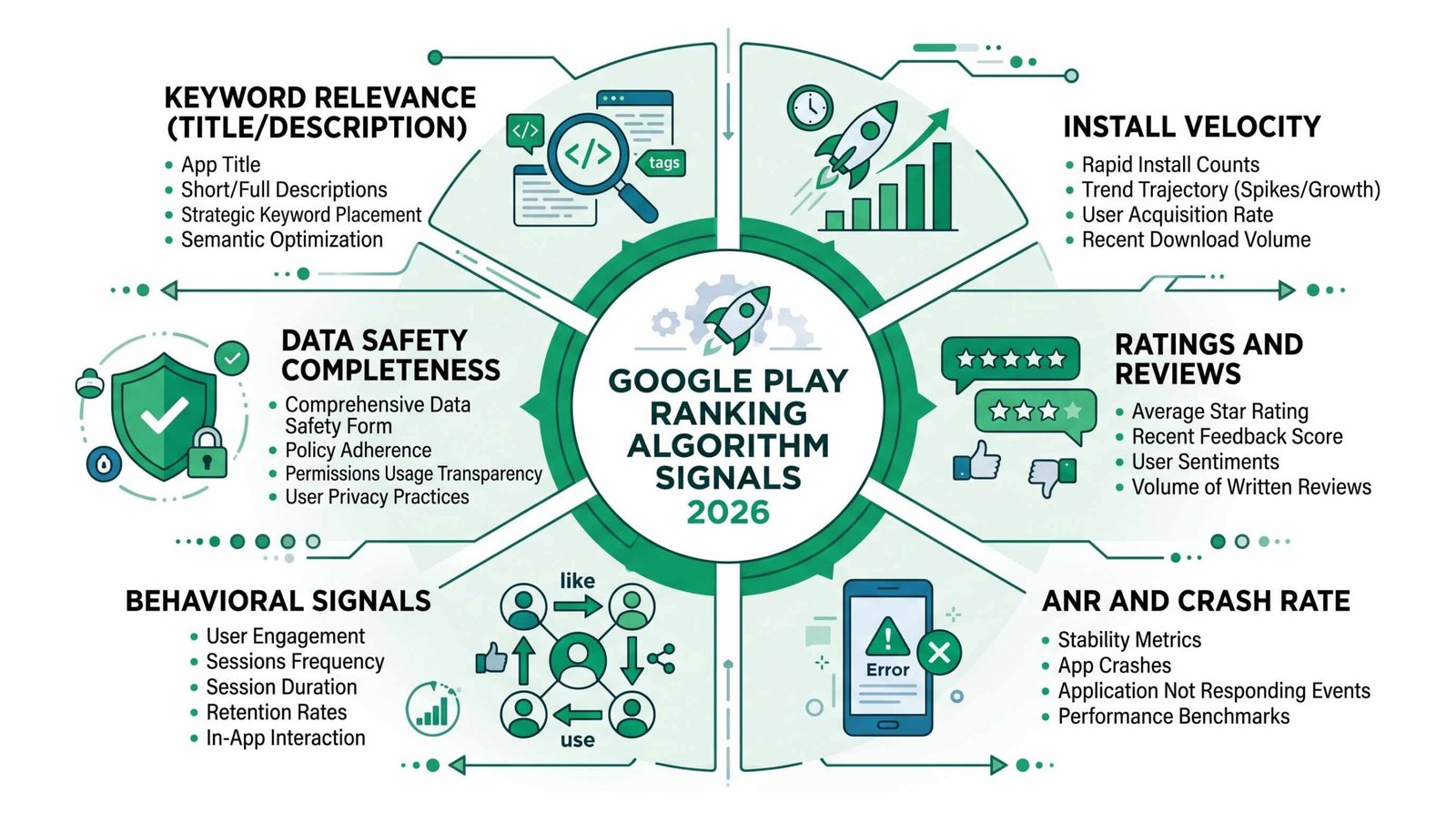
Keyword Relevance Signals
Four fields carry weight for keyword matching: the title, the short description, the long description, and the developer name. The title and short description are the heaviest. The long description gets read but with diminishing returns past the first 200 to 300 words. The developer name matters when the app brand contains a category term (a developer called “Quiet Habit Apps” ranks differently for “habit tracker” than “QH Labs LLC” does).
Install Velocity and Uninstall Rate
Google Play tracks how quickly your app accumulates installs after appearing in search results, and crucially, how many of those installs survive past the first 24, 48, and 72 hours. An app that gets installed and uninstalled within a day signals a relevance mismatch or quality issue. Velocity matters more than total installs for newer apps, which is why pre-registration and launch-window strategy get disproportionate weight.
Ratings and Reviews
Three sub-signals: quality (average star rating), quantity (number of ratings), and recency (how fresh the ratings are). A 4.6 average from 50 ratings in the last 90 days outperforms a 4.6 average from 10,000 ratings collected three years ago. Google heavily discounts old reviews when computing your effective rating for ranking purposes.
Technical Quality Signals: ANR Rate and Crash Rate
This is the factor nobody writes about, and it is one of the most consequential. ANR (Application Not Responding) rate measures how often your app freezes or stops responding to user input for more than five seconds. Crash rate measures hard failures. Both directly affect rankings.
Google considers an ANR rate above 0.47% “bad behavior” and an app version with crash rates above 1.09% will see ranking penalties. You can find both in Play Console under Quality > Android vitals. Apps with stability issues get filtered out of “Featured” tabs and ranked lower in search even when their keyword relevance is strong. We suggest reviewing your vitals dashboard weekly and treating any orange or red flag as a top-priority engineering item, not a backlog ticket.
Why this matters: a competitor with a worse keyword strategy but a 0.1% crash rate and 0.2% ANR will frequently outrank you if your stability is poor. Engineering and marketing are the same job here.
Behavioral Signals: Tap-Through and Scroll Depth
When your listing appears in search results or the explore feed, Google tracks whether users tap through to your store listing. Then it tracks how far they scroll, whether they expand the description, whether they watch the video, and whether they install. The tap-through rate from impression to store visit is one of the cleanest signals of listing-creative quality. Listings with strong icons and short-description hooks consistently outperform identical apps with weaker creative, holding everything else constant.
Update Frequency
Apps that ship updates regularly rank better than apps that have been stagnant for months. The signal is not “update for the sake of updating.” It is that active, maintained apps tend to fix bugs faster, respond to user feedback, and add value. An app on the same version for 18 months sends a “stale” signal. We suggest a minimum cadence of one meaningful update every 6 to 8 weeks even for mature apps.
Data Safety Section Completeness
Since the 2022 introduction of the Data safety section and the 2024-2025 enforcement push, Google has confirmed (both in public developer communications and in Google Play’s high-quality app guidelines) that apps with complete, accurate Data safety forms receive preferential placement in search and Featured tabs. Vague answers, blank fields, or contradictions between your declared data practices and your app’s runtime behavior all hurt rankings. This is a measurable ranking lever that most ASO guides do not even mention.
Google Play Keyword Strategy: Title, Description, and What Actually Moves Rankings
Now the practical part. Here is where to put keywords, how to choose them, and what the 2024 to 2025 policy and ML changes mean for how you write copy.
Title (30 Characters, Maximum Weight)
Your title is the single highest-weight field for keyword relevance. You have 30 characters. The structure that wins almost every time is: Brand Name + Primary Keyword. For a habit-tracking app called Loop, that might be “Loop: Habit Tracker” (19 characters, brand-led with primary keyword). For a budgeting app called Cleo, “Cleo: Budget Tracker & AI” puts the brand first and packs in two relevant terms within the 30-character limit.
Do not stuff. Three words plus a colon is usually the sweet spot. Titles loaded with five comma-separated keywords look spammy, convert worse, and now get downranked by the ML reader. There is a deeper breakdown of writing an app title that earns impressions that pairs well with this section.
Short Description (80 Characters, Massive Real Estate)
The short description shows up directly under your title on the store listing and in many search result formats. It is the second-most-read piece of copy you control, after the title. Eighty characters. Make every one count.
Lead with a benefit statement that includes your primary keyword. Bad: “The best app you’ll ever download for tracking habits and improving yourself.” Good: “Track habits, build streaks, and finally make daily routines stick. Free forever.” The good version names the action (track habits), the value (streaks, stickiness), and the price posture (free) inside 80 characters while reading like a real sentence.
Long Description (4,000 Characters, Semantic Density)
This is where most developers blow it. They either stuff keywords (“habit tracker, habits app, habit tracking, daily habits, track habits, habit”) or they write generic marketing prose that contains no useful signal.
The Play Store’s ML reads your long description as a single coherent document. It looks for topic coverage, semantic richness, and natural phrasing. Repeating “habit tracker” 14 times in 600 words gets penalized. Writing one well-structured paragraph each about how the app helps you build streaks, set reminders, track multiple habits, see progress charts, sync across devices, and stay motivated covers the same semantic space without tripping the spam filter, and it reads better to humans too.
The Gemini summary connection matters here. In 2025, Google rolled out Gemini-generated AI summaries that appear in some Play Store search results and on listing pages. Gemini reads your long description like a human reader. If your description is keyword-stuffed gibberish, Gemini will either generate a confusing summary or default to something generic that does not surface your differentiators. If your description is clean, structured prose, Gemini pulls out the value proposition cleanly and feeds it back to users in the AI-generated summary. Keyword stuffing now actively costs you the AI surface.
We suggest a structure like this: opening hook (2-3 sentences with your primary keyword integrated naturally), feature list in short paragraphs (each paragraph covers one feature cluster), social proof or credentials, a call to action. Aim for 2,000 to 3,000 characters. The full 4,000 is rarely necessary and often dilutes the signal.
Developer Name
The developer name appears under your app title and is also a keyword-relevant field. If your brand allows it, you can include a category descriptor. “Calm” the meditation app is published by “Calm.com, Inc.” which is brand-only, but newer entrants sometimes publish as “BrandName Apps” or “BrandName Studios.” We do not suggest gaming this by stuffing keywords into the developer name (Google has penalized this since 2018), but a clean, descriptive developer name can add a small relevance lift.
What Keyword Stuffing Now Costs You
Google’s 2024 spam policy update sharpened enforcement around keyword stuffing in titles, short descriptions, and long descriptions. The penalty was previously soft (downranking). It is now harder: listings that violate spam policies can be rejected at submission, suppressed in search entirely, or in repeated cases, the developer account can be flagged. Combined with the Gemini summarization effect described above, keyword stuffing in 2026 is a tactic with no upside and significant downside.
Keyword Research Approach
Three pillars: search suggest, competitor analysis, and volume tools.
- Search suggest: type your seed keyword into the Play Store search bar and record every autocomplete suggestion. These are queries Google has actually seen users type. Real data, no estimation.
- Competitor analysis: identify the top 5 apps ranking for your primary keyword. Read their titles, short descriptions, and long descriptions. Note which secondary keywords they target. Look for gaps.
- Volume tools: category tools like DataForSEO, Sensor Tower, AppFollow, ASOdesk, and AppTweak all estimate keyword search volume and difficulty for Google Play. None are perfectly accurate (Google does not publish volumes), but they are useful for comparing relative demand between candidate keywords.
Pick a primary keyword that has demand high enough to matter, difficulty low enough that a well-optimized listing can crack the top 10, and direct relevance to what your app actually does. Then pick 2-4 supporting keywords for the long description and screenshot captions.
Visual Optimization: Icons, Screenshots, and the New Google Play Shorts
Icon
No text. Or if you must, a single character or short logotype. Icons compete in a 48-pixel display at the smallest size. Anything you cram in beyond a single clear graphic becomes mud. The icon’s job is to communicate category and brand at a glance. Color contrast matters: an icon that disappears against the Play Store’s white background or the dark mode dark background loses tap-throughs.
A workflow we have seen succeed: design 4 to 6 icon variants, run them through Store Listing Experiments (more on this below), and let the data pick the winner. Intuition is consistently wrong about icons.
Screenshots
You can upload up to 8 phone screenshots, plus 7-inch tablet, 10-inch tablet, TV, Wear OS, and Chromebook variants if your app supports those form factors. The first 3 screenshots are visible without scrolling on most devices. Front-load your value proposition there.
Caption text on screenshots is now indexed (since June 2025). This is significant. Until June 2025, the text you overlaid on screenshot images was treated as part of the image and not read for keyword signals. After June 2025, Google’s vision systems extract the caption text and feed it into the relevance model. That means screenshot captions are now keyword-eligible real estate. We suggest one clear benefit per screenshot caption, written as a short headline (“Track habits across 12 categories” rather than “Multiple Category Support”).
Promotional Video vs Google Play Shorts
The traditional promotional video lives at the top of your store listing as a YouTube embed. It plays when users tap the play icon on your hero screenshot. Length: 30 seconds to 2 minutes is typical, with 30 to 45 seconds the sweet spot for completion rates.
Google Play Shorts, launched in 2025, is a separate short-form video format. These are vertical, 15 to 30-second clips that surface in Play Store search results and the Today tab. They are distinct from the promotional video. Shorts appear in feed-like surfaces, autoplay muted, and link directly to your listing. Apps with Shorts have significantly higher discovery in the Today tab.
If you only have a horizontal promotional video, you are missing the Shorts surface entirely. We suggest creating at least one vertical Short (9:16, 15 to 30 seconds, autoplay-optimized with on-screen text since users start muted) even if you already have a promotional video. The production cost is low and the surface is new enough that competition is thin.
Store Listing Experiments
Built into Play Console under Grow > Store presence > Store listing experiments. You can A/B test your icon, screenshots, short description, long description, or feature graphic. Google routes a percentage of organic traffic to your variant and measures install rate.
A few practical notes: experiments need enough traffic to reach statistical significance, which typically takes 7 to 14 days for an app with a few thousand store visitors per day, and much longer for low-traffic apps. We suggest testing one variable at a time. If you change the icon and short description simultaneously, you cannot tell which moved the result. Plan a quarterly roadmap of experiments: icon Q1, screenshots Q2, short description Q3, feature graphic Q4, then repeat with the winners as the new control.
Data Safety, Play Protect, and the Trust Signals That Affect Rankings
The Data Safety Section
The Data safety section on every Play Store listing displays what data your app collects, why it collects it, whether it shares the data with third parties, and what security practices it uses. Users see this prominently on the listing page. The Play Store algorithm reads completeness and consistency.
“Complete” means every applicable field is filled. “Accurate” means the declarations match your app’s actual runtime behavior, which Google verifies through automated and manual analysis. Apps that declare “no data collected” but then load tracking SDKs at runtime get caught and downranked, sometimes suspended.
What Completeness Looks Like
For each data type your app collects (location, contacts, financial info, photos, etc.), you must declare:
- Whether it is collected, shared, or both
- The purposes (app functionality, analytics, advertising, personalization, etc.)
- Whether collection is required or optional
- Whether data is encrypted in transit
- Whether users can request deletion
Vague answers (“we collect some data for app functionality” without specifying which data) and blank optional fields both hurt. We suggest going through the form line by line with your engineering and legal teams, then auditing against an actual network capture of your app to verify nothing is missing.
Play Protect Certification
Google Play Protect scans apps for malware and policy violations. Apps that pass certification get a small but real visibility advantage, particularly in markets where users see Play Protect badges as trust signals. Failures here usually mean your app got flagged for some violation (often unrelated to actual malicious behavior, sometimes SDK-related). Resolve flags promptly. We have seen organic install rates drop 15 to 30% during periods of Play Protect issues.
Auditing Your Current Form
In Play Console: App content > Data safety. Review every declaration. Compare against what your app actually does (run mitmproxy or Charles Proxy against your app and watch the network traffic). Update annually at minimum, or whenever you add an SDK, change a backend, or modify data flows.
Ratings, Reviews, and User Engagement Signals
Star Rating Thresholds
The visibility thresholds we see consistently in 2026:
- 4.5+: eligible for Editors’ Choice and most Featured tab placements
- 4.0+: regular Featured tab eligibility
- 3.5+: basic search visibility, but ranked below higher-rated competitors for the same keywords
- Below 3.5: significant downranking, often filtered out of category Top charts
An app at 4.6 with 1,000 ratings will outrank an app at 4.1 with 50,000 ratings for the same keyword in most cases. Quality dominates quantity at the upper end. At the lower end, a low rating with high volume gets penalized harder than a low rating with low volume, because Google reads the signal as more reliable.
Review Response Strategy
Respond to every 1, 2, and 3-star review within 48 hours. This does three things: it sometimes flips the reviewer’s rating upward when they see you acknowledged their problem, it signals engagement to the algorithm, and it shows other users browsing your reviews that you actually care.
For 4 and 5-star reviews, respond when there is something genuine to say (“thanks for noting the new sync feature, glad it is working for you”). Avoid generic templated thanks-replies on every five-star review. They look canned.
Do Review Reply Keywords Influence Rankings?
The honest answer: limited direct effect. Your replies are not heavily weighted as a keyword source the way your own description is. But the act of responding does signal engagement, and engagement metrics roll into the broader quality score. Write replies for users, not for the algorithm.
Uninstall Rate and Session Length
Two engagement signals that Google can measure across all Play-installed apps via Google Play Services:
- Uninstall rate: percentage of installs that get uninstalled within 1, 7, and 30 days. High uninstall rates signal that your store listing oversold the app.
- Session length: how long users actually spend in the app. Longer sessions correlate with higher rankings.
If your uninstall rate is high, the fix is usually not “get more installs.” It is “make the listing accurately preview the app experience, or fix the onboarding so the experience matches the promise.”
How to Increase Ratings
Use the Android in-app review API. Trigger the prompt at moments of user success (after completing a task, hitting a milestone, finishing a workflow). Do not prompt on first launch, during errors, or at app close. The API has built-in rate limits (Google will not show the prompt more than once every few months to the same user) so you cannot abuse it. Apps that integrate this API correctly typically see 3 to 5x the review volume of apps relying on passive collection.
Custom Store Listings and Localization
What Custom Store Listings Are
A Custom Store Listing (CSL) is a separate version of your Play Store listing that you can target to specific countries, install referrers, or user segments. You can create up to 50 CSLs per app. Each can have its own title, short description, long description, screenshots, video, and feature graphic.
This is one of the most underused tools in Play Console. Most developers ship one global English listing and call it done. The developers who win in international markets create dedicated listings per major market, written in local idiom, with screenshots that show local pricing, local language UI, and culturally appropriate imagery.
Use Cases
- Per country: a fitness app might show running screenshots in markets where outdoor running is popular and home workout screenshots in markets where gym access is limited. Different short descriptions per market emphasizing different value props.
- Per traffic source: you can target install referrers, so users coming from a specific Google Ads campaign see a CSL aligned with the ad creative. This dramatically improves install conversion from paid traffic without affecting your organic listing.
- Per user segment: pre-registered users can see a different listing than first-time visitors. Returning users who uninstalled can see a “we have improved” message.
Localization Priority Order
Start with the top non-English markets for your category. For most consumer apps that means Spanish (Mexico, Spain, Latin America), Brazilian Portuguese, German, French, Japanese, Korean, simplified Chinese (where available), Indonesian, Hindi, and Arabic. The exact ordering depends on your category: gaming skews Japanese and Korean heavily, fintech skews Brazilian Portuguese and Indonesian, productivity skews German and French.
Do not auto-translate. Auto-translated listings are easy to spot, convert poorly, and signal low quality. Pay a native speaker who understands your category to write the local copy from scratch, using local idioms and local keyword preferences. Keyword priorities differ across languages: the literal translation of “habit tracker” is not always the most-searched term in the target language.
One Practical Workflow for Your Top 3 Markets
- Identify your top 3 non-English install markets: pull installs by country from Play Console for the last 90 days.
- Research local keywords: use a tool that supports the local Play Store (Sensor Tower, AppTweak, and AppFollow all do) to identify the top searched terms in each language.
- Hire native copywriters: provide them with your English short and long descriptions plus the keyword research as a brief. Ask for natural local copy, not translation.
- Localize screenshots: caption text and any in-app screenshot content should match the target language. Use locale-appropriate device frames and currency.
- Create CSLs in Play Console: Store presence > Custom store listings. Assign each CSL to its country.
- Measure: track conversion rate (store visitors to installers) per CSL versus the default listing for that market.
Pre-Registration, Early Access, and Launch-Window ASO
How Pre-Registration Influences Post-Launch Visibility
Pre-registration counts are a launch-day boost. When you enable pre-registration in Play Console, users can sign up before launch and get an automatic install notification when the app goes live. Google Play tracks pre-registration volumes and uses them as a signal for launch-day visibility.
Apps with strong pre-registration (10,000+ for most consumer categories, much higher for gaming) get featured placement consideration during the launch window, appear in “Coming Soon” surfaces, and benefit from a velocity boost on launch day that compounds into post-launch organic ranking.
Early Access Signals
Early Access lets you publish to a subset of users before general availability. It gives you real-world performance data (crash rates, ANR, engagement) without exposing a half-baked app to your full audience. The reviews and ratings you collect during Early Access carry into general availability, so you get to launch with social proof already in place.
The First 30 Days
The launch window is disproportionately important because Google’s algorithm gives newer apps a “fresh” boost (limited visibility lift that lets the system gather data on how users respond). What you do in the first 30 days defines your trajectory.
Tactical priorities for the launch window:
- Build pre-registration volume before launch (target at least 5,000 to 10,000 for consumer apps).
- Drive coordinated install velocity in the first 72 hours: launch announcements, email lists, press, social, paid spend timed to the launch.
- Monitor crash and ANR rates hourly for the first week. Ship patches fast.
- Prompt for reviews using the in-app review API once users have completed a meaningful task.
- Respond to every review within 24 hours during week one.
- Run your first Store Listing Experiment by day 30, once you have enough traffic for significance.
Measuring and Iterating Your Google Play ASO
The Acquisition Report Funnel
Play Console > Statistics > Acquisition. The funnel Google tracks:
- Listing impressions: how many times your listing appeared in search or browse
- Store visitors: how many tapped through to view the listing
- Installers: how many of those visitors installed
- Buyers: for paid apps or in-app purchases, how many converted to revenue
The two key conversion rates: impression-to-visitor (creative quality – icon, snippet) and visitor-to-installer (listing quality – screenshots, description, ratings visible on the listing).
Set a Baseline Before You Start
This is the discipline most teams skip. Before you make any changes, pull 60 to 90 days of baseline data: listing impressions, store visitors, installers, conversion rate from visitor to installer, broken out by acquisition channel (organic search, organic browse, paid, deeplink, third-party referrer). Without that baseline, you cannot tell whether your ASO work moved the numbers or whether seasonality, paid campaigns, or competitor moves caused the change. We have seen teams celebrate a 15% install lift that was entirely a Christmas-season category bump.
Explore vs Search Funnel
Play Console splits acquisition by traffic source. Two of the most important are:
- Organic search: users who typed a query and tapped your listing in the results
- Explore: users who found you via browse (category pages, “users like you also installed,” “similar apps,” Today tab, Featured)
These funnels respond to different optimization levers. Search is keyword-driven: title, short description, long description. Explore is creative and category-driven: icon, screenshots, ratings visible in category lists, similarity to other apps the user has installed. Most ASO guides only talk about the search funnel. The explore funnel is often 30 to 50% of installs for consumer apps and responds to a different optimization playbook. Track them separately or you will optimize for one while ignoring half your traffic.
How to Use Experiment Results to Iterate
When a Store Listing Experiment completes, Play Console reports the lift in install rate per variant with a confidence interval. We suggest the following rule of thumb: if the winning variant shows a positive lift with at least 90% confidence and the absolute lift is 2% or higher, promote it to the new control. Smaller lifts are often noise. After promotion, rerun the experiment against a new challenger to confirm the lift held in a new traffic mix.
Build a running document of every experiment, hypothesis, variant tested, result, and decision. Over 12 to 18 months this becomes the most valuable strategic asset your ASO team has. It is also the foundation for any cross-channel mobile SEO strategy that works alongside your Play Store efforts, because what you learn about user response in Play Store experiments often applies directly to your web acquisition pages and paid landing experiences.
A Note on App SEO Beyond the Play Store
Google Play ASO is one channel. Your app is also discoverable through Google Search itself (web results that link to your Play listing), through deeplinks from your own website, through Apple App Site Association if you have an iOS counterpart, and through every social and PR surface your brand touches. The broader mobile app SEO context matters because users do not search exclusively on Play Store – they Google your category, see web results, and land on Play Store through that path. Aligning your Play Store keyword targeting with your web content strategy compounds returns. The app SEO fundamentals that apply across platforms include consistent naming, structured data, deep-linking, and review velocity, all of which support both surfaces simultaneously.
Frequently Asked Questions
What is Google Play ASO?
Google Play ASO is the practice of optimizing an Android app’s Play Store listing to rank higher in search results, appear in more browse surfaces, and convert more store visitors into installers. It combines keyword strategy across the title, short description, and long description with technical quality signals (crash rate, ANR rate), creative assets (icon, screenshots, video), ratings, and data safety completeness. The goal is sustained organic installs without paid spend.
How long does Google Play ASO take to show results?
Expect 2 to 6 weeks for keyword changes to fully propagate through search results, and 4 to 12 weeks before you can attribute install changes confidently to your optimization work. The Play Store needs time to reindex your listing, then needs traffic to evaluate user response to your changes. Creative changes (icon, screenshots) tested via Store Listing Experiments report results faster, often within 7 to 14 days for high-traffic apps.
Does Google Play ASO still work in 2026?
Yes, and it works better than ever for developers who follow current best practices. The algorithm has become more sophisticated, which means keyword stuffing and other shortcut tactics no longer work, but it also means apps with genuine quality, good descriptions, and strong technical performance get rewarded more consistently. ASO is not a one-time project: ongoing iteration, monthly review of metrics, and quarterly creative refreshes are the baseline for staying competitive.
What is the most important Google Play ranking factor?
There is no single most important factor, but if forced to pick one, install conversion rate (visitors-to-installers) drives the most consistent ranking improvements because it influences both search visibility and explore surfaces simultaneously. Your title and short description determine impressions; your full listing converts those impressions; technical quality keeps installs from getting wiped out by uninstalls. Optimize the weakest link in that chain first.
How is Google Play ASO different from Apple App Store optimization?
The biggest structural difference is that Google Play has no dedicated keyword field. All keyword targeting happens through your title, short description, long description, and developer name, which the Play Store reads with machine learning rather than tag matching. Google also weights technical stability (crash rate, ANR rate) and data safety completeness as direct ranking factors, where Apple weights these more indirectly. The visual asset playbooks are similar but Google Play now indexes screenshot caption text (since June 2025) where Apple does not.
What is a good conversion rate on Google Play?
For most consumer app categories, a store visitor to installer conversion rate of 25 to 35% is solid. Above 35% is strong. Below 20% suggests your listing creative or description is not selling the app effectively, or your traffic mix is sending unqualified visitors. Gaming tends to convert higher (35 to 45%) because users actively want games when browsing. Utility and productivity apps tend to convert lower (20 to 30%). Benchmark within your category, not across all apps.
How often should I update my Play Store listing?
Test creative assets (icon, screenshots, short description) via Store Listing Experiments at least quarterly. Refresh your long description and screenshot captions whenever you ship a major feature. Update the Data safety section whenever your app’s data practices change (which is more often than most developers think, especially when you add SDKs). Ship a meaningful app update every 6 to 8 weeks at minimum to maintain the freshness ranking signal. The teams that win at Google Play ASO treat the listing as a living asset, not a launch deliverable.
Where to Go From Here
If you read this guide and felt overwhelmed, start with the audit. Open Play Console, look at your Android vitals dashboard, check your crash and ANR rates, review your Data safety form, and pull your last 90 days of acquisition data. Most apps have one or two glaring issues that account for 50% of the ranking gap to their better-performing competitors. Fix those first. Then move to the listing copy, then to the creative, then to localization and Custom Store Listings.
The teams that win at Google Play ASO are not the teams with the cleverest tactics. They are the teams that treat ASO as a continuous discipline: weekly vitals review, monthly metrics check, quarterly creative tests, semi-annual deep audits. The compound returns over 12 to 24 months are significant. Start the cycle this week.
RELATED POSTS
View all

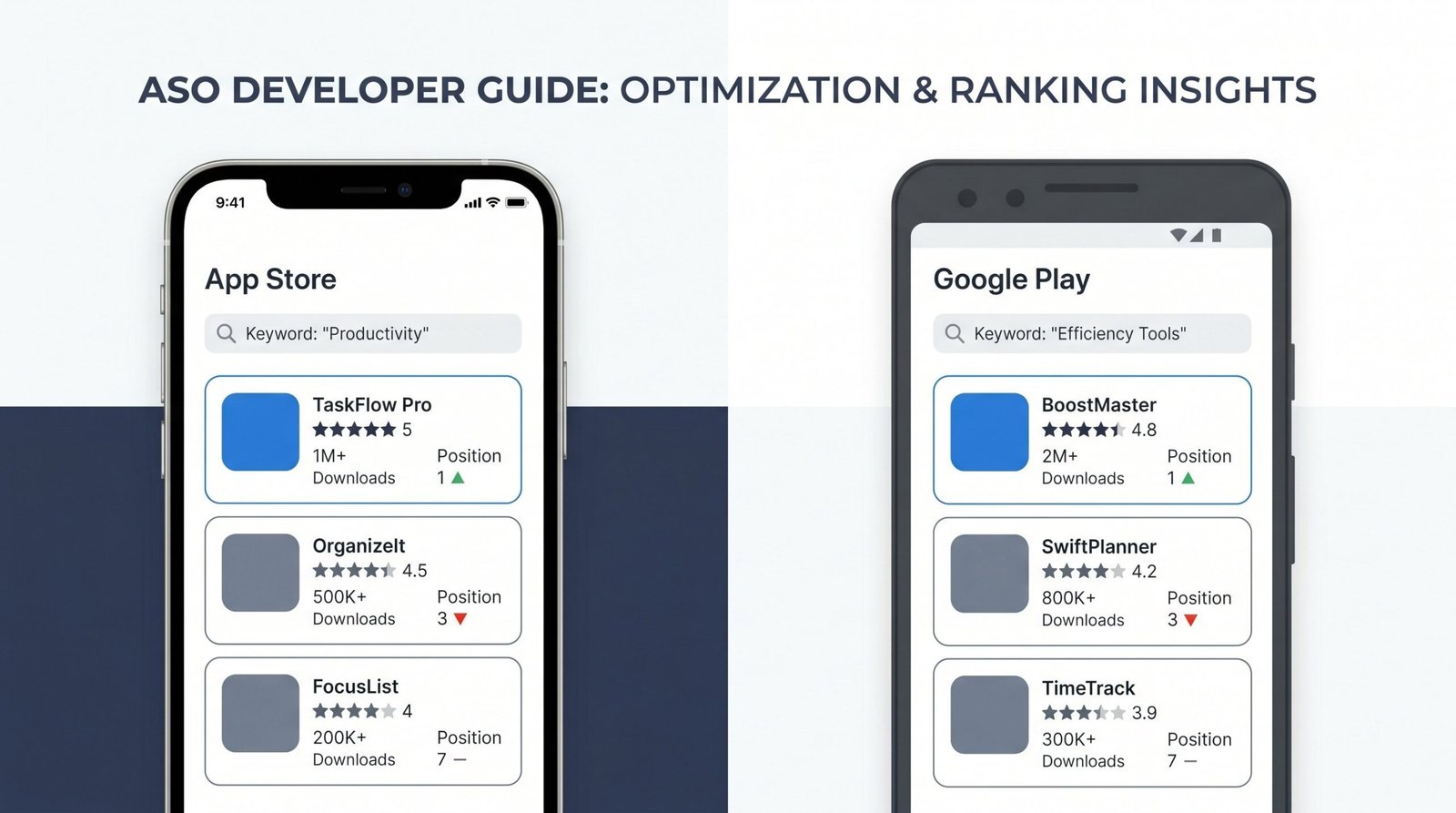
App Store Optimization: The 2026 Guide to Rankings, Retention, and the New Rules
December 22, 2023 | by appseo.com
Mobile App SEO: The Complete 2026 Guide to Ranking in Google and App Stores
December 22, 2023 | by appseo.com
SEO for Mobile Apps: The Complete Cross-Channel Strategy
May 13, 2026 | by Ian Adair