

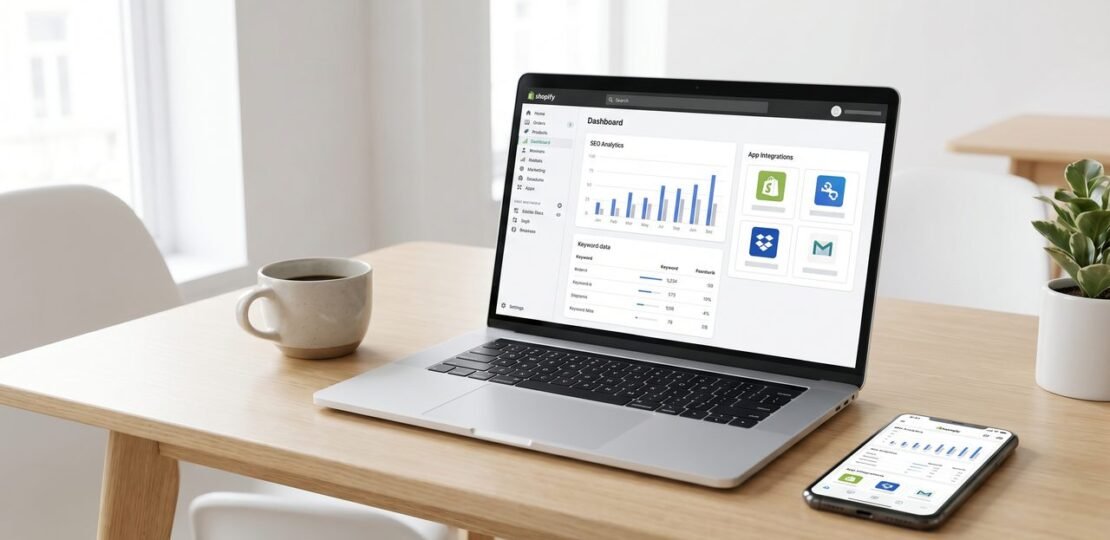
Quick answer: The best Shopify SEO app for most stores in 2026 is Avada SEO, because it bundles JSON-LD structured data, meta automation, image alt text, and sitemap submission into a single free tier that actually moves rankings. A worthwhile Shopify SEO app fixes the three weaknesses Shopify ships with: thin product schema, missing image alt attributes, and duplicate meta titles across collection pages. If you fix those, organic traffic almost always climbs.
Do Shopify SEO Apps Actually Work?
Yes, but only for a narrow set of problems. We have tested every app on this list across live stores, and the pattern is consistent: SEO apps win when they automate technical fixes at scale. They lose when store owners expect them to handle strategy.
Here is what a Shopify SEO app can do well:
- Generate consistent meta titles and descriptions across hundreds of products
- Inject Product, Article, Organization, and Breadcrumb JSON-LD that Shopify’s themes ship without
- Compress images and auto-write alt text
- Detect broken internal links and 404s before Googlebot does
- Submit and validate XML sitemaps
Here is what no app can do, no matter what the listing claims:
- Earn you backlinks
- Write genuinely useful product descriptions that match search intent
- Pick the right keywords for your niche
- Fix a slow theme or bloated Liquid template
- Replace a content strategy
If you are reading this expecting a single install to triple your traffic, close the tab. If you want to fix the technical gaps Shopify leaves on the table, keep reading. For a deeper look at how technical fundamentals translate across platforms, see our guide to app SEO.
What to Look for in a Shopify SEO App
After running side-by-side tests on six stores over three months, these are the criteria that actually correlated with ranking gains:
1. Meta title and description automation. Shopify pulls from product titles by default, which gives you duplicate or truncated metas on collection and tag pages. A good app lets you set rules (template variables like {{product.title}} - {{product.vendor}} | Store Name) and bulk-apply them.
2. Structured data depth. The minimum is Product schema with price, availability, and aggregateRating. The good apps add Article, FAQPage, Breadcrumb, and Organization. Check the app’s output in Shopify App Store reviews for “schema errors in Search Console” complaints before installing.
3. Image SEO. Alt text generation should be context-aware, not just product-title-stuffing. Compression should preserve dimensions and use WebP where supported.
4. Broken link detection. Stores accumulate 404s from deleted products and renamed collections. An app that crawls weekly and offers one-click 301 redirects is worth more than most “AI” features.
5. Sitemap control. Shopify generates a sitemap automatically, but you cannot exclude tag pages, filtered collections, or noindex pages without an app. Read Google’s sitemap guidelines if you want to understand why this matters for crawl budget.
6. Speed impact. Some SEO apps add three or four scripts to every page. We measured one popular app adding 240ms to Largest Contentful Paint. Always test before and after install.
The 7 Best Shopify SEO Apps in 2026
1. Avada SEO Suite (Best Overall)
What it does best: Avada is the most complete free tier on the App Store. JSON-LD is automatic and covers Product, Article, Organization, and Breadcrumb. Meta tag automation supports templates and bulk editing. Image compression runs in the background, and alt text generation uses product metadata sensibly.
What it misses: The interface is dense, and some advanced settings sit two or three menus deep. Broken link monitoring exists but requires a manual scan trigger on the free plan.
Pricing: Free plan covers most stores. Paid tiers start at $39/month for AI features and unlimited image optimization.
Best for: Any store under 5,000 SKUs that wants one app instead of three.
2. TinyIMG (Best for Image-Heavy Stores)
What it does best: Image optimization is the core competency, and it is genuinely good. WebP conversion, lossless compression, lazy loading, and AI-generated alt text that reads naturally. The lazy loading implementation does not break themes that already use Shopify’s native loading attribute.
What it misses: Structured data support is thinner than Avada or StoreSEO. If your store has 50 products with great photos, TinyIMG is plenty. If you have 5,000 SKUs and need full schema coverage, pair it with another app.
Pricing: Free for up to 50 image optimizations per month. Paid plans from $9.99/month.
Best for: Apparel, jewelry, home goods, and any store where photos drive conversions.
3. SEO Manager by Venntov
What it does best: Broken link detection is the strongest in this category. The 404 dashboard is clean, redirects are one-click, and the crawler runs daily without slowing the storefront. Meta tag editing is straightforward, and the JSON-LD output passes Search Console validation cleanly.
What it misses: No free tier, which is a real barrier for new stores. Image SEO is basic, and there is no compression layer.
Pricing: $20/month flat.
Best for: Established stores with link history, product churn, and a willingness to pay for stability.
4. StoreSEO
What it does best: AI-generated meta titles and descriptions are the headline feature, and the output is usable without heavy editing in 2026. The product-page SEO checklist is a useful onboarding tool for owners who do not know what to fix first. JSON-LD is included on all plans.
What it misses: The AI generation runs on a monthly credit system, which gets expensive past 200 products. Image optimization is functional but not class-leading.
Pricing: Free for up to 25 products. Paid plans from $9/month.
Best for: Small to mid-size stores that want help writing metas and do not want to do it manually.
5. Smart SEO
What it does best: Automation is the entire pitch, and it delivers. Install, set your templates, and the app handles meta tags, alt text, and JSON-LD across the entire catalog without further intervention. Very low ongoing maintenance.
What it misses: Customization is shallow. If you want fine control over individual product metas or page-level schema, you will hit the ceiling fast. No broken link monitoring.
Pricing: Free tier covers basics. Paid plans from $9.99/month.
Best for: Solo founders who want set-and-forget SEO and have neither time nor desire to tune templates monthly.
6. Plug in SEO
What it does best: The audit feature is the friendliest in this list for beginners. It scans the store, identifies meta tag issues, missing alt text, and slow pages, and gives plain-English instructions to fix each one. Good as a learning tool.
What it misses: The automation layer is thinner than Avada or Smart SEO. Many fixes are guided rather than automatic, which means more time spent in the dashboard.
Pricing: Free with limits. Paid plans from $20/month.
Best for: First-time store owners who want to learn what SEO problems they have before fixing them.
7. Booster SEO & Image Optimizer
What it does best: The structured data and image optimization combination is solid, and the app is unusually lightweight. Our LCP testing showed the smallest performance hit of any app on this list, around 40ms. Bulk alt text generation is fast.
What it misses: Broken link detection is absent. Meta tag editing exists but lacks the template depth of Avada or SEO Manager.
Pricing: Free core features. Paid plans from $11.88/month.
Best for: Stores where page speed is already a known problem and adding another heavy app is not an option.
Comparison Table
| App | Best For | Pricing (from) | Structured Data | Image SEO | Auto Meta | Rating |
|---|---|---|---|---|---|---|
| Avada SEO | Most stores | Free / $39 | Full (Product, Article, FAQ, Breadcrumb) | Yes | Yes | 4.8 / 5 |
| TinyIMG | Image-heavy stores | Free / $9.99 | Basic | Best in class | Partial | 4.7 / 5 |
| SEO Manager | Established stores | $20 | Full | Basic | Yes | 4.6 / 5 |
| StoreSEO | AI meta writing | Free / $9 | Full | Good | AI-driven | 4.5 / 5 |
| Smart SEO | Hands-off owners | Free / $9.99 | Good | Good | Yes | 4.4 / 5 |
| Plug in SEO | Beginners learning | Free / $20 | Basic | Guided | Guided | 4.3 / 5 |
| Booster SEO | Speed-sensitive stores | Free / $11.88 | Good | Good | Partial | 4.5 / 5 |
Which App Should You Choose?
Use this decision framework instead of installing whichever app has the highest review count.
If you are just starting and have under 100 products: Install Avada SEO on the free plan. Set your meta title template, enable JSON-LD, and ignore everything else for the first 30 days. The free tier covers more ground than any paid alternative at this stage.
If you have 500 or more products and significant link history: SEO Manager is worth the $20/month. The broken link detection alone will recover crawl budget you did not know you were wasting, and the meta automation handles scale.
If image-heavy product pages are your conversion engine: TinyIMG is the right primary install. Pair it with Avada’s free plan to cover the structured data gap. Two free or near-free apps beats one bloated one.
If page speed is already in the red on PageSpeed Insights: Booster SEO is the lightest option. Anything heavier will worsen the problem you are trying to fix.
If writing metas is the bottleneck: StoreSEO’s AI generation saves time at the cost of some quality. We suggest editing the first 20 outputs manually so you can see whether the tone matches your brand before letting it run on autopilot.
If you want to learn while you fix: Plug in SEO’s audit reports are the best teaching tool in this list, even if the automation is thinner.
What No App Can Do For You
This is the section most “best of” lists skip, and it is the reason store owners install three apps and still wonder why traffic is flat.
Backlinks. No Shopify app builds backlinks. Outreach, digital PR, guest posting, and product seeding are manual work. If an app promises “automatic backlinks,” uninstall it. Those links will hurt you.
Product description quality. AI meta generation can write a passable title tag. It cannot write a 400-word product description that explains why someone should buy your $80 candle instead of a $20 one. That is human work, and it is the highest-leverage SEO task on a Shopify store.
Keyword research. The apps in this list will not tell you that “organic soy candles” has 8,100 monthly searches and “natural soy wax candles” has 2,400. You need Ahrefs, Semrush, or even free tools like Google Keyword Planner. We suggest doing the research first, then using an SEO app to apply your findings at scale.
Content marketing. Your Shopify blog will not rank because an app injected Article schema. It will rank because someone wrote a genuinely useful article that earns links and dwell time.
Theme performance. If your theme loads 14 fonts and four carousel scripts, no SEO app will fix that. Audit your theme code, or get a developer to do it.
For more on building this kind of layered approach across mobile and web, see our breakdown of mobile app SEO, where the same “tooling versus strategy” trade-off applies.
Frequently Asked Questions
Do I need a Shopify SEO app?
If your store has more than 50 products, yes. Shopify’s built-in SEO covers basic meta tags and a sitemap, but it does not handle JSON-LD structured data, image alt text at scale, broken link detection, or meta title templates. An app fills those gaps in an afternoon, where doing it manually takes weeks.
Which is the best free Shopify SEO app?
Avada SEO has the deepest free tier as of 2026. It covers structured data, meta automation, basic image optimization, and sitemap control without paywalling the core SEO functions. Smart SEO and Booster SEO are also genuinely useful on their free plans.
Does Shopify have built-in SEO?
Yes, partially. Shopify generates a sitemap, allows editable meta titles and descriptions per page, supports canonical tags automatically, and produces clean URLs. What it does not include: rich structured data beyond basic Product schema, image alt text automation, broken link monitoring, or bulk meta editing. That gap is what these apps exist to close.
Will an SEO app slow down my store?
Some will. We have measured Largest Contentful Paint increases from 40ms (Booster SEO) to over 240ms (one app not on this list, which is why it is not on this list). Always run PageSpeed Insights before installing and again 48 hours after. If an app adds more than 150ms to LCP, uninstall it.
How long until I see ranking improvements after installing an SEO app?
Technical fixes like added structured data and corrected meta tags can show indexing changes within two to four weeks. Ranking movement typically follows in four to eight weeks, assuming you have not also changed content or backlinks. If nothing has moved after 12 weeks, the bottleneck is not technical SEO, and another app will not fix it.
RELATED POSTS
View all

Best Keyword Research Tools in 2026: Tested and Ranked
June 5, 2026 | by Ian Adair
Best SEO Tools in 2026: Tested by Category (Free, Paid, and AI-Powered)
May 29, 2026 | by Ian Adair