

On-Page SEO: The Complete 2026 Guide (With Code Examples and a Checklist)
May 26, 2026 | by Ian Adair
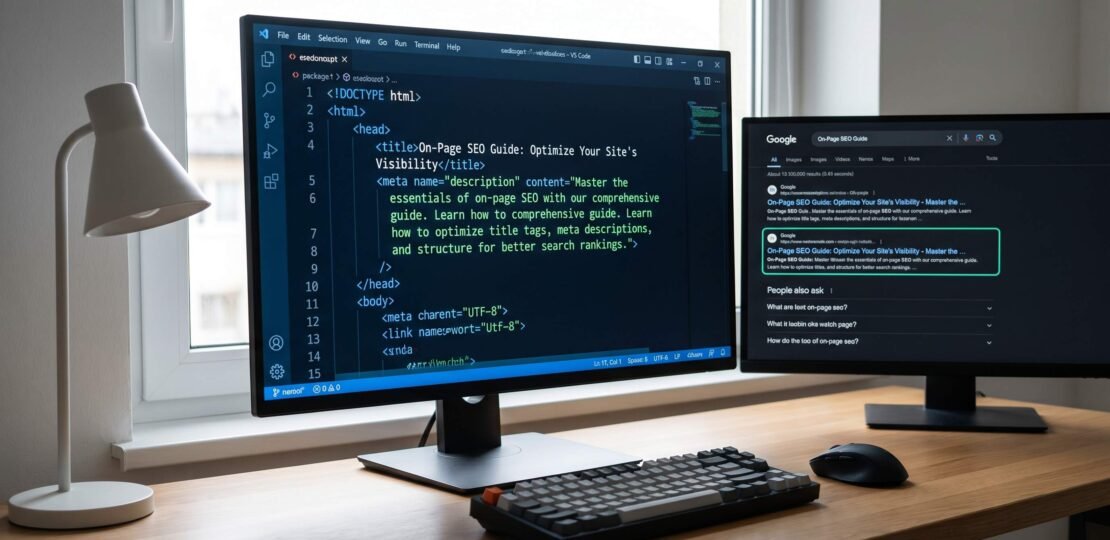
On-Page SEO: The Complete 2026 Guide (With Code Examples and a Checklist)
On-page SEO is the practice of optimizing individual web pages, including their content, HTML source code, and on-page elements, to rank higher in search engines and earn relevant traffic. It covers title tags, meta descriptions, headings, internal links, image alt text, schema markup, page speed, and content quality. You control every on-page factor directly.
What Is On-Page SEO?
On-page SEO refers to everything you can change on a web page to help search engines understand it and rank it for relevant queries. That includes the words you write, the HTML tags you use, the URL structure, the images you embed, the speed at which the page loads, and the structured data you inject.
Off-page SEO (backlinks, brand mentions, PR) and technical SEO (crawling, indexing, server configuration) live outside the page itself. On-page SEO lives inside it. If you can edit the file, it counts as on-page work.
For app developers and SaaS founders, on-page SEO is the highest-leverage SEO investment you can make. You ship the code. You write the copy. You control the schema. Every line you change can move rankings, and you don’t need to negotiate with PR firms or chase link-building agencies.
On-page SEO is also the fastest feedback loop in marketing. Change a title, redeploy, wait two weeks, and you can see the impact in Search Console. Change a meta description and see CTR move in seven days. Contrast that with link building, where you might wait six months for a campaign to compound, or paid acquisition, where you’re spending budget every day to keep results flowing.
Google’s own documentation lays this out in Google’s SEO Starter Guide, but most guides skip the developer-specific reality: if you’re shipping a React or Next.js app, your on-page SEO problem is structurally different from a WordPress blog. We’ll cover both.
This guide assumes you know your way around HTML and a code editor. We’ll show real code, real curl commands, and real schema you can copy and adapt. The goal is a guide you can act on the same day, not a glossary you skim once and forget.
On-Page SEO vs Off-Page SEO vs Technical SEO
These three pillars often get conflated. They overlap at the edges, but each has its own playbook and tool stack.
| Pillar | Definition | Examples | Who Controls It | Ranking Impact |
|---|---|---|---|---|
| On-Page SEO | Optimization of content and HTML elements on a single page | Title tags, meta descriptions, headings, internal links, alt text, schema markup, keyword placement | You (the page author or developer) | High, and the easiest to influence directly |
| Off-Page SEO | Signals from outside your site that affect authority and trust | Backlinks, brand mentions, social shares, guest posts, digital PR | Other websites, journalists, and users | High, but slow and resource-intensive to influence |
| Technical SEO | Site-wide infrastructure that affects crawling, indexing, and rendering | XML sitemaps, robots.txt, canonical tags, HTTPS, hreflang, server response codes, JavaScript rendering | You (developer or DevOps) | High at the foundation, with diminishing returns once basics are in place |
If you’re auditing an existing site, run a technical SEO audit first to catch crawl and indexation problems, then layer on-page SEO on top of pages that Google can already access.
The 12 On-Page SEO Elements
These twelve elements form the backbone of every on-page optimization. Get them right and you’ve covered roughly 90% of what Google’s algorithms look for at the page level.
1. Title Tag
The title tag is the single most important on-page element. It appears in the browser tab, in search results as the blue clickable headline, and in social previews when Open Graph metadata is missing. Google uses it as a primary signal for what a page is about.
Aim for 50 to 60 characters, place the primary keyword near the front, and write for humans first. Generic templates (“Home | Acme”) waste the highest-leverage real estate on your page. Google truncates titles around 580 pixels in desktop results, so going over 60 characters risks getting your value proposition cut off with an ellipsis.
Title format patterns that consistently win: the bracket-modifier format (“On-Page SEO: The Complete 2026 Guide”), the number format (“12 On-Page SEO Elements That Actually Move Rankings”), and the question format (“What Is On-Page SEO?”). Pick the format that matches user intent. Informational queries skew toward question and guide formats. Commercial queries favor comparison and “best” formats.
HTML example:
<title>On-Page SEO: The Complete 2026 Guide | AppSEO</title>Next.js App Router example using the metadata API:
// app/blog/on-page-seo/page.tsx
import type { Metadata } from 'next';

export const metadata: Metadata = {
  title: 'On-Page SEO: The Complete 2026 Guide | AppSEO',
  description: 'Authoritative guide to on-page SEO for developers and SaaS founders. Code examples, checklist, and 2026 AI search updates.',
};

export default function Page() {
  return <article>...</article>;
}
2. Meta Description
The meta description is the snippet of text that appears under your title in search results. Google often rewrites it, but a well-written description still influences click-through rate when it does get shown, and it serves as a fallback for Open Graph previews on social platforms.
Keep it between 140 and 160 characters. Include the primary keyword once, naturally. Promise a specific answer or benefit that matches search intent. Front-load the value so the most important words survive any mobile truncation, which can clip descriptions as short as 120 characters on small screens.
Treat the meta description as ad copy. You’re competing against nine other listings on a page of search results, plus AI Overview boxes, People Also Ask sections, video carousels, and sponsored results. The description needs to give a clicker a reason to choose your link over everything else on the screen. Vague summaries lose. Specific promises win.
<meta name="description" content="On-page SEO is the practice of optimizing individual pages to rank higher. Learn the 12 elements, see code examples, and grab the 2026 checklist.">3. H1 and Heading Structure
Use exactly one H1 per page. The H1 is your visible page title and should closely match the title tag, though it can be slightly longer or phrased for human readers. Below that, structure your content with H2 sections and H3 subsections in a logical hierarchy.
Don’t skip levels (H1 to H3 with no H2 in between). Don’t use heading tags for styling alone. Screen readers and crawlers both parse the outline to understand topical structure, and a clean outline helps Google pick H2 or H3 text for featured snippets.
A practical test: read only the headings of your page top to bottom. Does the outline tell a coherent story? If a stranger could understand the argument from headings alone, you’ve got a structure crawlers and AI summarizers can parse. If the headings feel arbitrary or generic (“Introduction,” “Conclusion,” “Section 2”), rewrite them to carry meaning. Every heading is a chance to repeat a related keyword or answer a sub-question.
4. URL Slug
Short, descriptive URLs that include the target keyword outperform long, parameter-heavy URLs. Use lowercase, hyphens between words, and remove stop words when they add no meaning.
Good examples:
/on-page-seo/next-js-seo-guide/react-seo
Bad examples:
/blog/post?id=4827&cat=seo/the-ultimate-guide-to-on-page-seo-for-2026-and-beyond-with-tips/On_Page_SEO_Guide_FINAL_v3
Once a URL is live and ranking, do not change it. If you must, set up a 301 redirect from the old URL to the new one to preserve link equity.
5. Keyword Placement
Your primary keyword should appear in the title tag, the H1, the first 100 words of the body, the URL slug, and at least one H2. After that, write naturally. Google’s algorithms read context, not keyword counts, and modern semantic search models understand synonyms, entities, and related concepts.
Mention related terms throughout. If you’re writing about on-page SEO, semantically related terms like “title tag,” “schema markup,” “internal links,” and “Core Web Vitals” will appear naturally if you’re covering the topic in depth. That natural co-occurrence signals comprehensive coverage to ranking algorithms.
Search intent matters more than keyword density. Before writing, look at the current top-10 results for your target keyword. If they’re all how-to guides, Google has signaled this is a tutorial intent. If they’re all comparison articles, it’s a commercial intent. If they’re product pages, it’s transactional. Match the intent or your page will not rank no matter how well it’s written.
Avoid keyword stuffing. Repeating the exact phrase twenty times in a 1,000-word article hurts more than it helps and can trigger spam classifiers. A natural occurrence rate sits around 0.5% to 1.5% of total words, but trying to hit a specific percentage is a mistake. Write the content the topic deserves; the keywords will appear at the right frequency on their own.
6. Content Quality and E-E-A-T
E-E-A-T stands for Experience, Expertise, Authoritativeness, and Trust. Google’s quality raters use it to evaluate content, and it heavily influences which pages rank for any topic where accuracy matters.
Demonstrate experience by including specifics: real numbers, your own screenshots, code you’ve shipped, mistakes you’ve made. Demonstrate expertise through depth, technical accuracy, and references to primary sources. Build authoritativeness over time through consistent publishing in a defined niche. Build trust through accurate citations, an author bio with credentials, transparent sourcing, and updated dates on evergreen content.
Thin content (under 500 words for a query that deserves depth) and AI-generated text with no human review both struggle to compete in 2026. You don’t need to write 5,000 words on every page, but you do need to fully answer the question the page exists to answer.
A useful gut check before publishing: would you cite this page in a Slack message to a colleague? If the answer is no, the page isn’t ready. If the page only restates what every other top-10 result already says, it has no reason to outrank them. Bring a new angle, a new data point, an original example, or a sharper framing. That’s what separates pages that climb from pages that stall.
For technical topics, include code you’ve actually run. For comparison topics, include a table with specifics other guides skip. For tutorials, include screenshots from your own console. These are the signals Google’s quality raters and increasingly the AI summarizers look for when judging whether a page deserves citation.
7. Internal Links
Internal links pass authority between pages on your own site and help Google understand which pages are most important. Include 3 to 5 contextual internal links per article, using descriptive anchor text that hints at the destination page’s topic.
Anchor text matters. “Click here” tells Google nothing. “React SEO guide” tells Google the linked page is about SEO for React applications. Use the keyword the destination page is targeting as the anchor, or a close natural variant.
Place internal links in the body of paragraphs, not in sidebars or footers. Contextual links carry more weight than navigational links because they’re embedded in topical content. The first link from a page to a specific URL passes the strongest signal, so order matters: link to your most important destination pages first.
Avoid over-linking. A 1,500-word article with 25 internal links looks like a link farm. Stick to 3 to 5 links that genuinely help the reader. Every link should answer the question “would the reader actually want to click this?” If the answer is no, cut it.
If you’re shipping a React or Next.js codebase, our React SEO guide covers the rendering and crawlability issues you’ll hit before any on-page work pays off.
8. External Links
Link out to authoritative sources when you cite data, standards, or documentation. External links to trusted domains (Google, MDN, W3C, peer-reviewed research, official documentation) signal that your page is well-researched and connected to the broader web.
Use inline contextual anchors, never footnotes or reference sections at the bottom. The anchor should describe what the user will find at the destination. Do not use rel=”nofollow” on legitimate references; reserve nofollow for sponsored or user-generated links.
9. Image Optimization
Images are often the biggest performance bottleneck and a frequently missed SEO opportunity. Three things to get right:
- Alt text: Describe what’s in the image in plain language. Alt text is read by screen readers and used by Google Image search. Skip “image of” prefixes; just describe the content. If the image is purely decorative, use
alt=""(an empty alt attribute). - File naming: Use descriptive filenames like
on-page-seo-checklist.png, notIMG_4827.pngorscreenshot1.jpg. - Compression and format: Serve modern formats (WebP, AVIF) with fallbacks. Compress aggressively. Use
<img loading="lazy">for below-the-fold images and specifywidthandheightattributes to prevent layout shift.
<img
  src="/images/on-page-seo-checklist.webp"
  alt="On-page SEO checklist showing 12 ranked elements"
  width="800"
  height="450"
  loading="lazy"
/>
10. Schema Markup
Schema markup is structured data that tells search engines exactly what your page is about. Google uses it to generate rich results (recipe cards, FAQ accordions, review stars) and, increasingly in 2026, to power AI Overviews and ground generative answers in citable sources.
In 2026, schema is no longer optional for content that wants to surface in AI-generated answers. ChatGPT, Perplexity, Google AI Overviews, and Claude-based summarization tools all parse structured data more reliably than they parse unstructured HTML. A page with Article, FAQPage, and HowTo schema is dramatically more citable than the same page without it.
The schema types worth shipping on most pages:
- Article or BlogPosting: headlines, dates, authors, and publisher metadata for editorial content.
- FAQPage: question-and-answer pairs, which can produce expandable FAQ accordions in Google results.
- HowTo: step-by-step tutorials with materials, time, and ordered steps.
- BreadcrumbList: navigation hierarchy that improves how URLs display in search results.
- Product: price, availability, ratings, and reviews for any commerce or SaaS pricing page.
- Organization: sitewide brand metadata, logos, and social profiles.
JSON-LD is the preferred format. It sits in a script tag and stays out of your visible markup. Here’s an Article schema example:
<script type="application/ld+json">
{
  "@context": "https://schema.org",
  "@type": "Article",
  "headline": "On-Page SEO: The Complete 2026 Guide",
  "description": "Comprehensive guide to on-page SEO with code examples and a checklist.",
  "author": {
    "@type": "Organization",
    "name": "AppSEO"
  },
  "datePublished": "2026-05-26",
  "dateModified": "2026-05-26",
  "image": "https://appseo.com/images/on-page-seo.png",
  "publisher": {
    "@type": "Organization",
    "name": "AppSEO",
    "logo": {
      "@type": "ImageObject",
      "url": "https://appseo.com/logo.png"
    }
  }
}
</script>
Validate every schema block before shipping. Read Google’s structured data guidelines for the full type list and current eligibility requirements.
11. Core Web Vitals and Page Speed
Core Web Vitals are Google’s user-experience metrics, and they directly affect rankings. As of March 2024, Google replaced First Input Delay (FID) with Interaction to Next Paint (INP). Most older SEO guides still cite FID and are simply wrong about this. If your guide hasn’t been updated since 2024, throw it out.
The three current Core Web Vitals:
- Largest Contentful Paint (LCP): measures loading. Good: under 2.5 seconds. This is the time from navigation start to when the largest text block or image is rendered.
- Interaction to Next Paint (INP): measures responsiveness. Good: under 200 milliseconds. Replaced FID in March 2024. INP measures the latency of all interactions a user makes during a visit and reports the worst case.
- Cumulative Layout Shift (CLS): measures visual stability. Good: under 0.1. CLS spikes when ads, fonts, or images push content around as the page loads.
For SPAs and React apps, INP is often the killer metric. Long JavaScript tasks that block the main thread will tank your INP score. Use code splitting, defer non-critical scripts, and audit any third-party tags (analytics, chat widgets, A/B test tools) that block the main thread on interaction.
Practical fixes that move LCP fastest: serve hero images in WebP or AVIF, preload the hero image with a <link rel="preload" as="image"> tag, eliminate render-blocking CSS by inlining critical styles, and host your site behind a CDN with edge caching. For CLS, set explicit width and height on every image and reserve space for ads or embeds with CSS aspect-ratio.
Field data beats lab data. Use the Chrome User Experience Report (CrUX) field metrics in PageSpeed Insights or Search Console’s Core Web Vitals report, not just Lighthouse simulated runs. Lighthouse on your laptop with a fast connection will tell you everything is fine. Real users on mid-tier Android phones over 4G might be having a different experience.
Full details on each metric, thresholds, and how Chrome measures them are in the Core Web Vitals documentation.
12. Featured Snippet Optimization
Featured snippets are the answer boxes at the top of Google results. They typically pull from a page that’s already ranking in positions 1 to 5 and that formats an answer cleanly under a relevant heading.
To win them, structure content with a clear question as an H2 or H3, then answer in 40 to 60 words in the immediately following paragraph. For list-format snippets, use ordered or unordered HTML lists with concise items. For table snippets, use proper <table> markup with semantic <thead> and <tbody>.
The featured snippet block at the top of this article (the bold paragraph defining on-page SEO) is built this way. Question implied by the title, direct answer in roughly 50 words, no preamble.
Three snippet formats Google uses most often:
- Paragraph snippets: 40 to 60 word definitions or direct answers. Most common format for “what is” and “how does” queries.
- List snippets: ordered lists for steps and processes, unordered lists for ingredient lists, examples, or feature comparisons.
- Table snippets: data comparisons, pricing, specifications, version differences.
The same content can win different formats on different queries. A single article can hold a paragraph snippet for the definitional query, a list snippet for the “steps” query, and a table snippet for the comparison query, all from the same URL. Plan for multiple snippet opportunities in long-form content.
On-Page SEO for Developers: React, Next.js, and SPAs
Here’s the section most generic SEO guides skip and most developers desperately need. If you’re shipping a single-page application, your on-page SEO problem is not the same as a WordPress blog’s on-page SEO problem.
The CSR Crawlability Problem
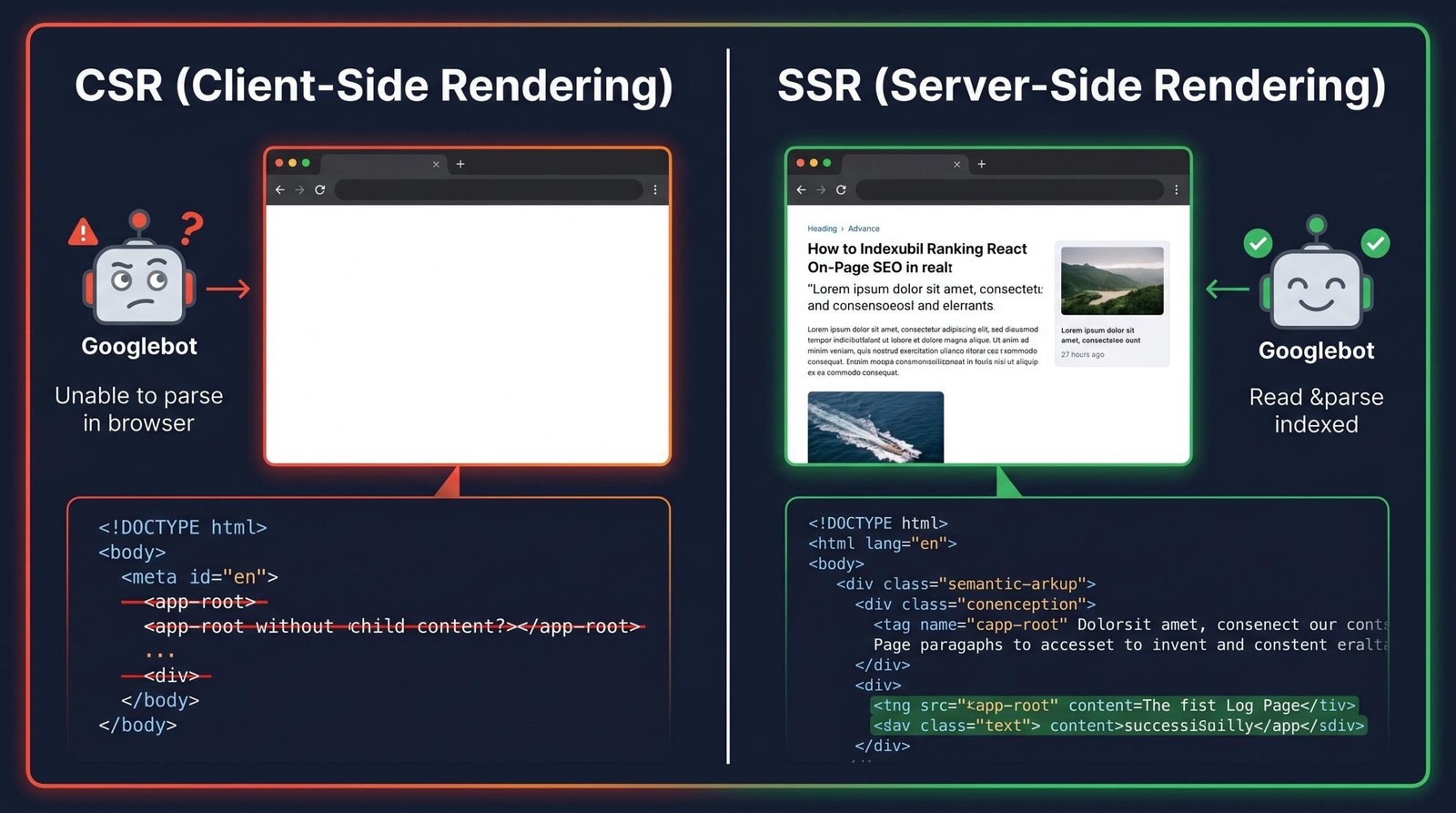
Most popular frontend frameworks default to client-side rendering. That works fine for application UIs behind a login wall where SEO is irrelevant. It breaks badly for any public-facing marketing site, blog, documentation portal, or landing page where you want to rank.
Client-side rendered React, Vue, and Angular apps ship a near-empty HTML document on initial request. The page looks like this on the wire:
<!DOCTYPE html>
<html>
  <head><title></title></head>
  <body>
    <div id="root"></div>
    <script src="/bundle.js"></script>
  </body>
</html>
Everything (your title, your content, your meta tags) is injected by JavaScript after the bundle loads in the browser. Googlebot can render JavaScript, but it does so on a delay and not always perfectly. AI crawlers (ChatGPT, Perplexity, Claude, and most LLM-based search tools) cannot execute JavaScript at all. To them, your blank HTML is the whole story.
Quick test from your terminal:
curl -s https://your-site.com | grep '<title>'If the result is empty or shows a blank title, AI crawlers cannot see your title. They cannot cite you in AI Overviews. They cannot summarize your content. You are invisible to a growing share of the discovery stack.
Run the same test against your meta description, your H1, and your main content:
curl -s https://your-site.com | grep '<meta name="description"'
curl -s https://your-site.com | grep '<h1'
curl -s https://your-site.com | head -100
If those commands return blanks, empty tags, or framework boilerplate rather than your actual content, you have a rendering problem to solve before any other on-page work matters. There is no clever schema trick that overcomes invisible content.
Dynamic Title and Meta in React
If you’re stuck with client-rendered React, react-helmet-async is the standard solution for managing head tags. It manipulates the DOM head element so Googlebot’s render pass can pick up the right title and meta tags.
import { Helmet, HelmetProvider } from 'react-helmet-async';

function ArticlePage({ article }) {
  return (
    <HelmetProvider>
      <Helmet>
        <title>{article.title} | AppSEO</title>
        <meta name="description" content={article.excerpt} />
        <link rel="canonical" href={`https://appseo.com/${article.slug}`} />
      </Helmet>
      <article>{article.body}</article>
    </HelmetProvider>
  );
}
Critical: setting document.title inside a useEffect hook alone is not enough. That fires after hydration in the browser, which means AI crawlers and any tool that scrapes the initial HTML response will still see an empty title. Helmet plus server-side rendering (or static prerendering) is the floor.
Next.js App Router: The Metadata API
If you can choose your stack, Next.js App Router solves most of this at the framework level. Metadata is declared statically in your route file and rendered server-side. Every crawler, JavaScript-aware or not, gets a complete head section on the first request.
// app/blog/[slug]/page.tsx
import type { Metadata } from 'next';

type Props = {
  params: { slug: string };
};

export async function generateMetadata({ params }: Props): Promise<Metadata> {
  const article = await getArticle(params.slug);

  return {
    title: `${article.title} | AppSEO`,
    description: article.excerpt,
    alternates: {
      canonical: `https://appseo.com/blog/${article.slug}`,
    },
    openGraph: {
      title: article.title,
      description: article.excerpt,
      url: `https://appseo.com/blog/${article.slug}`,
      type: 'article',
      publishedTime: article.publishedAt,
      modifiedTime: article.updatedAt,
      authors: [article.author.name],
      images: [
        {
          url: article.coverImage,
          width: 1200,
          height: 630,
          alt: article.title,
        },
      ],
    },
    twitter: {
      card: 'summary_large_image',
      title: article.title,
      description: article.excerpt,
      images: [article.coverImage],
    },
  };
}

export default async function ArticlePage({ params }: Props) {
  const article = await getArticle(params.slug);
  return <article>{article.body}</article>;
}
That single function generates your title, description, canonical, Open Graph card, and Twitter card, all rendered on the server. For a deeper walkthrough of framework-specific patterns, see our Next.js SEO guide.
Open Graph and Twitter Card Tags
Open Graph (OG) tags control how your URL renders when shared on Facebook, LinkedIn, Slack, iMessage, Discord, and most social and chat platforms. Twitter Cards do the same for X. Without them, shared links default to a stripped-down preview that few users click.
<meta property="og:title" content="On-Page SEO: The Complete 2026 Guide" />
<meta property="og:description" content="The 12 elements, code examples, and a 2026 checklist." />
<meta property="og:image" content="https://appseo.com/og/on-page-seo.png" />
<meta property="og:url" content="https://appseo.com/on-page-seo/" />
<meta property="og:type" content="article" />
<meta name="twitter:card" content="summary_large_image" />
<meta name="twitter:title" content="On-Page SEO: The Complete 2026 Guide" />
<meta name="twitter:description" content="The 12 elements, code examples, and a 2026 checklist." />
<meta name="twitter:image" content="https://appseo.com/og/on-page-seo.png" />
Use a dedicated 1200×630 image for og:image. Test with Facebook’s Sharing Debugger and Twitter’s Card Validator before going live.
JSON-LD Injection in Next.js layout.tsx
For schema markup in a Next.js App Router project, inject JSON-LD directly into a server component using a script tag:
// app/blog/[slug]/page.tsx
export default async function ArticlePage({ params }: Props) {
  const article = await getArticle(params.slug);

  const jsonLd = {
    '@context': 'https://schema.org',
    '@type': 'Article',
    headline: article.title,
    datePublished: article.publishedAt,
    dateModified: article.updatedAt,
    author: { '@type': 'Person', name: article.author.name },
    image: article.coverImage,
  };

  return (
    <>
      <script
        type="application/ld+json"
        dangerouslySetInnerHTML={{ __html: JSON.stringify(jsonLd) }}
      />
      <article>{article.body}</article>
    </>
  );
}
Because this renders server-side, the schema appears in the initial HTML response and every crawler sees it. If you’re rendering schema on the client only, you’re losing most of the benefit.
For more on the rendering and crawlability constraints that affect SPAs broadly, our web app SEO guide covers the patterns we use across SaaS clients.
On-Page SEO in the AI Era (2025-2026)
The discovery landscape shifted hard between 2023 and 2026. Google’s AI Overviews now sit above traditional results for a large fraction of informational queries. ChatGPT, Perplexity, and Claude-based search tools answer questions without sending a click. Bing chat surfaces inline citations. Your on-page work now has two audiences: humans clicking from search results, and AI systems summarizing your content into answers.
The on-page playbook that worked in 2018 (keyword in title, decent meta, a few internal links) still works as a floor. But the ceiling has moved. The pages capturing the most visibility now are the ones optimized for both classic ranking and AI citation.
How AI Overviews Pick Citations
AI Overviews and similar generative search features cite sources that meet three criteria:
- Direct, scannable answers to the question. Articles that bury the answer four paragraphs in get skipped for ones that lead with it.
- Structured content. Clear H2 and H3 hierarchy, lists, tables, and FAQ sections give LLMs clean chunks to quote.
- Schema markup. Article, FAQPage, HowTo, and Product schema give AI systems an unambiguous machine-readable summary of the page.
The pages that win citations are not always the highest-ranked traditional results. They’re the most structured, most answerable pages on the topic. Format matters as much as content depth.
AI Crawler Accessibility
Reiterating the point from the developer section because it bears repeating: most AI crawlers do not execute JavaScript. If your content lives in client-rendered React with no SSR or prerendering, you are invisible to ChatGPT, Perplexity, and most of the LLM-driven discovery stack. The fix is server-side rendering, static generation, or prerendering. There is no other path.
Beyond rendering, AI systems read your robots.txt. If you explicitly allow crawlers like GPTBot, PerplexityBot, ClaudeBot, and Google-Extended, you opt in to being a citable source. If you block them, you opt out, and you opt out of the traffic and brand exposure that comes with being cited in millions of conversations.
A minimal robots.txt that allows the major AI crawlers:
User-agent: GPTBot
Allow: /

User-agent: PerplexityBot
Allow: /

User-agent: ClaudeBot
Allow: /

User-agent: Google-Extended
Allow: /

Sitemap: https://your-site.com/sitemap.xml
The trade-off is real. Allowing AI crawlers means your content trains and informs models that may answer questions without sending users to your site. The counter-argument is that being cited as a source builds brand authority and drives the small but high-intent referral traffic that AI search does send. For most SaaS and developer-focused sites in 2026, the citation upside outweighs the training-data concern.
Writing for AI Summarization
LLMs chunk content into passages and use those passages to ground generated answers. The pages that get chunked cleanly are the pages that get cited. Write with that chunking in mind: keep paragraphs focused on a single idea, lead with the claim and follow with the evidence, and use headings as natural chunk boundaries.
Avoid burying answers in long anecdotes or marketing throat-clearing. If a reader has to scroll past four paragraphs of setup to find the actual answer, an LLM will rank a more direct competitor higher. The direct-answer-first pattern wins both AI citations and human readers who skim.
On-Page SEO Tools
You don’t need a 20-tool stack to do on-page SEO well. These six cover the practical workflow from drafting to auditing.
| Tool | Best For | Free? | Key Feature |
|---|---|---|---|
| Yoast SEO | WordPress on-page checks during writing | Freemium | In-editor readability and SEO traffic light analysis with focus keyword scoring |
| Rank Math | WordPress sites that want more control without paying | Freemium | Schema generator, multiple focus keywords, deep WooCommerce support in the free tier |
| AIOSEO | WordPress users who want a unified suite with sitemaps and link assistant | Freemium | Internal link suggestions and TruSEO on-page scoring |
| Screaming Frog | Site-wide on-page audits for any stack | Free up to 500 URLs | Desktop crawler that surfaces missing titles, duplicate metas, broken links, and schema issues at scale |
| Google PageSpeed Insights | Core Web Vitals diagnosis | Free | Lab and field data for LCP, INP, and CLS with ranked fix suggestions |
| Schema Markup Validator | Validating JSON-LD before deploy | Free | Official Schema.org tool that catches type errors and missing required properties |
If you’re on WordPress and unsure which plugin to pick, our breakdown of the best SEO plugin for WordPress compares Yoast, Rank Math, and AIOSEO across feature parity, performance overhead, and licensing.
On-Page SEO Quick Reference Checklist
Print this. Tape it to your monitor. Run through it before every page goes live.
- Title tag: 50 to 60 characters, primary keyword near the front, unique across the site.
- Meta description: 140 to 160 characters, includes the primary keyword, promises a specific answer.
- H1: exactly one per page, closely matches the title tag.
- Heading hierarchy: H2 sections, H3 subsections, no skipped levels.
- URL slug: short, lowercase, hyphenated, includes the target keyword.
- Keyword placement: appears in title, H1, first 100 words, URL, and at least one H2.
- Content quality: fully answers the search intent, demonstrates E-E-A-T, original insight where possible.
- Internal links: 3 to 5 contextual links to related pages with descriptive anchors.
- External links: inline citations to authoritative sources where you make factual claims.
- Image optimization: descriptive filenames, alt text, lazy loading, WebP or AVIF format, width and height attributes.
- Schema markup: JSON-LD for Article, FAQPage, HowTo, or Product as relevant, validated before deploy.
- Core Web Vitals: LCP under 2.5s, INP under 200ms, CLS under 0.1.
Frequently Asked Questions
What is the difference between on-page SEO and off-page SEO?
On-page SEO covers everything you change on the page itself: title tags, meta descriptions, headings, content, internal links, images, schema, and page speed. Off-page SEO covers signals from outside your site, primarily backlinks, brand mentions, and digital PR. You control on-page SEO directly. Off-page SEO depends on other websites and people choosing to reference or link to you.
What is the difference between on-page SEO and technical SEO?
On-page SEO is page-level optimization of content and visible HTML elements. Technical SEO is site-wide infrastructure: crawl budget, indexation, sitemaps, robots.txt, canonical tags, HTTPS, rendering, and server response codes. The two overlap. Page speed and schema markup show up on both lists. Think of technical SEO as the foundation that lets crawlers find and process your pages, and on-page SEO as the optimization of each page once it’s accessible.
How long does on-page SEO take to show results?
For new pages on an established site, expect 4 to 12 weeks to see meaningful ranking movement, sometimes faster for low-competition keywords. For new sites with no domain authority, plan for 6 to 9 months before pages stabilize in rankings. On-page changes to existing ranking pages (rewriting a title, adding schema, improving content) often show movement within 1 to 4 weeks because Google already trusts the URL.
Does on-page SEO still matter in 2026 with AI Overviews?
Yes, more than ever. AI Overviews and LLM-based search tools depend on well-structured, well-marked-up content to generate accurate answers and pick citation sources. The pages that surface in AI Overviews share the same on-page traits that win traditional rankings: clear headings, direct answers, schema markup, fast load times, and crawlable HTML. On-page SEO is the input. AI Overview citation is one of the outputs.
What is the most important on-page SEO factor?
Content quality that fully matches search intent, paired with a strong title tag. Everything else (schema, internal links, page speed) amplifies a page that genuinely answers the question users are asking. A perfectly optimized page that doesn’t answer the search intent will not rank. A well-written page with mediocre technical optimization usually will.
How do I check if my on-page SEO is working?
Track three signals. First, position changes in Google Search Console for your target keywords across a 4 to 8 week window after publishing or updating. Second, click-through rate from impressions, which tells you whether your title and meta description are doing their job. Third, organic traffic and conversions from the page in your analytics platform. For a full audit of all 12 elements across an entire site, run Screaming Frog and cross-reference with Search Console performance data.
RELATED POSTS
View all

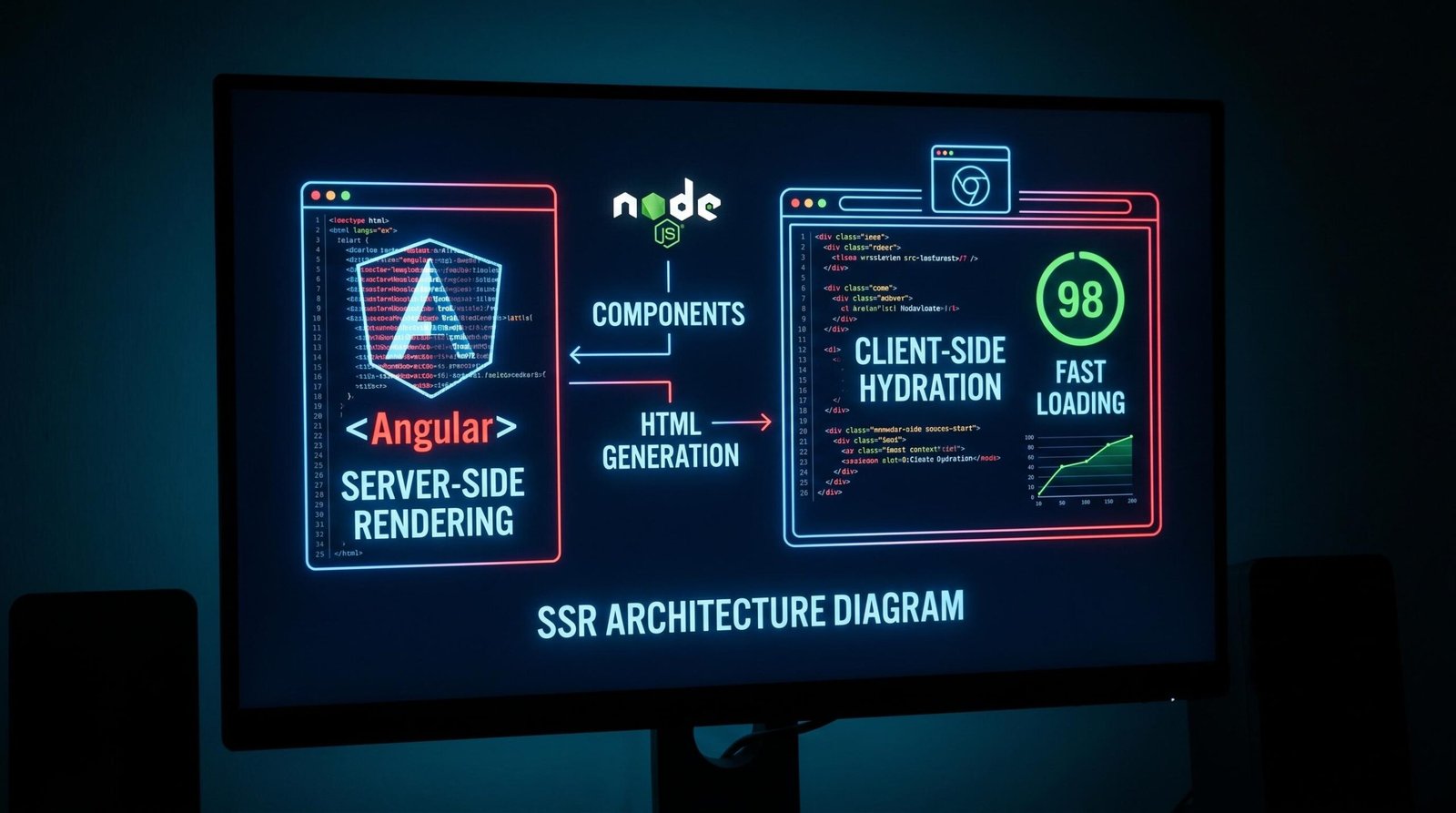
Angular SEO: The Complete Guide for 2026 (SSR, Prerendering & Hydration)
May 14, 2026 | by Ian Adair
SEO for Shopify: The Complete 2026 Guide (Technical Deep Dives Included)
May 23, 2026 | by Ian Adair