Technical SEO Audit: A Step-by-Step Developer’s Checklist (2026)
May 21, 2026 | by Ian Adair
Technical SEO Audit: A Step-by-Step Developer’s Checklist (2026)
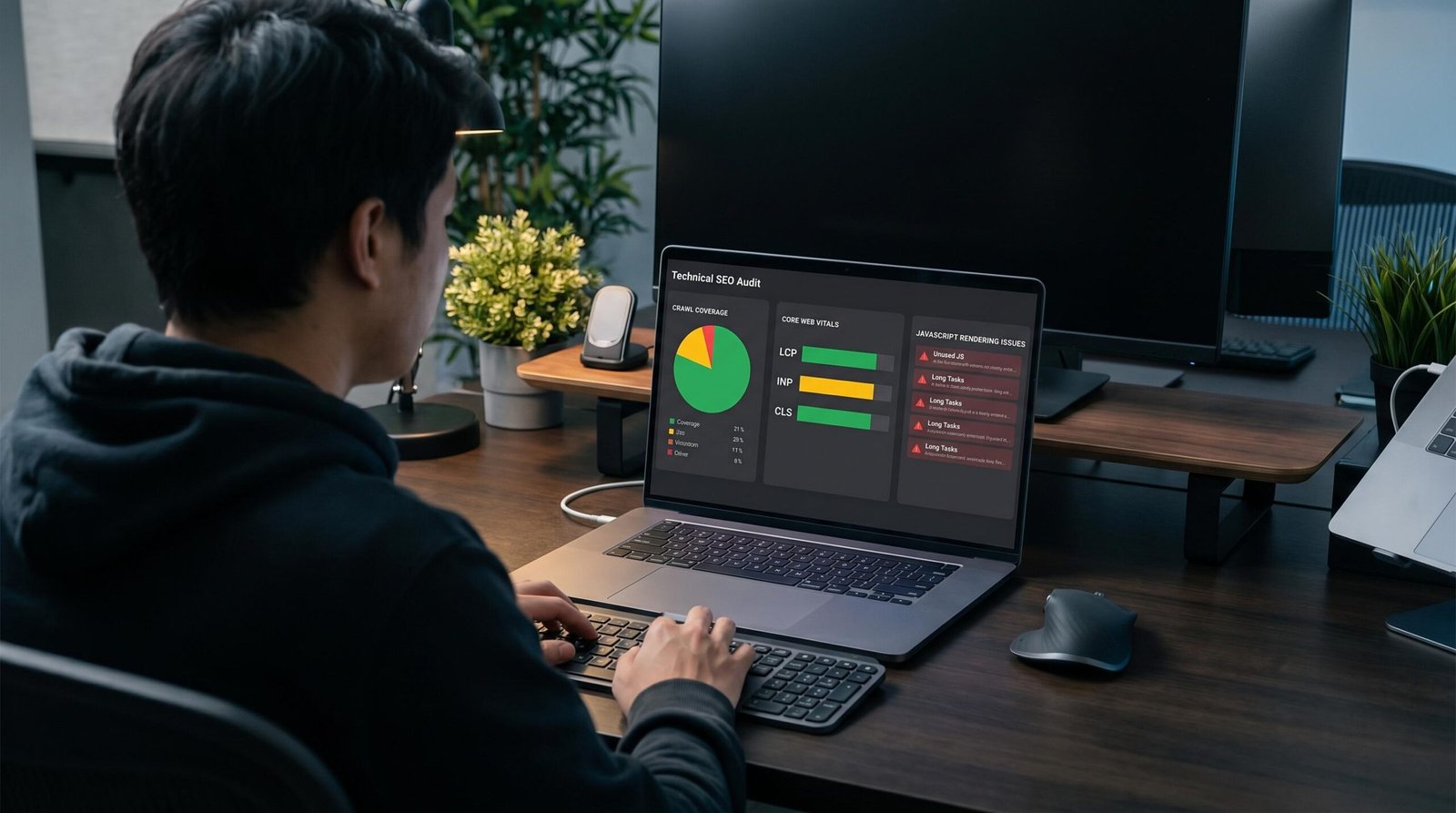
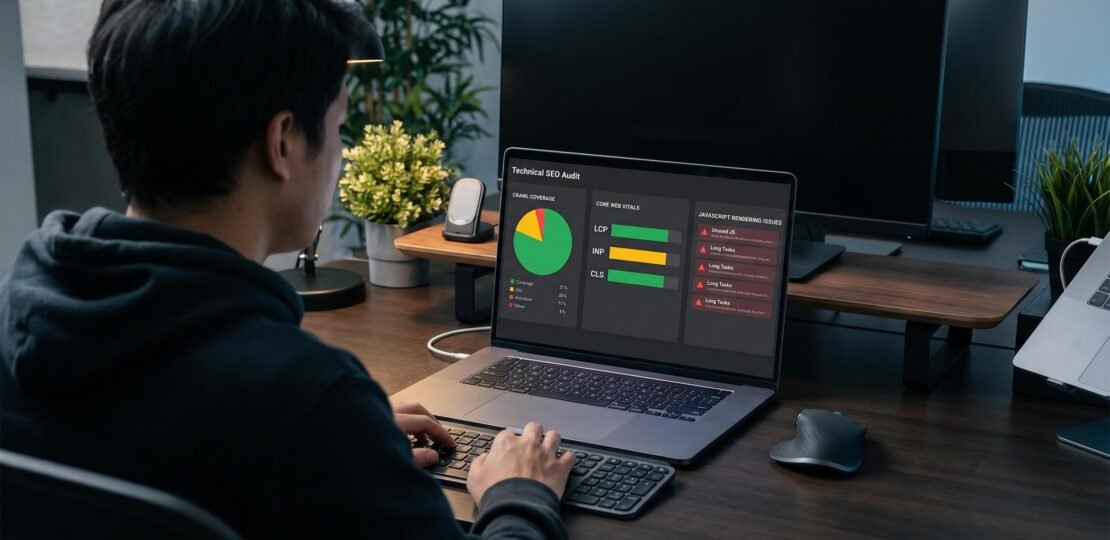
Most technical SEO audit checklists were written for WordPress sites and content-heavy marketing pages. They tell you to verify your robots.txt, check meta tags, and confirm your sitemap submits cleanly. Useful baseline work, but it ignores the actual reasons modern web apps fail in search.
If your stack is React, Next.js, Angular, or Vue, the audit you need looks fundamentally different. JavaScript rendering modes change what Googlebot sees. AI crawlers like ChatGPT and Perplexity often skip JavaScript entirely, leaving your client-rendered SaaS invisible to a fast-growing slice of search traffic. INP replaced FID two years ago as a Core Web Vital, yet half the checklists online still reference the old metric. And SPA routing quietly creates crawl traps that no automated scanner flags as a problem.
This is the technical SEO audit checklist developers actually need. Each phase below walks through what to check, the specific tools that find the issues, and the fixes that work in app architectures. If you are new to app SEO fundamentals, skim that primer first, then come back. Everything here assumes you ship code.
What is a technical SEO audit? A technical SEO audit is a systematic review of everything that affects how search engines crawl, index, and rank your site, covering server configuration, JavaScript rendering, Core Web Vitals, structured data, and mobile performance. For web apps and developer-built sites, the audit must go deeper than standard checklists, since JavaScript-heavy architectures introduce crawlability issues most automated tools miss.
Phase 1: Crawl and Indexability
Indexability is the foundation. A page that Google cannot crawl will never rank, no matter how clean the code or how strong the backlinks. For developer sites this phase catches the cheap, expensive mistakes: a single wrong line in robots.txt can hide an entire app from search for months before anyone notices.
robots.txt checks
Fetch your robots.txt from the root path and read it line by line. The most common developer mistakes we see in audits are accidental wildcard disallows. Blocking /api/ is correct since API endpoints should not be indexed. Blocking /static/ is usually wrong because that path often serves the bundled JS and CSS Google needs to render your pages. If Googlebot cannot fetch your JavaScript bundles, it cannot render your SPA.
Other things to verify: that you point to your sitemap with a Sitemap: directive at the bottom of the file, that you are not blocking Googlebot-Image or Googlebot-Mobile, and that staging environments use a separate robots.txt with Disallow: / rather than the production version. We have seen staging robots.txt files deployed to production more times than we can count.
XML sitemap
Your sitemap should live at /sitemap.xml, list only canonical URLs, exclude noindex pages, and update when content changes. For dynamic apps, generate the sitemap programmatically at build time or via a scheduled job. Next.js has built-in sitemap generation in the App Router, while React SPAs need a custom build script or a tool like sitemap-generator-cli.
Check the sitemap submits cleanly in Google Search Console under Sitemaps. Watch the “Discovered URLs” count, which should match the actual URL count you expect. Discrepancies usually indicate canonical conflicts or noindex tags on pages that should rank.
Canonical tags
Canonical tags tell search engines which URL is the authoritative version when duplicate content exists. Web apps generate duplicate content constantly: query strings from filters and pagination, trailing slash inconsistencies, uppercase and lowercase URL variants. Every page needs a self-referencing canonical tag pointing to its preferred URL, and pages with query parameters should canonicalize to the parameter-free version unless the parameters change content meaningfully.
Index coverage in Google Search Console
The Coverage report shows what Google has and has not indexed, and the categories matter. “Crawled but not indexed” means Google fetched the page and decided not to keep it, usually because content quality is thin or the page looks like a near-duplicate. “Discovered but not indexed” means Google knows the URL exists but has not crawled it yet, often because crawl budget is being spent elsewhere. Both signal architectural issues worth investigating.
Phase 2: JavaScript and Rendering Audit
This is the section no generic SEO checklist covers and the reason most developer-built sites underperform in search. How your app renders determines what crawlers see, and most crawlers see nothing close to what users see.
The four rendering modes
Every modern web app falls into one of four rendering patterns, and each has different SEO implications.
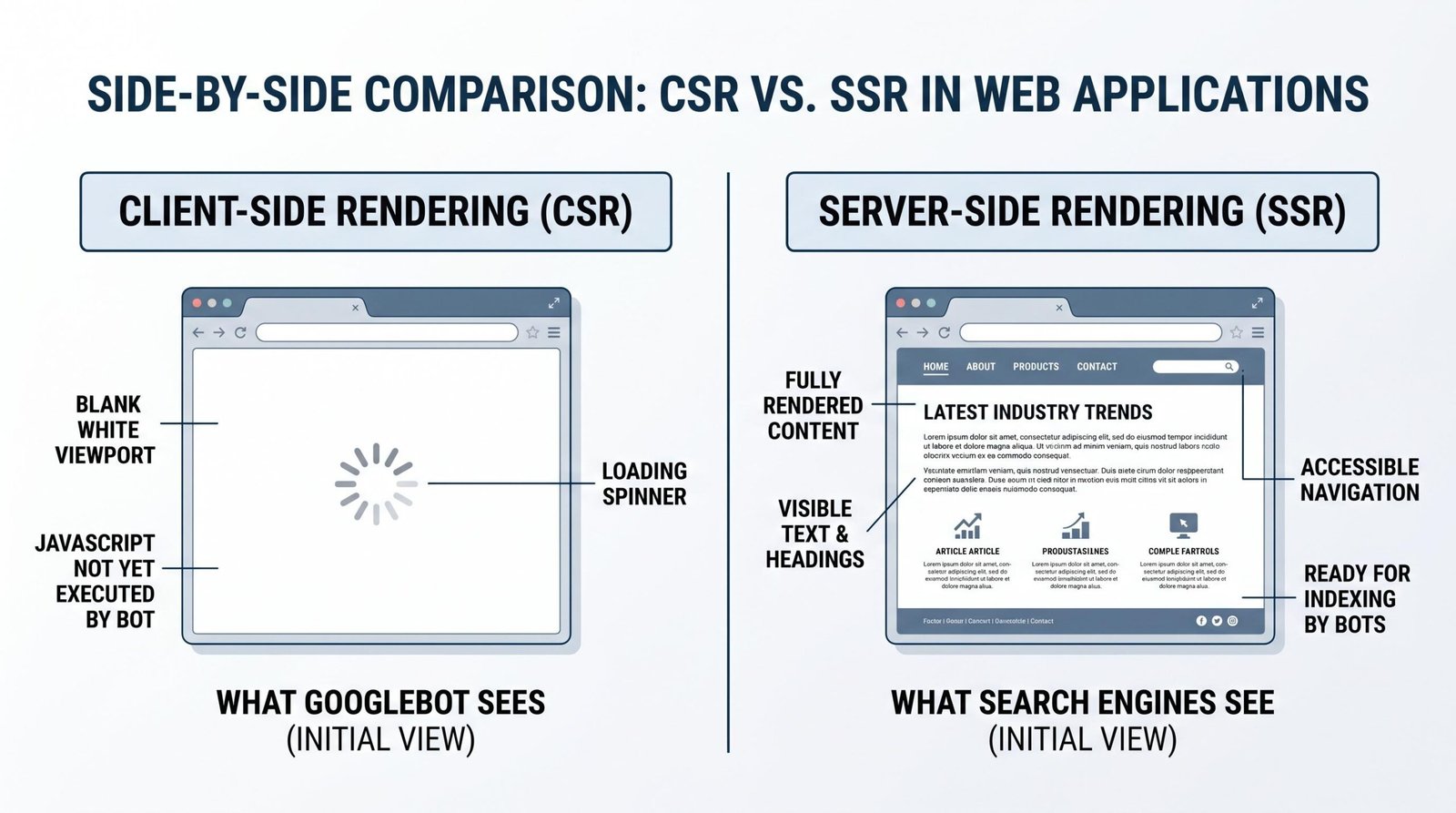
Client-side rendering (CSR) ships an empty HTML shell that the browser hydrates with JavaScript. Googlebot can usually render CSR pages, but it queues them for a second-pass render that can take days or weeks. AI crawlers mostly cannot render JavaScript at all. If your homepage is CSR, ChatGPT and Perplexity see a blank page.
Server-side rendering (SSR) generates the HTML on each request, sending fully formed markup to the browser. Crawlers see complete content immediately. SSR is the safest choice for SEO-critical apps but adds server cost and complexity.
Static site generation (SSG) pre-renders pages at build time into static HTML files. Best of both worlds for content that does not change per user: fast, crawlable, cheap to serve. Next.js, Astro, and Nuxt all do this well.
Incremental static regeneration (ISR) combines SSG with on-demand revalidation. Pages are static by default but regenerate in the background when stale. Good for content-heavy apps with thousands of pages where full rebuilds are too expensive.
Read Google’s documentation on JavaScript SEO basics if you want the official version of how Googlebot handles each mode.
URL Inspection: comparing rendered output to live page
The single most useful diagnostic in Google Search Console is the URL Inspection tool. Paste a URL, click “Test Live URL,” then “View Tested Page,” then “Screenshot” and “HTML.” This shows you the exact HTML Googlebot rendered, not the JavaScript source. If your hero headline does not appear in that rendered HTML, Google did not see it.
For React-heavy apps, we suggest running this check on at least one page per template: homepage, category page, detail page, blog post. If the rendered HTML differs significantly from the live page in Chrome, you have a rendering problem worth fixing. Our complete React SEO guide walks through the specific fixes for hydration and rendering issues in React apps.
AI crawler blindness
This is the under-discussed problem of 2026. Search traffic is fragmenting across AI assistants, and the crawlers powering those assistants behave differently than Googlebot.
OpenAI’s GPTBot, Anthropic’s ClaudeBot, and Perplexity’s PerplexityBot all crawl the open web to feed their models and answer real-time queries. Most of them do not execute JavaScript at all. They fetch the initial HTML response and parse what is there. If your app is client-rendered, the response is essentially empty, a div with an ID and a script tag. Your content is invisible.
The fix is server-rendered HTML for any content you want surfaced in AI answers. SSG, SSR, or prerendering all work. CSR does not, regardless of how well your JavaScript runs in a browser.
SPA crawl traps
Single-page applications create three recurring crawl problems. Hash-based routing using #/about means everything after the hash is ignored by search engines, so every “page” reads as the same URL. Replace hash routing with real path-based routing using BrowserRouter in React Router or equivalent in your framework.
Direct URL access returning 404s happens when your server is not configured to fall back to your app’s HTML entry point for unknown routes. Configure a catch-all rewrite so that /products/widget-123 serves your app shell, then let client-side routing take over.
Hydration errors mean the client-rendered version differs from the server-rendered version, often producing partial or empty content. Watch for hydration mismatches in your console and treat them as blocking SEO bugs, not minor warnings.
For Next.js specifically, see our Next.js SEO setup guide, which covers App Router metadata, dynamic OG images, and the specific rendering knobs you need to pull for production traffic.
Phase 3: Core Web Vitals Audit
Core Web Vitals are the three performance metrics Google uses as ranking signals, and the right names matter. Many checklists online still reference FID, which Google retired in March 2024. The current trio is LCP, INP, and CLS.
Largest Contentful Paint (LCP)
LCP measures when the biggest above-the-fold element finishes rendering. Target: under 2.5 seconds. In web apps the typical causes of slow LCP are render-blocking JavaScript bundles, large unoptimized hero images, and missing preload hints for critical resources. Fixes that produce real improvement include code-splitting so the initial bundle ships only what the first paint needs, serving images in modern formats like AVIF or WebP, and adding <link rel="preload"> for the hero image and critical fonts.
Interaction to Next Paint (INP)
INP replaced First Input Delay in 2024. It measures the latency of all user interactions across a session, not just the first one, capturing how responsive your app feels during real use. Target: under 200ms. In React and Vue apps, slow INP is almost always caused by heavy event handlers triggering expensive renders, large state updates that cascade through the component tree, or synchronous work blocking the main thread during a click.
The fixes are practical. Debounce expensive handlers, memoize components that re-render unnecessarily, move heavy computation into Web Workers, and use React’s useTransition or Vue’s equivalent to mark non-urgent updates as low priority. Watch the Performance tab in Chrome DevTools while you click around the app to find the worst offenders.
Cumulative Layout Shift (CLS)
CLS measures visual stability: how much your content jumps around as the page loads. Target: under 0.1. SPAs that load content async and inject it into the DOM are the worst offenders. Reserve space for images with explicit width and height, reserve space for ads or embeds with min-height containers, and avoid injecting content above the fold after the initial render.
Tools for measuring
Run PageSpeed Insights against any URL for both lab data and real-world Chrome User Experience Report data. Lighthouse runs in DevTools and gives you a lab-only audit useful for catching regressions in CI. The Chrome UX Report dataset shows aggregated field data across your actual visitors, which is what Google uses for ranking, not your lab scores.
For deeper analysis read Google’s Web Vitals documentation, which covers the methodology and recent metric changes in detail.
Phase 4: On-Page Technical Elements
Once crawl, render, and performance are clean, the on-page elements are what tell search engines what each page is actually about.
Title tags
Keep title tags between 50 and 60 characters, with the primary keyword near the start. For apps with many dynamic pages, generate titles programmatically. In Next.js App Router, set metadata.title per route. In React SPAs, use react-helmet-async. In Angular, use the built-in Meta service. Never ship a site with a hardcoded global title tag, every page deserves its own.
Meta descriptions
Aim for 150 to 155 characters. Write them to drive clicks, not to repeat the title. Generate per-page, not site-wide. A single description copied across thousands of app pages tells Google nothing and produces low click-through rates.
Heading hierarchy
Exactly one H1 per page, structured H2s for major sections, H3s nested under H2s. Crawlers use heading structure to understand topic hierarchy. SPAs sometimes render multiple H1s through component composition without anyone noticing. Audit each template to confirm only one H1 is rendered in the final DOM.
Structured data
Structured data is JSON-LD markup that tells search engines what type of content a page contains. For SaaS apps, mark up your product pages with WebApplication schema. For blog content, use Article or BlogPosting. For FAQ sections, use FAQPage schema.
Read Google’s structured data documentation for the supported types, and reference the WebApplication schema type on schema.org for the full property set. Validate every implementation with Google’s Rich Results Test before pushing to production. Invalid structured data gets ignored, and silently failing markup is worse than no markup.
If you are running a SaaS, our SaaS SEO strategy guide covers the structured data patterns that produce the most consistent rich results across product, pricing, and feature pages.
Phase 5: Internal Links and Site Architecture
Internal linking is how PageRank and crawl signal flow through your site. Strong architecture concentrates equity where it matters and surfaces every important page to the crawler.
Crawl depth
No important page should be more than three clicks from the homepage. The homepage typically has the most authority, and that signal dilutes with each click. Run a crawler like Screaming Frog and sort by crawl depth to find pages buried five or six clicks deep. If those pages matter, link to them from higher in the hierarchy.
Orphan pages
An orphan page has no internal links pointing to it. Crawlers find it only through sitemaps or external links, which means it gets crawled rarely and ranks poorly. Cross-reference your full URL list with your internal link graph to identify orphans. Common culprits in apps: legacy landing pages, programmatically generated pages no one curated into navigation, and old blog posts that fell out of category indexes.
Anchor text
Descriptive anchor text helps both users and crawlers understand what the linked page is about. “Click here” and “read more” tell search engines nothing. Use anchor text that includes the target page’s primary topic, naturally and without keyword stuffing.
SPA routing must produce real paths
This is where SPAs break internal linking silently. Client-side routing that does not produce real HTTP paths means crawlers cannot follow your internal links, since they look like JavaScript click handlers, not <a href> tags. Use real anchor tags with real paths, then let your router intercept the click for SPA navigation. The fallback path must be a working server route. For a deeper treatment of these patterns, see our guide to SEO for web apps.
Phase 6: Mobile and Security
Google switched to mobile-first indexing years ago, meaning the mobile version of your site is the version Google indexes and ranks. Desktop content that does not exist on mobile effectively does not exist for SEO purposes.
Mobile-first indexing
Verify your mobile rendering matches your desktop content. Hidden mobile menus are fine as long as the content is in the DOM. Different content shown only on desktop is invisible to Google. Check the Mobile Usability report in Google Search Console for issues like tap targets too close, content wider than the screen, and unreadable font sizes.
HTTPS everywhere
Every page must use HTTPS, every asset must load over HTTPS, every internal link must point to the HTTPS version. Mixed content warnings happen when an HTTPS page loads an HTTP resource, and modern browsers block these silently, leaving your page partially broken. Audit your final rendered HTML for any http:// references that should be https://.
Mobile Core Web Vitals
Real-world mobile performance is consistently worse than desktop, and Google’s ranking signals use field data weighted heavily toward mobile. Run PageSpeed Insights with the mobile preset, accept that your scores will be lower than desktop, and optimize for the mobile thresholds specifically. A site that hits Core Web Vitals on desktop but fails on mobile is a site that fails Core Web Vitals.
Technical SEO Audit Checklist
Print this, work through it, and re-run it quarterly.
| Phase | Check Item | Recommended Tool | Pass Criteria |
|---|---|---|---|
| Crawl | robots.txt accessible at root | Direct fetch | Returns 200, no critical paths blocked |
| Crawl | XML sitemap submitted | Google Search Console | Sitemap status “Success,” URL count matches expected |
| Crawl | Canonical tags present and self-referencing | Screaming Frog | Every page has a canonical tag pointing to itself or preferred URL |
| Crawl | Index coverage clean | Google Search Console | “Crawled but not indexed” under 5% of total URLs |
| Rendering | Server-rendered HTML contains primary content | Curl or View Source | Headlines and body copy visible in raw HTML |
| Rendering | Googlebot rendered HTML matches live page | GSC URL Inspection | Rendered HTML includes all critical content |
| Rendering | No hash-based routing | Manual review | All URLs use real paths, not #/ |
| Rendering | Direct URL access returns 200 | Curl | Server fallback configured for SPA routes |
| Rendering | No hydration errors | Browser console | Zero hydration warnings on production builds |
| Performance | LCP under 2.5s | PageSpeed Insights | Field data passes for mobile and desktop |
| Performance | INP under 200ms | PageSpeed Insights | Field data passes for mobile and desktop |
| Performance | CLS under 0.1 | PageSpeed Insights | Field data passes for mobile and desktop |
| On-page | Unique title tag per page | Screaming Frog | Zero duplicate titles, all 50-60 chars |
| On-page | Unique meta description per page | Screaming Frog | Zero duplicates, all 150-155 chars |
| On-page | One H1 per page | Screaming Frog | Every page has exactly one H1 |
| On-page | Structured data valid | Rich Results Test | No errors, only optional warnings |
| Architecture | No important page deeper than 3 clicks | Screaming Frog | Crawl depth distribution skews shallow |
| Architecture | No orphan pages | Screaming Frog plus sitemap diff | Every indexable URL has at least one internal link |
| Architecture | Internal links use real anchor tags | Manual review | Crawlers can follow all internal navigation |
| Mobile | Mobile usability clean | Google Search Console | Zero mobile usability issues |
| Mobile | Mobile content matches desktop | Manual review | No critical content hidden on mobile |
| Security | HTTPS on all pages | Curl or browser audit | HTTP requests redirect to HTTPS |
| Security | No mixed content warnings | Browser console | Zero HTTP resources on HTTPS pages |
| AI Crawlers | Content visible without JavaScript | Curl or disable JS in DevTools | Main content appears in raw HTML response |
| AI Crawlers | AI crawlers not blocked in robots.txt | Direct fetch | GPTBot, ClaudeBot, PerplexityBot allowed unless intentionally blocked |
Best Technical SEO Audit Tools
These are the tools that actually find issues in developer-built sites. Most are free, which matters when you are a solo founder or small team.
| Tool | What It Checks | Free Tier | Best For |
|---|---|---|---|
| Google Search Console | Index coverage, mobile usability, Core Web Vitals field data, sitemaps, manual actions | Free, unlimited | Source of truth for what Google sees and indexes |
| PageSpeed Insights | Lab and field data for LCP, INP, CLS, and supporting performance metrics | Free, unlimited | Quick performance audits with real-world data |
| Lighthouse | Performance, accessibility, SEO basics, best practices | Free, built into Chrome DevTools | Local performance testing and CI integration |
| URL Inspection Tool | Live rendered HTML, indexing status, structured data validation, mobile rendering | Free, inside Search Console | Diagnosing rendering and indexing issues per URL |
| Screaming Frog | Full-site crawl: titles, meta, headings, canonicals, redirects, broken links, depth | 500 URLs free | Site-wide audits and structural analysis |
| Rich Results Test | Structured data validation against Google’s supported types | Free, unlimited | Validating JSON-LD before deployment |
| GTmetrix | Performance waterfalls, render-blocking analysis, page weight | Limited free testing | Deep performance investigation |
| Ahrefs / SEMrush | Paid all-in-one audit, backlink data, competitive analysis | Limited free | Teams with budget needing broader SEO data |
Running the audit: a practical sequence
Order matters. Fixing on-page issues before resolving rendering problems is wasted work, because Google may not see the changes. We suggest this sequence.
Start with Phase 1, crawl and indexability, since nothing else matters if Google cannot fetch your pages. Move to Phase 2, JavaScript rendering, because rendering problems invalidate everything downstream. Phase 3 performance audits next, since Core Web Vitals are independent of content but ranking-significant. Then Phases 4, 5, and 6 in any order, since they address parallel concerns.
For a brand-new site or a major refactor, plan two full days for the first audit, including fixing the issues you find. For a quarterly maintenance audit on a stable site, budget half a day. Set up automated monitoring in CI for the things you can catch programmatically: bundle size, Lighthouse scores, broken internal links. Manual audits catch the rest.
Frequently Asked Questions
What is a technical SEO audit?
A technical SEO audit is a systematic review of every technical factor that affects how search engines crawl, index, and rank your site. It covers server configuration, robots.txt, sitemaps, canonical tags, JavaScript rendering, Core Web Vitals, structured data, mobile compatibility, and internal site architecture. For web apps specifically, the audit goes deeper to cover rendering modes, hydration, AI crawler accessibility, and SPA-specific crawl issues that generic checklists miss.
How often should you run a technical SEO audit?
Run a full audit quarterly for active sites, and a focused audit after any major release or framework upgrade. Production changes can break rendering, redirect chains, or canonical tags in ways that take weeks to show up in search rankings. Set up continuous monitoring in CI for the metrics you can measure programmatically (Lighthouse scores, bundle size, broken links) and reserve manual audits for the things that need human judgment, like content gaps, architectural decisions, and competitive analysis.
What are the most common technical SEO issues found in web apps?
The four issues we see most often: client-side rendering that leaves AI crawlers with blank pages, SPA routing producing 404s when URLs are accessed directly, missing or incorrect canonical tags creating duplicate content from query strings, and INP failures caused by heavy event handlers in React components. The first two are architectural and require code changes to fix properly. The second two are usually quick wins once identified.
Can I run a technical SEO audit for free?
Yes, and most professional auditors use the same free tools available to anyone. Google Search Console covers index coverage, mobile usability, and field-data Core Web Vitals. PageSpeed Insights and Lighthouse cover performance. Screaming Frog gives you 500 free URLs per crawl, enough for small to mid-size sites. Chrome DevTools handles deep rendering and performance analysis. Paid tools like Ahrefs and SEMrush add backlink and competitive data, useful but not essential for the technical layer of an audit.
How long does a technical SEO audit take?
A first-time audit of a new app takes one to two full days of focused work, plus another two to five days to implement fixes depending on what you find. A quarterly maintenance audit on a stable, well-maintained site takes about four hours. A post-release audit triggered by a deploy that changed routing, rendering, or template structure takes one to three hours. Set expectations with stakeholders that fixing issues takes longer than finding them, sometimes considerably longer when the fix requires architectural changes.
Closing thoughts
The audits worth running are the ones that find problems unique to your stack. A generic checklist will catch a missing robots.txt and a duplicate title tag, but it will not catch the SPA routing that is leaking your entire product catalog to a 404, or the CSR architecture that makes your homepage invisible to ChatGPT. Those are the issues that move rankings and revenue.
Work through the phases above in order. Document what you find in a spreadsheet, score each issue by impact and effort, and ship fixes weekly rather than waiting for a perfect rollout. SEO rewards consistency more than perfection.
RELATED POSTS
View all

Mobile App SEO: The Complete 2026 Guide to Ranking in Google and App Stores
December 22, 2023 | by appseo.com