SEO for Bloggers: The Complete 2026 Guide

You spent three hours writing a post you knew was good. Months later, it sits on page four of Google, buried under thinner content from sites with bigger backlink profiles. The frustrating part is that you suspect you’re doing something wrong, but you can’t tell what.
This guide is for you. We’ll walk through how Google actually ranks blog posts in 2026, what’s changed with AI Overviews and the Helpful Content System, and the specific moves that turn a buried post into one that pulls traffic month after month.
SEO for bloggers is the practice of optimizing blog posts so they rank well in Google search results and attract organic readers. It combines keyword research, on-page optimization, technical site health, and authority signals like E-E-A-T. Unlike commercial SEO, blog SEO focuses heavily on informational intent and helpful, experience-driven content.
What SEO Actually Means for Bloggers (and Why It’s Different)
Most SEO advice is written for businesses trying to rank product pages and category pages. Blogs play a different game.
The vast majority of blog content targets informational queries. Someone types “how to clean cast iron” or “best running shoes for flat feet” because they want to learn something, not because they’re ready to buy from you. Google ranks these queries by asking a single core question: does this post actually help the person who searched for it?
That sounds obvious, but it changes everything. A blog post can outrank a much larger site if it answers the question more completely, more honestly, and with more real experience behind it. Google’s Helpful Content System, rolled out and refined since 2023, is built specifically to reward this kind of content and demote the opposite.
The implication for you as a blogger: chasing keywords without genuinely covering the topic well is a losing strategy now. Writing for readers first, with SEO structure layered on top, is the winning one.
Blog SEO vs. Business Website SEO at a Glance
| Dimension | Blog SEO | Business Website SEO |
|---|---|---|
| Typical keywords | Long-tail informational (“how to”, “what is”, “guide to”) | Short-tail commercial (“best CRM software”, “buy X online”) |
| Content type | Articles, tutorials, opinion pieces, case studies | Product pages, category pages, landing pages |
| Key ranking signals | Helpfulness, E-E-A-T, depth of coverage, freshness | Conversion-focused UX, brand authority, transactional intent match |
| Primary goal | Build audience, earn trust, monetize via ads or affiliates | Generate leads or sales directly |
| Authority signals | Author byline, personal experience, topical depth | Brand mentions, reviews, business citations |
How Google Ranks Blog Posts in 2026
Google’s ranking systems have shifted substantially over the past two years. Three forces matter most for bloggers right now: the Helpful Content System, E-E-A-T as a quality signal, and AI Overviews changing how search results appear.
The Helpful Content System
For years, SEO was largely a matching exercise. You picked a keyword, used it in the right places, built some links, and hoped your post matched the query well enough to rank. That model is gone.
Google’s Helpful Content System, documented in Google’s Helpful Content guidelines, asks a different question: is this content genuinely useful to the person who searched, or was it written primarily to rank in search engines? Sites that consistently produce the former get rewarded. Sites that produce the latter get site-wide ranking pressure, not just on the offending posts.
What this looks like in practice:
- First-hand experience beats polished, generic prose. A post written by someone who clearly used the product, traveled to the place, or ran the test will outrank a post that synthesized other articles.
- Depth of coverage matters more than keyword density. Cover the topic the way an expert friend would explain it, and the keywords will appear naturally.
- Original insights are a differentiator. If your post says exactly what every other top-10 result says, why should yours rank higher than theirs?
The shift Google made here is the most important thing for bloggers to internalize. Writing to rank is a dead-end strategy. Writing for readers, with SEO best practices applied, is the only sustainable path.
E-E-A-T for Bloggers: The Real Mechanics
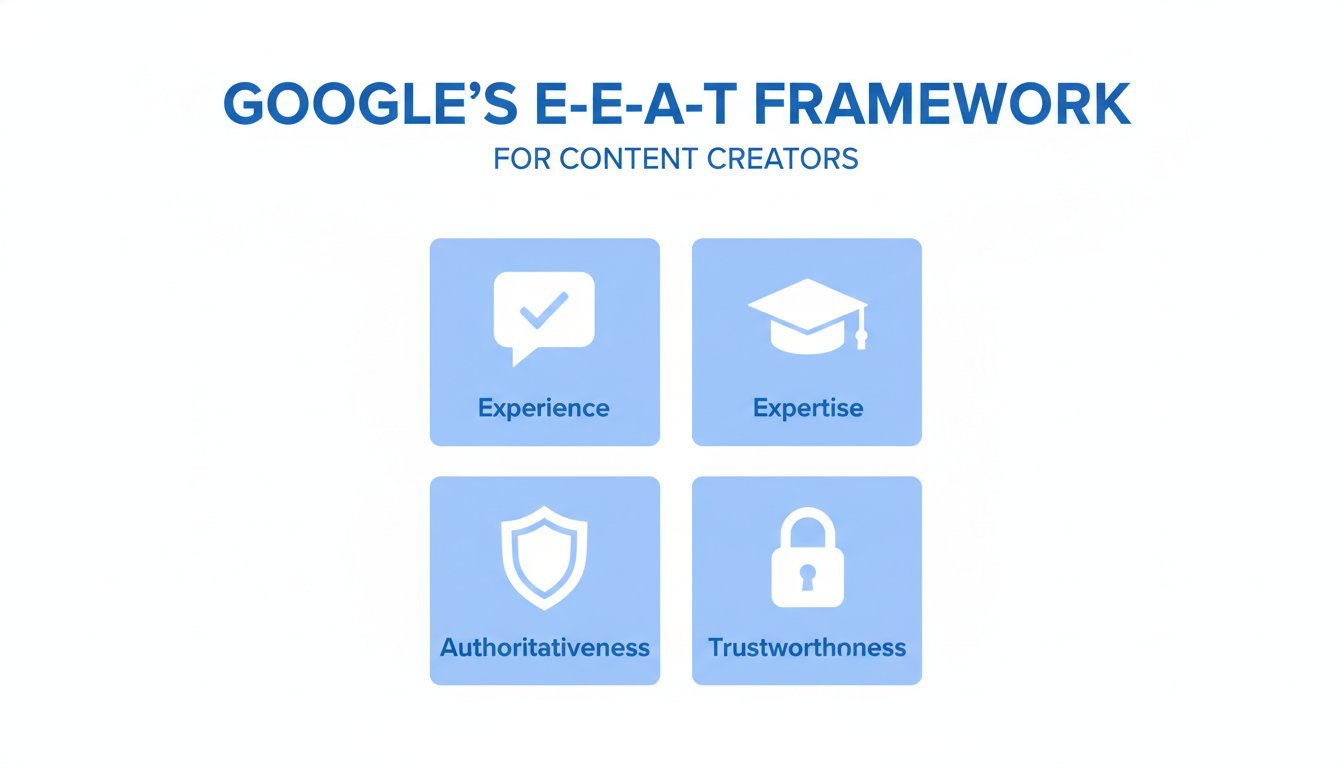
E-E-A-T stands for Experience, Expertise, Authoritativeness, and Trustworthiness. Most guides cover this at the surface level, telling you to add an author bio and call it done. That isn’t enough anymore. Google’s quality raters are trained to look for specific textual signals inside the content itself.
Experience is the newest letter, added in late 2022, and it matters most for blog content. The signal Google looks for is first-person observation language: “in my testing”, “when I tried X”, “the result I saw was Y”, “I’ve been using this for six months”, “during my visit to Lisbon I noticed”. Generic AI content has none of this. Real human experience leaves these fingerprints everywhere.
Expertise shows up through specific domain knowledge that goes beyond surface-level talking points. If you write about espresso machines and your post explains why pre-infusion pressure affects extraction differently with light versus dark roasts, you’re demonstrating expertise. If your post only repeats the marketing copy from manufacturer websites, you’re not.
Authoritativeness is the byline signal. Google increasingly evaluates whether you’re a known voice on this topic. That means linking your author page to your other posts on the same subject, your social profiles where you discuss the topic, and any external recognition you’ve earned. A blogger who has published 40 posts about home espresso has authority on espresso. A site where the author has one post on espresso, one on personal finance, and one on dog training does not.
Trustworthiness shows up through citation discipline and intellectual honesty. Link to your sources. Show your work where it matters. Be upfront about limitations: “I haven’t tested this with X yet” is a trust signal, not a weakness.
E-E-A-T Signal to Practice Mapping
| E-E-A-T Signal | How to Add It to Your Blog Post |
|---|---|
| First-hand experience | Use phrases like “in my testing”, “the result I saw”, “after three months of using”. Include specific dates, durations, and outcomes from your actual use. |
| Original photography or screenshots | Take your own photos of the product, location, or process. Stock images signal generic content. Custom screenshots from your own dashboard signal real use. |
| Specific data points | Share exact measurements, costs, timeframes. “It took 47 minutes” is more credible than “it took a while”. |
| Author byline with topical depth | Link your author page to all posts on the topic. Include a short bio that ties you to the subject (“home espresso enthusiast since 2018”). |
| Citations to primary sources | Link to studies, official documentation, or expert sources. Avoid citing other blogs as your primary source. |
| Honest limitations | State what you didn’t test, what you don’t know yet, and where your perspective is limited. |
AI Overviews and What They Mean for Your Traffic
Google’s AI Overviews, the AI-generated summaries that now appear above traditional results for many queries, are the biggest shift in search since the introduction of featured snippets. Bloggers need to understand both the risk and the opportunity.
The risk is real but smaller than headlines suggest. AI Overviews do absorb some clicks for purely factual queries where the searcher gets a complete answer without scrolling. Pure definition queries and simple how-to queries are the most affected.
The opportunity is significant. AI Overviews don’t generate content from thin air. They pull from blog posts and other web sources, citing them as references. Bloggers who get included in those citations gain brand visibility, residual clicks from readers who want the full version of the summary, and a strong trust signal: Google considers your content authoritative enough to cite.
How to optimize for AI Overview inclusion:
- Structure clear, direct answers near the top of your posts. The featured snippet format we describe later in this guide works for AI Overviews too.
- Use clean header hierarchy so the AI can identify which section answers which sub-question.
- Make factual claims specific and back them with sources. AI Overviews favor content that demonstrates reliability.
- Lean into your unique experience. AI Overviews tend to cite sources with distinctive perspectives, not generic restatements.
The silver lining for human bloggers: AI Overviews need real source material to cite. Generic AI-written content trains the same patterns the AI itself produces, so it doesn’t add unique value as a source. Content with real author experience, original data, and specific observations is what AI Overviews need, which is exactly what skilled bloggers produce. For more on how Google describes the system, see the Google’s AI Overviews documentation.
Keyword Research for Bloggers
Keyword research is where most blogs go wrong before they even publish their first post. The mistake is chasing volume without thinking about whether you can actually rank for the keyword you picked.
Think Long-Tail First
A long-tail keyword is a more specific, multi-word query with lower search volume but also much lower competition. “SEO” is a head term with millions of monthly searches and impossible competition. “SEO for travel bloggers using WordPress” is a long-tail term with maybe 90 monthly searches and a realistic shot at ranking.
Here’s the math new bloggers miss. A 200/month keyword you rank #1 for sends you roughly 60-70 clicks a month. A 10,000/month keyword you rank at position 40 sends you zero. Long-tail wins at every stage of a blog’s life, and especially in the first 18 months when domain authority is still building.
How to find long-tail keywords without paid tools:
- Type your broad topic into Google and look at the autocomplete suggestions. These are real searches people make.
- Look at the “People Also Ask” box for related questions. Each one is a potential post.
- Scroll to “Related searches” at the bottom of the SERP for more long-tail variations.
- Check the comments section of popular YouTube videos on your topic. People ask the questions they couldn’t find good answers to.
Matching Keyword to Content Type
Search intent falls into a few clear categories, and matching your content type to the intent is what makes the difference between ranking and not.
Informational intent covers queries like “how to do X”, “what is X”, “X guide”, “X explained”. This is the bread and butter of blog content. The reader wants to learn, so your post should teach.
Commercial intent covers “best X”, “top X”, “X vs Y”, “X review”, “is X worth it”. These are gold for affiliate bloggers because the reader is researching a purchase decision. Your post should compare options honestly and help the reader decide.
Navigational intent covers searches for your specific brand or a known site. You don’t optimize for these as much as you make sure your brand is the obvious result.
Transactional intent covers “buy X”, “X discount code”, “X sign up”. These are usually owned by product pages and category pages, not blog posts.
A Simple Keyword Research Workflow
You don’t need expensive tools to do this. Here’s a four-step workflow that works:
- Start with a topic, not a keyword. Pick something specific to your niche that you can write about with real experience.
- Search Google and capture autocomplete suggestions. Type your topic and note every autocomplete that appears. These are the actual phrases searchers use.
- Capture the “People Also Ask” questions. Each question is either a potential post or a section heading inside a larger post.
- Evaluate competition by looking at who’s ranking. If the top 10 results are all major brands with deep domains, pick a longer-tail variation. If you see other bloggers, forum threads, or Reddit posts in the top 10, you have a real opportunity.
This workflow is free, takes about 20 minutes per topic, and produces better keyword choices than most paid tools used badly.
On-Page SEO: Optimizing Every Blog Post
On-page SEO is the set of optimizations you make inside your blog post itself. These are the highest-leverage changes most bloggers can make, because they’re entirely under your control.
Title Tags That Get Clicked
Your title tag is the blue clickable link in search results. It’s the single biggest factor in whether someone clicks your result over a competitor’s. A great title tag does two things: signals to Google what the post is about, and convinces a human to click.
The formula that works most often: Target Keyword + Year or Qualifier + Value Proposition, kept under 60 characters so it doesn’t truncate.
Three examples of bad-to-good title transformations:
- Bad: “All About Sourdough Starter” / Good: “Sourdough Starter Guide for Beginners (2026, Step by Step)”
- Bad: “Some Tips on SEO” / Good: “Blogging SEO Tips: 12 Practical Moves That Work in 2026”
- Bad: “Coffee Grinders” / Good: “Best Coffee Grinders Under $200 (Tested by a Home Barista)”
Notice how the good versions are specific, signal what the reader will get, and include a credibility cue.
The Featured Snippet Opportunity
The featured snippet is the boxed answer that appears at the top of many search results, often pulled from a single source. Most informational blog topics have no current snippet owner, which means the position is available to anyone who structures their post correctly.
The formula is simple. Within the first 100-200 words of your post, include a 40-60 word direct answer to the question your title implies. The answer should be a complete, self-contained explanation that makes sense out of context, because Google will pull it out of context when it displays the snippet.
Don’t tease the answer. Don’t say “we’ll cover that below”. Give the full answer in the snippet block, then expand on it through the rest of the post. The person who wants the quick answer gets it. The person who wants the depth keeps reading.
For numbered or list-based queries, use a clean ordered or unordered list with brief items. For definition queries, use a clear paragraph. Google tends to pull the format that matches the query intent.
Header Structure and Topical Depth
Header structure tells Google the shape of your post and helps it understand which sections answer which sub-questions. The rules are simple:
- One H1 per post, matching your target keyword. This is usually your post title.
- H2s mark your main subtopics. Each H2 should cover a distinct reader question.
- H3s mark supporting details inside a section. Use these for sub-sections that have their own scope but live under a larger H2.
- Avoid skipping levels. Don’t jump from H2 to H4.
The broader signal here is topical depth. A post that includes well-structured H2s and H3s covering every angle of the topic shows Google you’ve actually thought through the full scope, not just hit the most obvious points.
Internal Linking
Internal links are links from one of your posts to another. They serve two purposes: helping readers find more of your content, and helping Google understand which posts relate to which on your site.
The model we suggest is hub-and-spoke. Pick a pillar post on a broad topic, then write cluster posts on specific sub-topics. The pillar links to each cluster post, and each cluster post links back to the pillar. This creates a tight topical neighborhood that signals depth to Google.
Practical rules for internal linking:
- Every new post should link to 3-5 existing posts on related topics.
- Every new post should receive at least one new link from an existing post, ideally two.
- Use descriptive anchor text that hints at what the linked post covers. “Click here” tells Google nothing.
- Don’t just link to your homepage. Link to your deepest, most relevant content.
If your blog runs on WordPress, choosing the right SEO plugin makes internal linking easier through related-post features and link suggestions. Our guide to the best SEO plugin for WordPress compares the major options and explains which one fits which blogger profile.
Technical SEO for Bloggers
Technical SEO doesn’t require a developer. Most bloggers can handle the moves that matter themselves, especially on WordPress where most of the heavy lifting happens through plugins and theme settings.
Core Web Vitals: The Three Signals That Actually Affect Rankings
Core Web Vitals are Google’s measurement of how fast and stable your page feels to real users. There are three of them, and you can read Google’s full technical breakdown of Core Web Vitals if you want the source material.
LCP (Largest Contentful Paint) measures how quickly the biggest visible element on the page renders. The target is under 2.5 seconds. For most blogs, the biggest element is the hero image at the top of a post. Common culprits when LCP is slow:
- Uncompressed hero images. A 3MB hero image will tank LCP on mobile every time.
- Page builder bloat. Heavy themes like Divi and Avada load substantial JavaScript and CSS before the page can render. Elementor with too many widgets has the same effect.
- Web fonts loaded badly. If your theme blocks rendering on font loading, text appears late.
INP (Interaction to Next Paint) replaced FID as a Core Web Vital in March 2024. It measures how quickly the page responds when a user taps, clicks, or types. Heavy JavaScript is the main offender:
- WooCommerce adds substantial scripts. If you run a shop alongside your blog, INP on blog posts can suffer.
- Chat widgets like Intercom or Drift load aggressively and block interaction.
- Excessive tracking scripts (Hotjar, Mixpanel, Facebook Pixel, three different analytics tools) compound quickly.
CLS (Cumulative Layout Shift) measures how much the page jumps around as it loads. Common causes:
- Ads loading into containers without reserved space. The page shifts when the ad appears.
- Web fonts swapping in and changing line lengths.
- Images without explicit width and height attributes.
Core Web Vitals Problem-Cause-Fix Table
| Problem | Cause | Fix |
|---|---|---|
| Slow LCP on mobile | Uncompressed hero image | Compress images to under 200KB. Use WebP format. Serve responsive sizes via srcset. |
| Slow LCP across the site | Heavy page builder (Divi, Avada, Elementor) | Switch to a lightweight theme like GeneratePress or Kadence. If you can’t switch, use a builder cleanup plugin to disable unused modules. |
| Poor INP on interactive pages | WooCommerce or chat widget scripts | Defer non-critical scripts. Load chat widgets only after user interaction. Limit tracking scripts to essentials. |
| High CLS from ads | Ad containers without reserved height | Set explicit min-height on ad slots. Use ad networks that respect Core Web Vitals (e.g., Mediavine, Raptive). |
| High CLS from web fonts | Font swap during load | Use font-display: optional or preload critical fonts. |
Getting Your Posts Indexed
Before a post can rank, Google has to find it, crawl it, and add it to its index. Most blogs get this right by default, but it’s worth verifying.
Your XML sitemap is the file that tells Google which pages exist on your site. Most SEO plugins generate this automatically. Once you have a sitemap, submit it through Google Search Console under Sitemaps. Then monitor the Coverage report to see which posts are indexed and which aren’t.
If you have posts that aren’t indexed after several weeks, the usual causes are thin content, accidental noindex tags, or low crawl priority because of weak internal linking. For a deeper diagnostic on indexing and other technical issues, our technical SEO audit guide walks through the full checklist.
Site Speed Basics
Beyond Core Web Vitals, three practical moves cover most of what bloggers need for speed:
- Compress images before upload. Use TinyPNG, Squoosh, or a WordPress plugin like ShortPixel. Uploading raw images straight from your camera is the most common speed mistake on personal blogs.
- Install a caching plugin. WP Rocket is the strongest paid option. W3 Total Cache and LiteSpeed Cache are the strongest free options. Caching turns dynamic pages into static HTML, which loads dramatically faster.
- Use a CDN for global readers. Cloudflare’s free tier handles this well for most blogs. If most of your readers are in one country and your host is in that country, you can skip this.
Off-Page SEO: Building Authority for Your Blog
Off-page SEO is what happens beyond your own site. The single biggest off-page signal is still backlinks, the links from other sites pointing to your blog. These signal to Google that other people consider your content credible enough to reference.
What Link Building Actually Means for Bloggers
You don’t need hundreds of backlinks. Five to ten contextual links from real sites in your niche matter more than 100 links from directory listings or low-quality blog comments. Google’s link evaluation has gotten substantially better at distinguishing real editorial endorsements from manufactured links.
Practical approaches that work for bloggers:
- Guest posting. Pitch a thoughtful, useful post to a blog in your niche. Get one contextual link back to a relevant post on your site. Quality matters more than quantity here, because Google can tell the difference between a guest post on a respected niche site and a low-effort placement on a content farm.
- HARO and similar journalist-pitch platforms. Reporters need expert sources. If you have genuine expertise, responding to journalist queries can earn links from major publications.
- Niche community participation. Genuine participation in subreddits, Discord servers, and forums in your niche tends to produce natural links over time. Don’t drop links. Add value, and links follow.
Content That Earns Links Naturally
The strongest link-building strategy isn’t outreach. It’s writing content that other bloggers want to cite because it’s genuinely useful as a reference. A few formats consistently earn links:
- Original data posts. Run a survey, conduct an experiment, do a side-by-side test. Original data is rare on the web and tends to get cited widely.
- Comprehensive resource pages. A truly thorough guide on a specific topic becomes a bookmark. Other bloggers link to it instead of writing the same content themselves.
- Comparison and alternatives posts. “X vs Y” and “alternatives to X” posts fill a specific research need and get linked from posts that mention the original product.
For bloggers whose niche overlaps with software, our guide on SEO for SaaS covers strategies that translate well to software-focused blogging too. If your blog covers a local audience or you’re trying to attract local customers as well as readers, the principles in our local SEO guide apply.
Measuring Your SEO: The Metrics That Matter
You can’t improve what you don’t measure, but most bloggers measure the wrong things. Page views and traffic are downstream metrics. The upstream metrics that tell you whether your SEO is working live in Google Search Console.
Google Search Console is free and is the single most important tool for any blogger. The four core metrics it shows you:
- Impressions: how many times a post appeared in search results. Rising impressions mean you’re showing up for more queries.
- Clicks: how many people clicked through from search to your post. Rising clicks at the same impression level mean your titles and snippets are more compelling.
- Average position: your average ranking across all queries the post appears for. This is an average across hundreds of queries, so a position of 12 doesn’t mean you’re at position 12 for any single query.
- Click-through rate (CTR): clicks divided by impressions. A low CTR with high impressions means your title or meta description isn’t compelling enough.
Realistic Timelines
Blogging SEO is slow. We’ve seen new blogs take 3-6 months to see their first rankings and 6-12 months to see meaningful traffic. There’s no shortcut. The blogs that succeed are the ones that keep publishing useful content while their domain authority builds.
If you’ve been publishing for 12 months without traffic, the issue is usually one of three things: keyword choice (you picked terms you can’t rank for), content quality (the posts don’t actually help readers), or technical issues (Google can’t crawl or index your posts properly).
When to Refresh a Post vs. Write a New One
Old posts that used to rank but have slipped are usually better candidates for refresh than for replacement. Update the post in place: add new sections, refresh any outdated information, improve the structure, replace weak examples with stronger ones, update the publication date if your platform supports it.
Write a new post when the topic is genuinely different, when you’re targeting a different keyword, or when the old post is so misaligned with current best practices that refreshing it would mean rewriting everything anyway.
If your blog also sells products, the measurement principles change a bit because you’re tracking conversions alongside traffic. Our guide to SEO for ecommerce covers the metrics and tactics specific to that combined model.
FAQ
How long does SEO take for a blog?
Most new blogs see first rankings in 3-6 months and meaningful traffic in 6-12 months. The timeline depends on your niche competitiveness, publishing frequency, and content quality. Blogs in lower-competition niches with strong, experience-driven content can see results faster. Patience matters more than any single tactic. The blogs that succeed are usually the ones that keep publishing useful content through the early months when traffic is still negligible.
How many posts do I need to start seeing SEO results?
There’s no magic number, but most bloggers start seeing meaningful traffic somewhere between 20 and 50 well-targeted posts. Topical depth matters more than raw count. Twenty deep posts covering a tightly defined niche outperform 100 shallow posts spanning unrelated topics. Focus on covering your niche thoroughly before branching out.
What is the best free SEO tool for bloggers?
Google Search Console is the most valuable free SEO tool, and it’s not close. It shows you the actual queries your posts appear for, your average position, and click-through rates. Pair it with Google Analytics for traffic data and Google’s own search results pages for keyword research, and you have most of what you need to make decisions. Paid tools become useful later but aren’t necessary to start.
Do I need to blog every day for SEO?
No. Publishing frequency matters less than publishing quality. One genuinely useful post per week, written with real experience and proper SEO structure, beats five thin posts per week. Most successful bloggers publish 1-4 times per week. Consistency over time matters more than any specific cadence, and a sustainable rhythm you can maintain for years matters more than a sprint that ends in burnout.
What’s the difference between on-page SEO and off-page SEO for bloggers?
On-page SEO covers everything you control on your blog itself: title tags, headers, content quality, internal links, page speed, and technical structure. Off-page SEO covers signals that come from outside your site, primarily backlinks from other websites. On-page is where bloggers should focus first because you have full control. Off-page comes later, once you’ve built a body of content worth linking to.