Local SEO for Small Business: The Complete 2026 Action Plan
May 19, 2026 | by Ian Adair
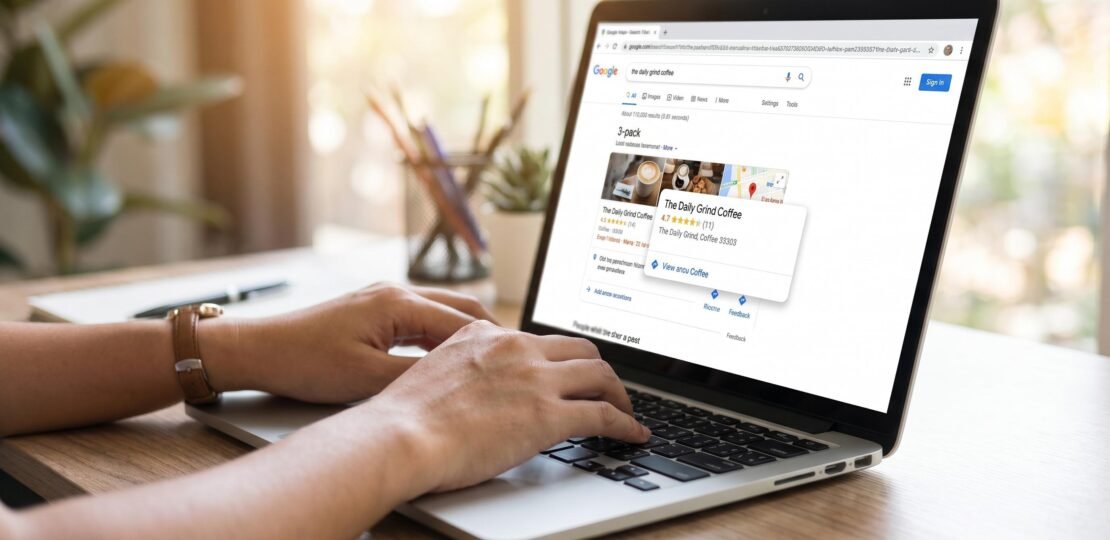
Local SEO for Small Business: The Complete 2026 Action Plan
If you run a small business, local search is where the money is. According to BrightLocal’s 2024 Local Consumer Review Survey, 87% of consumers used Google to evaluate local businesses in the past year, and 76% of mobile local searches result in a phone call or store visit within 24 hours. The catch: most local SEO guides repeat the same advice about claiming your Google Business Profile and chasing citations, then stop short of the technical work that separates a page-one listing from a page-three ghost.
This guide is different. We walk through the foundational steps every business needs, then cover three technical elements most articles skip: local schema markup, Core Web Vitals for local search, and voice search optimization. At the end you get a weekly action calendar you can run on repeat.
What Makes Local SEO Different from Regular SEO
Regular SEO is about authority and relevance. Local SEO adds a third pillar: proximity. Google’s local algorithm asks a different question than its organic one. Instead of “which site best answers this query,” it asks “which business is most relevant to this query, in this physical area, with the strongest signals of legitimacy?”
That changes everything about how you optimize. Three differences matter most:
- Two SERPs in one. A query like “best dentist in Boulder” returns a Local Pack (the map with three businesses), plus traditional blue links underneath. Different ranking factors drive each. You can dominate one and be invisible in the other.
- Google Business Profile is the asset. For local results, your GBP often outranks your website. Your site still matters, but the profile is the storefront.
- Reviews are a ranking factor. Unlike traditional SEO, where social proof is indirect, Google explicitly uses review quantity, quality, and velocity to order local results.
If your business serves a defined geographic area, local SEO is not optional. It is the single highest-leverage marketing channel available, and 47% of small businesses still do not have an optimized Google Business Profile (BrightLocal, 2024). That gap is your opportunity.
Step 1 – Claim and Optimize Your Google Business Profile
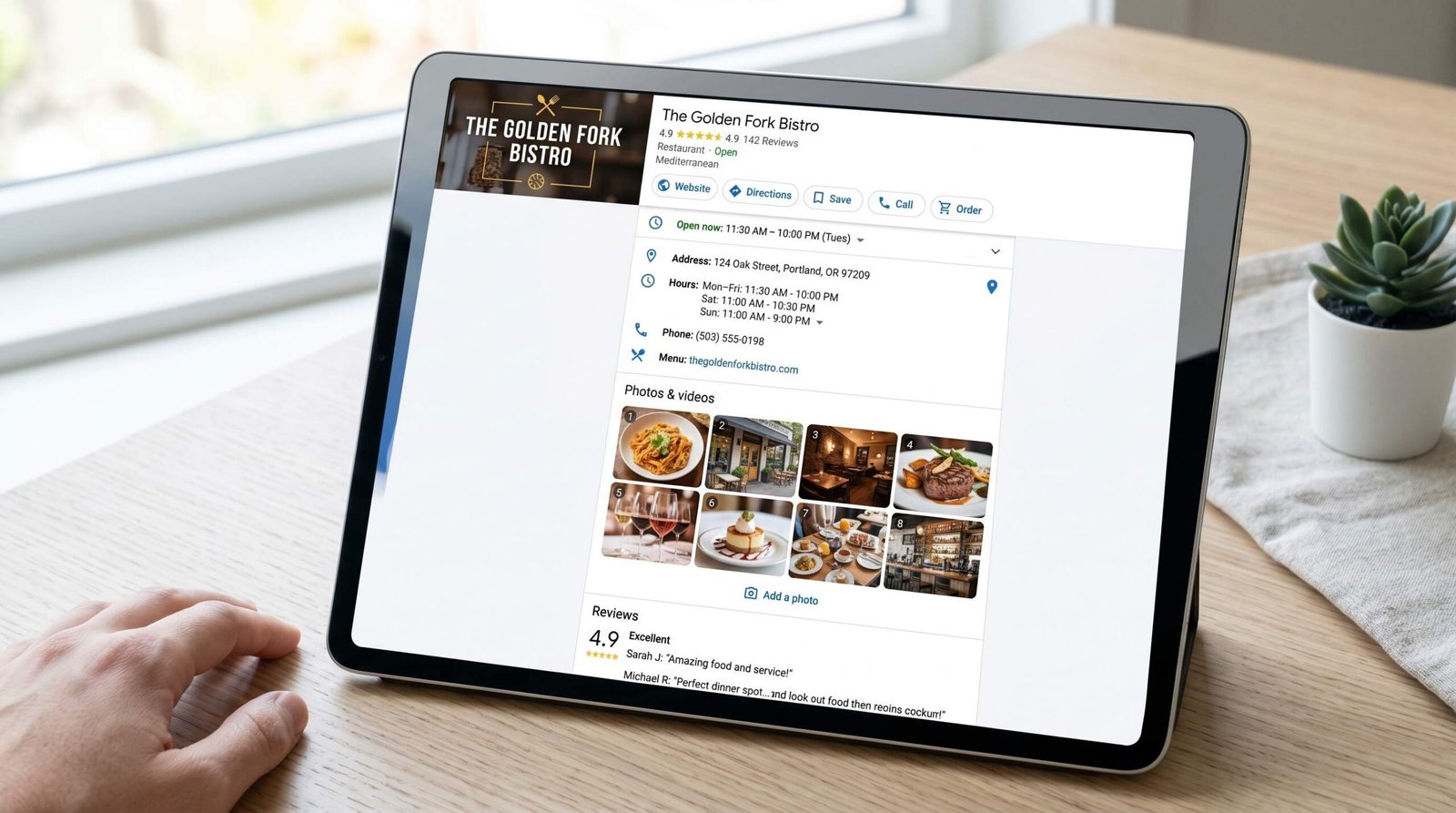
Your Google Business Profile (GBP) is the single most important asset in local search. Before you write a blog post, build a citation, or worry about schema, finish this step. Go to Google’s official GBP setup guide, claim your listing, and verify ownership through the method Google offers (postcard, phone, video, or email).
Verification can take anywhere from instant to two weeks. Use that wait time to gather the assets you will need: 10 to 20 photos of your storefront, team, and product, a clean logo, a 750-character business description, your full service list, and your hours including holidays.
The 10 GBP Fields That Actually Affect Rankings
Not every field on your profile moves the needle. We suggest prioritizing these 10, which carry the most weight in our experience auditing hundreds of small business listings:
- Business name. Use your exact legal name. Keyword stuffing (e.g., “Joe’s Plumbing Best Plumber Atlanta”) violates Google’s guidelines and risks suspension.
- Primary category. The biggest single lever. Pick the most specific category that matches your core service. “Italian Restaurant” beats “Restaurant.”
- Secondary categories. Add up to 9 additional categories that genuinely describe what you do. Do not add unrelated ones.
- Address. Must match your website and citations character for character.
- Service area. If you travel to customers, define the cities, ZIP codes, or radius you cover.
- Phone number. Use a local number with an area code from your service area, not a toll-free line.
- Website URL. Link to your most relevant page, often a location-specific landing page rather than your homepage.
- Hours of operation. Keep accurate, including special hours for holidays. Inaccurate hours hurt rankings and reviews.
- Business description. Use all 750 characters. Lead with what you do, who you serve, and where. Avoid hard sales language.
- Photos. Listings with 100+ photos receive 520% more calls than the average (Google internal data). Upload 5 new photos per month at minimum.
Google Posts and Q&A: The Underused Features
Two GBP features get ignored by 80% of businesses, which is exactly why they work.
Google Posts. Think of these as mini blog posts attached to your profile. Post weekly about offers, events, product updates, or seasonal tips. Each post stays live for 7 days (offers can be longer) and shows directly in your Knowledge Panel. Posts give Google fresh content signals and give searchers a reason to click.
Q&A. Anyone can ask a question on your GBP, and anyone can answer. If you do not get there first, your competitors or random users will. Seed your own Q&A with 5 to 10 common questions: pricing, parking, accessibility, services, appointment policy. Answer them as the business owner.
Step 2 – Build and Audit Your Local Citations
A citation is any online mention of your business name, address, and phone number (NAP). Citations build trust with Google by confirming that your business exists at the address you claim. They are most powerful when they are consistent: identical formatting, abbreviations, and phone numbers across every source.
The Top Citation Sources (NAP Consistency Matters)
You do not need 500 citations. You need the right 30 to 50. Start with these tiers:
- Data aggregators: Foursquare, Data Axle (formerly Infogroup), Localeze. These feed hundreds of smaller directories.
- Core directories: Yelp, Apple Maps, Bing Places, Facebook, Yellow Pages, BBB.
- Industry-specific: TripAdvisor and OpenTable for restaurants, Healthgrades for medical, Avvo for legal, Houzz for home services.
- Local directories: Your Chamber of Commerce, local news sites, neighborhood blogs, regional business associations.
For local SEO for restaurants specifically, prioritize TripAdvisor, OpenTable, Resy, Grubhub, DoorDash, and Yelp. Each one is a major discovery channel for diners, and inconsistent listings here cost real foot traffic.
How to Find and Fix Inconsistent Citations
Audit your current citation footprint before building new ones. Search Google for your phone number in quotes (“(555) 123-4567”) and your business name. You will see every site that lists you, including old addresses you forgot existed.
For each inconsistency you find: claim the listing, update to your current NAP, and document where you fixed it. Tools like BrightLocal, Whitespark, and Moz Local automate this for $20 to $50 per month. If your budget is zero, manually fix the top 20 sources by hand. The work is tedious but one-and-done.
Consistency means exact match. “St” and “Street” are not the same to Google’s parser. “Suite 200” and “#200” can be treated differently. Pick one format and use it everywhere, including your website footer.
Step 3 – Build a Review Velocity Strategy
Most local SEO advice tells you to “get more reviews.” That is incomplete. Google ranks businesses higher when they receive reviews on a consistent cadence, not in irregular bursts. This is review velocity, and it is one of the most underrated ranking levers in local search.
Why Review Velocity Beats Review Count
A business with 200 reviews from 2019 looks dead. A business with 60 reviews where 8 are from the last 30 days looks alive. Google’s algorithm rewards the second one, even if the first has more total reviews.
Target a consistent monthly rate of reviews. For a small business, 4 to 10 new reviews per month is a strong, sustainable pace. For a busy restaurant or service business, aim higher. The signal Google wants is recency and regularity, not volume alone.
Velocity also protects you from negative reviews. A single one-star review tanks a 12-review profile but barely moves a 200-review profile with steady inflow.
How to Ask for Reviews (Scripts That Work)
Most businesses fail at reviews because they ask awkwardly or at the wrong moment. Use these three scripts depending on context:
In-person, end of visit: “Hi [name], we really appreciated working with you today. If you have 60 seconds, would you mind leaving us a quick Google review? I’ll text you the link right now.” Then send the link from your phone. The texted link removes friction.
Email follow-up, 24 hours after service: “Hi [name], thank you for choosing [business]. We’re a small team and Google reviews are how customers find us. If you were happy with your experience, would you take 90 seconds to share a review? Direct link: [link]. If anything was off, please reply to this email first so I can fix it.”
For B2B or longer sales cycles: Ask at the moment of measurable success, like the first month of results or the completion of a milestone. Reference the specific win in your ask.
Generate your review link directly inside your GBP dashboard (Get more reviews > Share review form) and use a URL shortener so it fits in texts. Never offer incentives. That violates Google’s policies and risks losing your reviews entirely.
Step 4 – Local Content and Location Pages
Your website is the second pillar of local search. Even with a perfect GBP, you need on-page content that signals geographic relevance. This is where most small businesses underinvest, and where the easiest wins live.
Location Page vs Service Area Page
A location page represents a physical address. If you have one office, you have one location page (often your homepage or an “About” page). If you have multiple locations, build one dedicated page per address with unique content, photos, and embedded Google Map.
A service area page represents a geographic territory you serve, even if you do not have a physical office there. A plumber based in Denver who serves Boulder, Aurora, and Lakewood needs a separate service area page for each city.
The mistake we see constantly: businesses build doorway pages with near-identical content, only changing the city name. Google penalizes this. Each service area page needs unique elements: local landmarks mentioned, specific neighborhoods served, photos from that area, testimonials from customers in that city, and answers to questions specific to that location (parking, accessibility, local regulations).
Locally-Relevant Blog Content Ideas
Local content does not mean writing “Top 10 Things in [City].” It means content that signals you understand and operate in a specific place. Strong topic angles:
- City-specific guides tied to your service: “Sprinkler System Winterization in Minneapolis: When and How.”
- Local case studies and customer stories with neighborhood references.
- Coverage of local regulations or compliance: “What Austin Homeowners Need to Know About the 2026 ADU Rules.”
- Event sponsorships, community involvement, and local partnerships.
- “Best of” lists that include your business alongside complementary local businesses (these often get linked back by the businesses you mention).
For inspiration on how site architecture supports SEO outcomes, see our guide on technical SEO for web apps. The same principles around indexability, internal linking, and crawl budget apply to multi-location small business sites.
Step 5 – Technical Local SEO (The 3 Things Most Guides Skip)
This is where this guide diverges from every other “local SEO tips” article. The three elements below are the technical layer that separates businesses ranking in the local pack from those stuck on page two. Most guides skip them because they require touching code. We will give you exactly what you need.
Local Business Schema Markup (With Code Example)
Schema markup is structured data that tells search engines exactly what your page is about. For local businesses, the LocalBusiness schema type and its subtypes (Restaurant, Dentist, Plumber, etc.) communicate your NAP, hours, services, and reviews directly to Google in a format it understands.
Add this JSON-LD block to the <head> of your homepage and key location pages. Customize the values for your business:
<script type="application/ld+json">
{
  "@context": "https://schema.org",
  "@type": "Restaurant",
  "name": "Maple Street Bistro",
  "image": "https://example.com/photos/storefront.jpg",
  "@id": "https://example.com",
  "url": "https://example.com",
  "telephone": "+1-512-555-0142",
  "priceRange": "$$",
  "servesCuisine": "Italian",
  "address": {
    "@type": "PostalAddress",
    "streetAddress": "412 Maple Street",
    "addressLocality": "Austin",
    "addressRegion": "TX",
    "postalCode": "78701",
    "addressCountry": "US"
  },
  "geo": {
    "@type": "GeoCoordinates",
    "latitude": 30.2672,
    "longitude": -97.7431
  },
  "openingHoursSpecification": [
    {
      "@type": "OpeningHoursSpecification",
      "dayOfWeek": ["Tuesday","Wednesday","Thursday","Friday","Saturday"],
      "opens": "17:00",
      "closes": "22:00"
    }
  ],
  "sameAs": [
    "https://facebook.com/maplestreetbistro",
    "https://instagram.com/maplestreetbistro"
  ],
  "aggregateRating": {
    "@type": "AggregateRating",
    "ratingValue": "4.7",
    "reviewCount": "184"
  }
}
</script>
Validate your markup using Google’s Rich Results Test, and reference Google’s Search Central documentation on LocalBusiness schema for the full list of properties available. Pick the most specific schema type for your business. Use Dentist instead of MedicalBusiness, Plumber instead of HomeAndConstructionBusiness.
Core Web Vitals: Why Mobile Speed Matters for Local
61% of local searches happen on mobile (Google, 2024), and Google’s mobile-first index means your phone experience determines your ranking. Core Web Vitals, the three metrics Google uses to grade page experience, matter more for local than for almost any other category, because local searchers are often on cellular networks looking for a quick answer.
The three metrics:
- LCP (Largest Contentful Paint): How quickly the main content loads. Target under 2.5 seconds.
- INP (Interaction to Next Paint): How responsive your page feels to taps and clicks. Target under 200 milliseconds.
- CLS (Cumulative Layout Shift): How much the page jumps around as it loads. Target under 0.1.
Run your homepage and top location pages through PageSpeed Insights. Common fixes that move all three metrics: compress images (convert to WebP, lazy load below-the-fold images), defer non-critical JavaScript, reserve image dimensions in your CSS to prevent layout shift, and reduce third-party script bloat (chat widgets, heavy analytics).
For deeper coverage on this topic for mobile-heavy sites, see our writeup on mobile SEO best practices. The Core Web Vitals fundamentals translate directly to local business websites.
Voice Search Optimization for Local Queries
20% of mobile searches are now voice-initiated, and the share is higher for local intent (“hey Google, find a coffee shop near me”). Voice queries differ from typed queries in three ways: they are longer, conversational, and almost always phrased as a question.
To optimize for voice, restructure your content to match how people speak:
- Target question-based queries. Add FAQ sections that mirror exact spoken phrasing: “What time does [business] open on Sundays?” “Does [business] offer same-day appointments?”
- Provide concise direct answers. Voice assistants pull from short, scannable paragraphs (typically 29 words or fewer). Lead each FAQ answer with the answer itself, then expand.
- Use natural language in your content. Stop writing for keyword density. Write the way your customers talk.
- Mark up FAQs with FAQPage schema. This signals to Google which content can be surfaced as a voice answer.
- Win the featured snippet for “near me” queries in your category. Featured snippet content is what voice assistants read aloud.
Local SEO Tools: Free vs Paid Comparison
You can run a competent local SEO program on entirely free tools. Paid tools save time and reveal opportunities the free ones miss. Here is how the most useful options stack up:
| Tool | Free/Paid | Best For | Key Feature |
|---|---|---|---|
| Google Business Profile | Free | Every business | The actual listing you are optimizing. Insights, posts, messages, Q&A. |
| Google Search Console | Free | On-page diagnostics | Tracks the queries you rank for, indexing issues, and Core Web Vitals. |
| BrightLocal | Paid ($39/mo+) | Multi-location and agencies | Citation building, rank tracking by ZIP, reputation management in one place. |
| Moz Local | Paid ($14/mo+) | Citation cleanup | Pushes consistent NAP data to the major data aggregators automatically. |
| Whitespark | Paid ($30/mo+) | Citation discovery | The Local Citation Finder surfaces niche directories your competitors use. |
| SEMrush Local | Paid ($50/mo+) | Competitive analysis | Bundles listing management with full keyword and competitor research. |
| Google PageSpeed Insights | Free | Core Web Vitals | Audits LCP, INP, CLS with specific fix suggestions. |
| Schema Markup Validator | Free | Structured data | Tests your LocalBusiness JSON-LD before deployment. |
Our suggestion for a typical small business on a budget: start with the free tools (GBP, Search Console, PageSpeed Insights, Schema Validator). Add Moz Local or BrightLocal once your citation footprint becomes too tedious to manage by hand.
Your Monthly Local SEO Action Calendar
Consistency beats intensity. The plan below is what we run for our own small business clients. It takes 3 to 5 hours per week and compounds over months.
Week 1: Audit and Profile Maintenance
- Review GBP Insights from the past 30 days. Note search query trends, photo views, and customer actions.
- Update business hours if any holidays are coming.
- Upload 5 to 10 new photos to your GBP (interior, team, products, work in progress).
- Respond to every review from the past month, positive or negative. Aim for under 48-hour response time going forward.
- Check Google Search Console for crawl errors, indexing issues, or Core Web Vitals warnings.
Week 2: Content and Posts
- Publish one new Google Post: an offer, event, product, or seasonal update.
- Add 2 new questions to your GBP Q&A and answer them as the owner.
- Write and publish one locally-relevant blog post (500 to 800 words).
- Update one existing service area or location page with a fresh photo, customer story, or local data point.
Week 3: Citations and Reviews
- Audit 5 citation sources for NAP accuracy. Fix any inconsistencies.
- Build 3 to 5 new citations on niche-relevant or local directories you do not yet appear on.
- Email or text every customer from the past two weeks asking for a review (use the scripts above).
- Spot-check your Schema markup with the Rich Results Test if you added new pages.
Week 4: Technical and Competitive
- Run PageSpeed Insights on your homepage and top three location pages. Fix one Core Web Vitals issue.
- Search your top three target queries in incognito mode from your service area. Document who ranks above you.
- Look at the top three competitors’ GBPs. Note categories they use, photos they post, and recent reviews.
- Plan next month’s content topics based on the queries you noticed in Search Console and GBP Insights.
Run this calendar for 90 days before judging results. Local SEO compounds slowly at first and accelerates once you cross critical mass on citations, reviews, and content depth.
If you also run a mobile app alongside your local business (booking apps, ordering apps, loyalty apps), pair this playbook with our guide on App Store Optimization so both your search and app discovery channels feed each other.
FAQ
How long does local SEO take to show results?
Most small businesses see meaningful local pack movement within 60 to 90 days of consistent work. A brand-new GBP with no reviews and no citations will take longer (4 to 6 months) than an established profile that just needs optimization. Competitive markets like personal injury law or HVAC in major metros can take 6 to 12 months to crack the top three.
What is NAP consistency and why does it matter?
NAP stands for Name, Address, Phone number. Consistency means your business is listed identically across your website, GBP, and every directory or citation source. Google uses NAP matches across the web as a trust signal. When details disagree, Google loses confidence that any version is correct, which dampens your local ranking.
Do I need a physical address to rank in the local pack?
Yes, you need an address that Google can verify, but it does not have to be public. Service area businesses (plumbers, mobile groomers, consultants) can hide their address on their GBP and instead define service areas by city, ZIP, or radius. You must still verify the address with Google, typically by postcard, during setup.
How many Google reviews do I need to rank?
There is no magic number, but data from BrightLocal suggests businesses in the local pack average 89 reviews, versus 39 for businesses on page two. More important than total count is recency and rating. We suggest aiming for a steady cadence of 4 to 10 new reviews per month at a 4.5+ star average rather than fixating on a total.
Is local SEO worth it for a home-based business?
Yes, especially for home-based service businesses (consultants, tradespeople, tutors, photographers). You can hide your home address and rank as a service area business. The investment is your time rather than money, and the customer acquisition cost from local search is typically lower than from paid ads for the same query intent.
What’s the difference between the Local Pack and organic local results?
The Local Pack is the map-based block of three businesses that appears at the top of local-intent searches, drawing primarily from Google Business Profiles. Organic local results are the traditional blue-link results that follow, ranking websites based on standard SEO factors plus local relevance signals. A business can rank in one but not the other. Optimal small business local search results from ranking in both.
Does local SEO work for ecommerce or online-only businesses?
Local SEO is built for businesses serving customers in a defined geographic area. Pure online businesses without a service area or physical presence will see almost no benefit. If you sell physical products online but have a warehouse or showroom customers can visit, you can claim a GBP for that location.
RELATED POSTS
View all

Off-Page SEO: The Complete Guide for App Developers and SaaS Founders
June 1, 2026 | by Ian Adair
SEO for Shopify: The Complete 2026 Guide (Technical Deep Dives Included)
May 23, 2026 | by Ian Adair